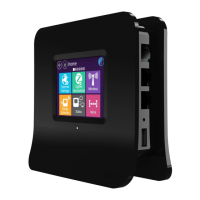
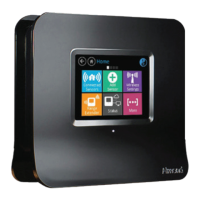
The setup process consists of a few simple steps:
1) Connect Almond+(Wireless Router) to the Internet in “Router” or “Range Extender” mode.
2) [Optional] Setup your Almond+(Wireless Router) Account to enable remote access for your sensors.
3) [Optional] Pair sensors to your new Almond+(Wireless Router).
Inside the Box
Desk Stand
Wall Plate
12V, 2.5A Power Adapter
Gigabit
Ethernet Cable
StylusTouchscreen LCDReset Button
2 USB 3.0
4 Gigabit LAN 1 Gigabit WAN
Power
Connector
Product Name: Almond+ (Wireless Router) Model Name: Almond+
Quick Start Guide
Router Setup
1) Unplug the AC adapter & ethernet cables of your Internet modem (Cable, DSL or Fiber). If your
modem has a battery remove it.
2) Wait for 1 minute. If your modem has a battery re-insert it. Plug the AC adapter of the modem back
into the power outlet.
3) Wait for 1 minute. Plug the AC adapter of Almond+(Wireless Router) into the power outlet.
4) Follow the on-screen instructions on Almond+(Wireless Router)'s Touch Screen.
Range Extender
1) Plug the AC adapter of Almond+(Wireless Router) into the power outlet.
2) Follow the on-screen instructions on Almond+(Wireless Router)'s Touch Screen.
Securifii Ltd, 4F, No.65, Songde Rd, Xinyi Dist, Taipei City 110, Taiwan (R.O.C.)
Email: support@securifi.com Ph: +886.2.2726.0100, Fax: +886.2.2726.2006
www.securifi.com

 Need help?
 General

 To Next Page