18
Receiver – Enter up to four receiver e-mail address
SMTP Server - The SMTP server for the sender mailbox.
Need Authentication - Check the box if the email needs authentication then
input the SMTP User Name & Password.
Mail test: Set the Mail parameters then click 'Submit' first before sending a
test email. “Success” will be the response on your screen if the e-mail
parameters have been entered correctly.
Report Internet IP by Mail – Sends an e-mail when the camera is powered
up or the IP address is changed.
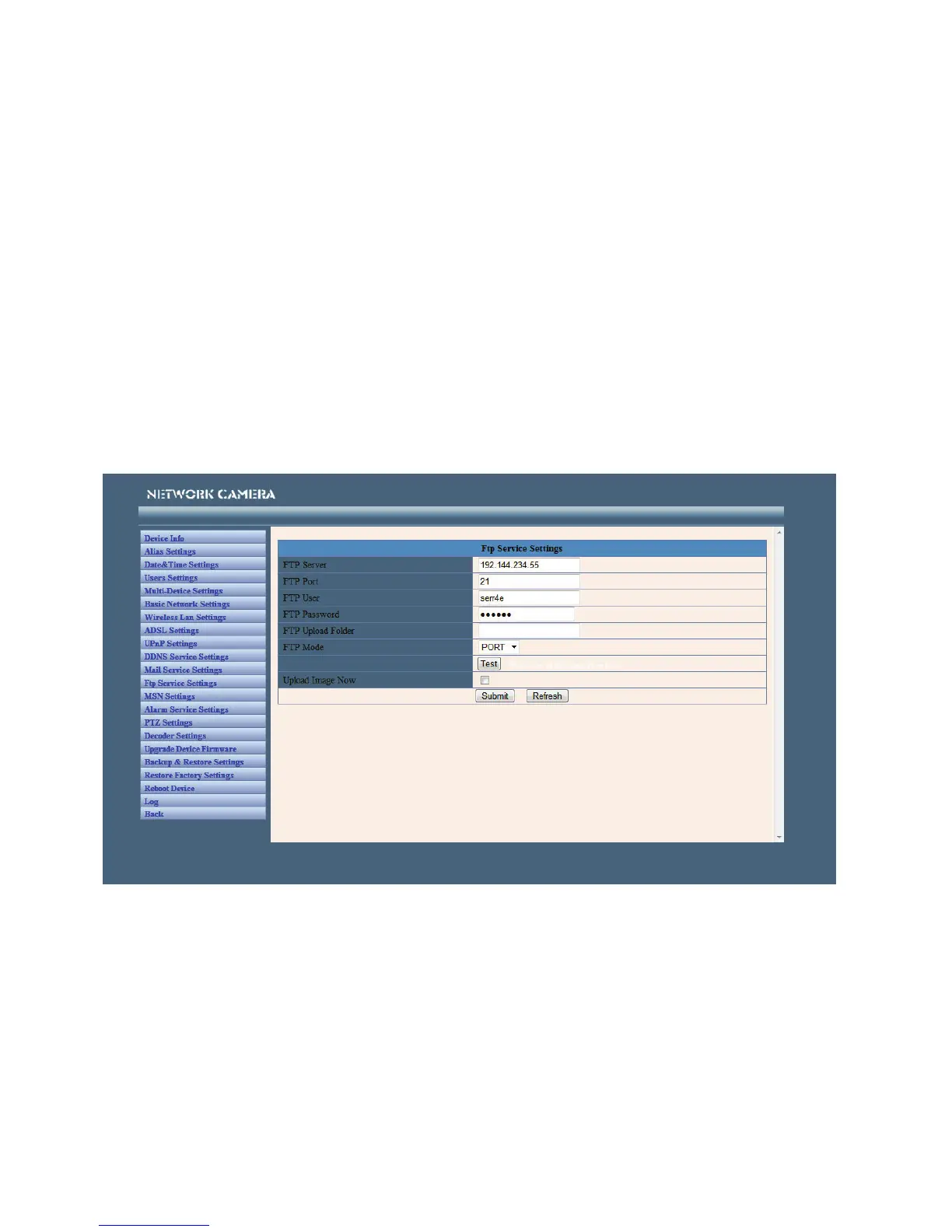
FTP Service Settings
Note: When Alarm Service Settings > Upload Image on Alarm is checked, the
FTP Service takes effect.
FTP Server - The FTP server address.
FTP port - The port usually is 21.
FTP Mode - Supports standard (POST) mode and passive (PASV) mode.
Upload Image Now - Check the box to upload the image. When checked, you
can input the upload interval time in seconds.
FTP Test - Set the FTP parameters and then click 'Submit' before testing the
FTP settings. If successful, it will display the prompt “Success”.



 To Next Page