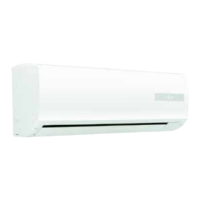
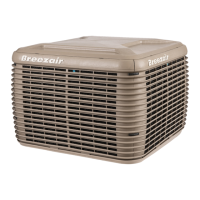
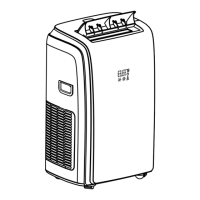
This document is the owner's manual for the Convair Compact Portable Refrigerated Air Conditioner, model CP35CW1, manufactured by Seeley International.
Function Description:
The Convair CP35CW1 is a compact portable refrigerated air conditioner designed to provide cool air to a personal area within a room. It is not intended to function as a house or room air conditioner. The unit offers multiple operating modes: Cool mode for refrigerated cooling, Dry mode for extracting moisture from the air, and Fan mode for fan-only operation. It features a timer function for automatic start-up or shut-down after a set period, and a Sleep mode that gradually adjusts the set temperature for comfort over an extended period. A Swing mode allows the air deflector to swing continuously, distributing air evenly.
Important Technical Specifications:
- Model: CP35CW1
- Power Supply: 220-240V, 50Hz
- Cooling Capacity: 3350 Watts
- Rated Power: 1280 Watts
- Air Flow: 330 m³/hr
- Refrigerant Type / Charge: R410A / 0.5kg
- Max. Pressure – Suction: 2.1 MPa
- Max. Pressure – Discharge: 4.2 MPa
- Ingress Protection: IPX0
- Weight: 31.0 kg
- Dimensions (mm): 435 x 355 x 710
- Thermostat Setting Range (Cool mode): 18°C - 32°C
Usage Features:
The air conditioner can be operated via a control panel on the unit or a remote control.
- Control Panel and Display: The unit features a display screen showing the cool mode indicator, fan speed, timer indicator, temperature units (°C/°F), and temperature indicator. The control panel includes buttons for On/Off, Mode selection (Cool, Dry, Fan), Fan speed adjustment, Temperature increase/decrease, and Swing mode.
- Remote Control: The remote control duplicates most functions of the control panel, including On/Off, Mode, Fan speed, Temperature adjustment, Swing mode, Sleep mode, Timer, and Temperature Units (°C/°F). The remote control uses a CR2025 battery.
- Installation: The unit should be placed on a firm, flat surface, at least 50 cm from any objects. It requires an exhaust hose (item 12) to vent hot, moist air outside. The exhaust hose connects to a hose outlet (item 13) and hose inlet (item 14), and then to a window slider kit (item 17) which can be installed horizontally or vertically in a window. The exhaust hose should be kept as short and straight as possible for maximum cooling efficiency. A drain hose can be fitted for continuous draining of condensate.
- Operation Modes:
- Cool Mode: Provides refrigerated cooling. The thermostat can be set between 18°C and 32°C. Cooling only occurs if the set temperature is less than the ambient room temperature. 24°C is the recommended setting. The fan continues to operate even if the compressor turns off.
- Dry Mode: Extracts moisture from the air.
- Fan Mode: Fan-only operation with adjustable speeds (low, medium, high).
- Sleep Mode: Gradually increases the set temperature by 1°C every 60 minutes for 2 hours, maintaining the new temperature for 6 hours before reverting to the original setting. The display dims during Sleep mode.
- Swing Mode: Activates continuous up-and-down movement of the air deflector for even air distribution. Vertical air outlet vanes can be adjusted manually.
- Timer Function: Allows setting an automatic start-up or shut-down time between 1 and 24 hours. This function is only available via the remote control.
- Water Management: During cooling, water collects in the internal tank. This water is partly re-circulated and partly exhausted with hot air. If the tank fills, the unit will shut down and display a "Ft" error code, requiring the tank to be drained.
Maintenance Features:
Regular maintenance is crucial for maximizing efficiency and longevity.
- Safety First: Always disconnect the air conditioner from the electricity mains before cleaning or draining.
- Cleaning the Housing: Wipe the body clean with a soft, damp cloth. Avoid aggressive chemicals, spirits, detergents, or chemically treated cloths, as these can damage the cabinet.
- Cleaning the Filters: Filters (item 5, Air Intake grille; item 8, Intake grille) should be removed and cleaned regularly. Use a vacuum cleaner or tap lightly to remove dust, then rinse under running water (no hotter than 40°C). Dry thoroughly before replacing. Never operate the unit without the filters.
- Draining the Air Conditioner: When the water tank is full or for end-of-season storage, the unit must be drained. Place the air conditioner over a drain point, unscrew the cap, and remove the drain plug at the bottom rear of the unit. Allow the tank to drain completely before replacing the plug and cap.
- End of Season Storage:
- Drain all water from the unit.
- Operate the unit in fan mode for a few hours to thoroughly dry the inside.
- Clean or change the filters.
- Unplug and carefully store the power cord.
- Store the unit in its original carton or covered.
- Troubleshooting: The manual provides a troubleshooting guide for common issues like the unit not operating, insufficient cooling, excessive noise, or the compressor not turning on. It also lists error codes (LE for low temperature/frost protection, PF for temperature sensor failure, FE for water tank full) and their corresponding actions.
- Battery Replacement (Remote Control): Remove the cover on the rear of the remote control, replace the CR2025 battery, ensuring correct polarity.
- Warranty: Convair air conditioners are warranted against faulty manufacture for 2 years after purchase in Australia. The warranty covers replacement of goods or parts, or a refund, under specific conditions. It does not cover misuse, accidental damage, normal user maintenance, or damage from non-genuine spare parts.


 To Next Page
 General