EasyManua.ls Logo

SEFAM DreamStar Duo - User Manual

SEFAM DreamStar Duo
50 pages
Print Icon
To Next Page IconTo Next Page
Loading...
DreamStar™ is a brand registered by SEFAM.
DreamStar™ Product Range
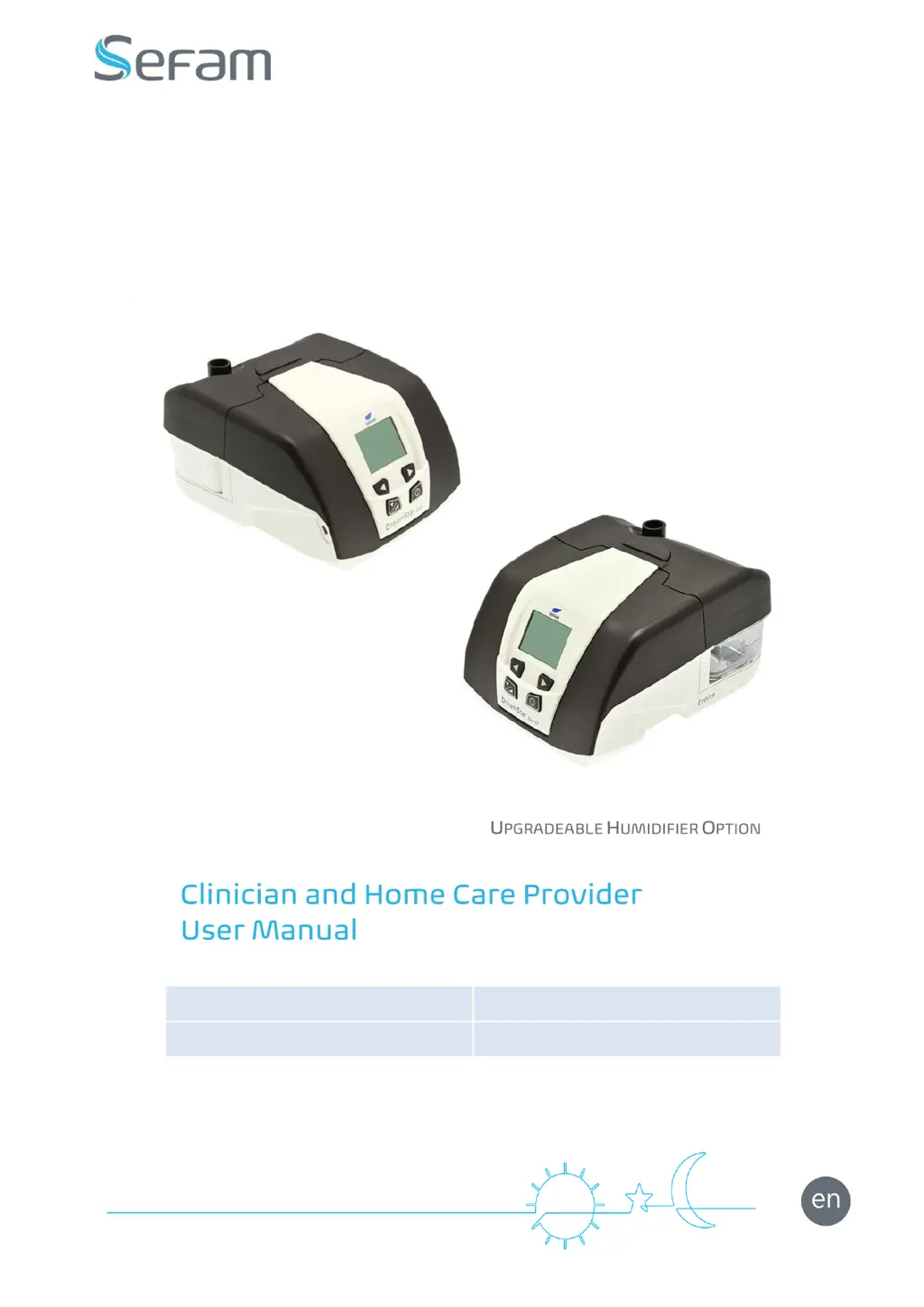
DreamStar™ Duo
DreamStar™ Duo Evolve
DreamStar™ DuoST
DreamStar™ DuoST Evolve

Table of Contents

Other manuals for SEFAM DreamStar Duo

Questions and Answers

  • J
    Jennifer SandersSep 23, 2025
    What to do if I spilled water into my SEFAM DreamStar Duo?
    • H
      hallvictoriaSep 23, 2025
      If water has spilled into your SEFAM Humidifier, unplug the device and allow it to dry for at least 24 hours. After it's completely dry, re-apply power and check for proper operation.
  • S
    Sara CollinsAug 23, 2025
    What to do if there's too much water in my SEFAM DreamStar Duo Humidifier mask?
    • C
      christopherclarkAug 23, 2025
      If you notice excessive water droplets in the mask or patient circuit of your SEFAM Humidifier, it could be due to several reasons. First, check if the water level in the water chamber exceeds the maximum fill line and pour out any excess. A small amount of water droplets can be normal, especially in winter. You can also adjust the heat level of your device. Additionally, try routing the patient circuit under your blanket to reduce condensation.
  • T
    Thomas MyersAug 25, 2025
    Why SEFAM DreamStar Duo Humidifier doesn't turn on?
    • J
      Jody EvansAug 25, 2025
      If your SEFAM Humidifier device isn't lighting up, start by checking that the power supply cord is correctly plugged into the power port, and ensure the cord is properly connected to both the device and the power source. Then, plug another device into the power source to confirm that the outlet is working. If these steps don't solve the issue, contact your home care provider.
  • M
    mhartmanAug 26, 2025
    Why is the air from my SEFAM DreamStar Duo Humidifier too hot?
    • R
      Robert HolmesAug 26, 2025
      If the air from your SEFAM Humidifier is too hot, the air intake filters may be dirty, so clean or replace them as needed. Also, check if the air intake is blocked by bedclothes or clothing and move them away. Finally, the room temperature might be too high, so lower the room temperature and ensure the device is away from heat sources. Remove the patient circuit from under any covers.
  • O
    oriveraAug 27, 2025
    What to do if my skin is red from using SEFAM DreamStar Duo mask?
    • T
      tina10Aug 27, 2025
      If you experience skin redness from your SEFAM Humidifier mask, the headgear may be too tight or the mask size may be too small; try adjusting the headgear. If redness persists, you might be having an allergic reaction to the mask components. In that case, stop using the mask and contact your doctor or home care provider.
  • A
    Andrew SharpSep 18, 2025
    What does blinking symbol on humidifier heat level page mean on SEFAM DreamStar Duo Humidifier?
    • J
      Jessica GrahamSep 18, 2025
      If the symbol is blinking alternately with an error code at the center of the humidifier heat level page on your SEFAM Humidifier, it means the device has detected a humidifier operating error. Unplug the device from all sources of electrical power, then plug it back in and turn it on.
  • P
    pwatkinsSep 15, 2025
    What does HIGH FREQUENCY mean on my SEFAM DreamStar Duo Humidifier?
    • K
      Kenneth YoungSep 15, 2025
      If 'HIGH FREQUENCY' is displayed on the screen of your SEFAM Humidifier, it indicates that an overly high frequency has been detected. Press the device ON/OFF button twice and check the patient circuit connections.
  • J
    joshuacrossSep 16, 2025
    What does blinking symbol with error code mean on SEFAM Humidifier?
    • M
      Matthew HoustonSep 16, 2025
      If you see the symbol blinking alternately with an error code at the center of the display on your SEFAM Humidifier, the device has detected an operating error. Unplug the device from all electrical power sources, then plug it back in and turn it on.
  • C
    carlos79Sep 6, 2025
    How to prevent a cold nose while using SEFAM Humidifier?
    • L
      luis66Sep 6, 2025
      If your nose feels cold while using the SEFAM Humidifier, it could be because the room temperature is too low, so raise the room temperature. Alternatively, the delivered air might be too cold; place the patient circuit under a cover and run it next to your body to reduce heat loss.
  • G
    Grant GarzaSep 3, 2025
    Why do I have a runny nose using SEFAM DreamStar Duo?
    • C
      Carol Brewer DVMSep 3, 2025
      If you experience a runny nose while using the SEFAM Humidifier, it could be a reaction to the airflow and pressure levels. It is recommended to contact your medical technical team or your attending physician.

Summary

Before You Start

Safety Precautions

Important warnings and guidelines to prevent patient injury or device damage during operation.

Intended Use

Specifies the target patient population and application for the DreamStar devices.

Contra-indications

Conditions or pathologies for which the use of positive pressure is not recommended.

Authorised Accessories

Details the approved accessories that can be used with the DreamStar devices.

Available Features

Heated Humidification Feature

Describes the function and availability of the heated humidifier for Evolve models.

Ramp Feature

Gradual pressure increase to help the patient fall asleep, adjustable in CPAP and Bilevel modes.

Device Settings

Definitions

Explains key terms and parameters used in device settings and operation.

Settings Ranges

Outlines the default, minimum, and maximum values for various device parameters.

Accessing Device Menus

Describes how to navigate and access the device's settings and service menus using control buttons.

Screen Symbols Reference

Provides a reference for understanding the meaning of various icons and symbols shown on the device display.

DreamStar Duo; Duo Evolve Settings

Accessing the Settings Menu

Details the procedure to enter the device's settings menu using the control buttons.

Settings Menu Overview

Explains how to navigate and adjust parameters within the Settings menu for Duo/Duo Evolve devices.

CPAP & Bilevel Mode Settings

Specific parameter adjustments available for the DreamStar Duo/Duo Evolve in CPAP and Bilevel modes.

Calibrating the Device

Instructions for calibrating the device, particularly for patient circuit selection.

Service Menu

Language and Clock Settings

How to change the device's language and set the current time.

Date Settings

Procedure for setting the calendar date on the device.

Patient Control Access & Features

Locking/unlocking settings for patient control and feature selection.

Patient Reminders Configuration

Setting frequencies for reminders related to filter, mask, service, and memory card usage.

DreamStar DuoST; DuoST Evolve Settings

Accessing Settings Menu (DuoST)

Steps to access the settings menu for DreamStar DuoST/DuoST Evolve devices.

DuoST Settings Menu Overview

Overview of parameter adjustments within the Settings menu for DuoST models.

DuoST CPAP & Bilevel Settings

Parameter adjustments for DreamStar DuoST/DuoST Evolve in CPAP and Bilevel modes.

Calibrating DuoST Device

Procedure for calibrating the DreamStar DuoST device, including patient circuit selection.

Service Menu (DuoST)

Language and Clock (DuoST)

How to set language and time on DreamStar DuoST devices.

Date & Patient Control Settings (DuoST)

Setting date and managing patient-accessible settings for DuoST devices.

Feature Selection & Reminders (DuoST)

Configuring features and patient reminders for DuoST devices.

Other Settings and Information

General Information Menu

Accessing and viewing device operating time, total use, and session history.

Setting Heat Level

Adjusting the heat level for the humidifier when a water chamber is connected.

Reminders About to Expire

Notification and management of upcoming reminders for filter, mask, service, or memory card events.

Specific Calibration

Pneumatic Configuration Calibration

Detailed steps for performing specific calibration based on pneumatic configuration.

Using a Memory Card

Instructions for data backup and updating machine settings using a memory card.

Updating Settings & Service Cards

How settings are updated via memory card and configuring service cards.

Cleaning and Maintenance

Daily & Weekly Cleaning

Routine cleaning procedures for the water chamber and its components.

Filter Maintenance

Instructions for cleaning and maintaining the washable filter and its holder.

Monthly Maintenance

Monthly maintenance for the device, air intake filters, and water chamber.

Material Disinfection

Surface & Water Chamber Disinfection

Procedures for disinfecting device surfaces and water chamber components.

Prohibited Cleaning Agents

Lists materials and chemicals that should not be used for cleaning or disinfecting the device.

Troubleshooting Tips

Device Messages

Explains common on-screen messages and their corrective actions.

Error Messages

Lists error codes, their descriptions, and recommended corrective actions.

Technical Characteristics

Device Performance Specifications

Detailed technical data on pressure range, accuracy, ramp duration, and backup frequency.

Humidifier Performance

Specifications related to the integrated humidifier's rate, heating time, and pressure loss.

Operating & Storage Conditions

Environmental conditions for device operation, transportation, and storage.

Electrical & Physical Specs

Details on electrical specifications, dimensions, weight, and water chamber volumes.

Symbols and Compliance

Symbols on Device and CE Marking

Explains device symbols and CE marking indicating compliance with European directives.

Standards Compliance & Disposal

Lists relevant standards and guidelines for device disposal.

ISO 17510-1:2007 Features

Data on static and dynamic pressure stability according to ISO 17510-1:2007 standards.

Functional Pneumatic Block Diagram

Airflow Path Description

Illustrates the functional components and airflow path within the device.

Electromagnetic Compatibility

Emissions and Immunity Overview

Details on electromagnetic emissions and immunity requirements for the device.

RF Immunity & Separation Distances

Guidelines for RF immunity and recommended separation distances for RF communication equipment.

Separation Distances and Cables

Tables for separation distances and list of compliant cables.

SEFAM DreamStar Duo Specifications

General IconGeneral
BrandSEFAM
ModelDreamStar Duo
CategoryHumidifier
LanguageEnglish

Related product manuals