EasyManua.ls Logo

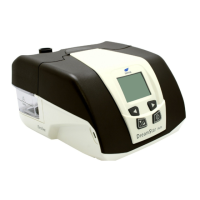
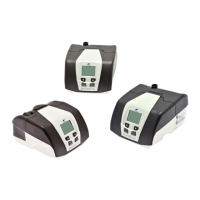
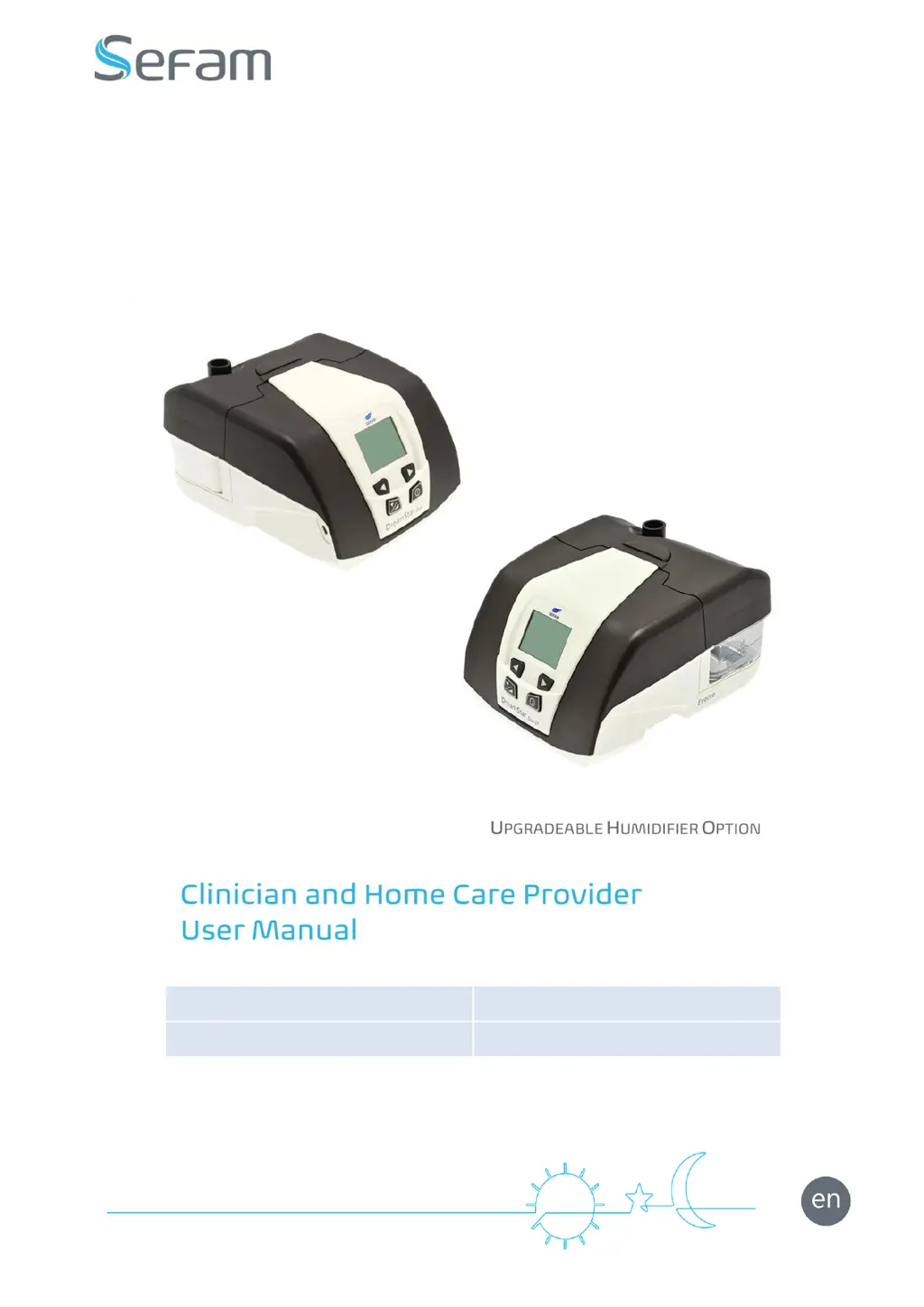
SEFAM DreamStar Series - User Manual

SEFAM DreamStar Series
50 pages
Print Icon
To Next Page IconTo Next Page
Loading...
DreamStar™ is a brand registered by SEFAM.
DreamStar™ Product Range
DreamStar™ Duo
DreamStar™ Duo Evolve
DreamStar™ DuoST
DreamStar™ DuoST Evolve

Table of Contents

Other manuals for SEFAM DreamStar Series

Questions and Answers

  • M
    Mario HinesSep 23, 2025
    What to do if I spilled water into my SEFAM DreamStar?
    • L
      Lisa CareySep 23, 2025
      If water has spilled into your SEFAM Humidifier, unplug the device and allow it to dry for at least 24 hours. After it's completely dry, re-apply power and check for proper operation.
  • B
    bernardmollyAug 23, 2025
    What to do if there's too much water in my SEFAM DreamStar mask?
    • C
      Calvin ShawAug 23, 2025
      If you notice excessive water droplets in the mask or patient circuit of your SEFAM Humidifier, it could be due to several reasons. First, check if the water level in the water chamber exceeds the maximum fill line and pour out any excess. A small amount of water droplets can be normal, especially in winter. You can also adjust the heat level of your device. Additionally, try routing the patient circuit under your blanket to reduce condensation.
  • T
    Tina PetersonAug 25, 2025
    Why SEFAM DreamStar Humidifier doesn't turn on?
    • J
      Jennifer MooreAug 26, 2025
      If your SEFAM Humidifier device isn't lighting up, start by checking that the power supply cord is correctly plugged into the power port, and ensure the cord is properly connected to both the device and the power source. Then, plug another device into the power source to confirm that the outlet is working. If these steps don't solve the issue, contact your home care provider.
  • E
    Erica HodgesAug 27, 2025
    Why is the air from my SEFAM DreamStar too hot?
    • H
      Heidi HallAug 27, 2025
      If the air from your SEFAM Humidifier is too hot, the air intake filters may be dirty, so clean or replace them as needed. Also, check if the air intake is blocked by bedclothes or clothing and move them away. Finally, the room temperature might be too high, so lower the room temperature and ensure the device is away from heat sources. Remove the patient circuit from under any covers.
  • K
    Kaitlyn CollinsAug 27, 2025
    What to do if my skin is red from using SEFAM DreamStar Humidifier mask?
    • P
      perezmichaelAug 27, 2025
      If you experience skin redness from your SEFAM Humidifier mask, the headgear may be too tight or the mask size may be too small; try adjusting the headgear. If redness persists, you might be having an allergic reaction to the mask components. In that case, stop using the mask and contact your doctor or home care provider.
  • J
    johnsonmichelleSep 18, 2025
    What does blinking symbol on humidifier heat level page mean on SEFAM DreamStar?
    • W
      watersfrederickSep 18, 2025
      If the symbol is blinking alternately with an error code at the center of the humidifier heat level page on your SEFAM Humidifier, it means the device has detected a humidifier operating error. Unplug the device from all sources of electrical power, then plug it back in and turn it on.
  • L
    lclarkSep 15, 2025
    What does HIGH FREQUENCY mean on my SEFAM DreamStar?
    • M
      michelekennedySep 15, 2025
      If 'HIGH FREQUENCY' is displayed on the screen of your SEFAM Humidifier, it indicates that an overly high frequency has been detected. Press the device ON/OFF button twice and check the patient circuit connections.
  • A
    Aaron HarrisSep 16, 2025
    What does blinking symbol with error code mean on SEFAM DreamStar?
    • D
      Deanna JamesSep 16, 2025
      If you see the symbol blinking alternately with an error code at the center of the display on your SEFAM Humidifier, the device has detected an operating error. Unplug the device from all electrical power sources, then plug it back in and turn it on.
  • C
    Cassidy SaundersSep 6, 2025
    How to prevent a cold nose while using SEFAM DreamStar?
    • J
      jessicagriffithSep 6, 2025
      If your nose feels cold while using the SEFAM Humidifier, it could be because the room temperature is too low, so raise the room temperature. Alternatively, the delivered air might be too cold; place the patient circuit under a cover and run it next to your body to reduce heat loss.
  • S
    shanedeleonSep 3, 2025
    Why do I have a runny nose using SEFAM Humidifier?
    • R
      Robert RiosSep 4, 2025
      If you experience a runny nose while using the SEFAM Humidifier, it could be a reaction to the airflow and pressure levels. It is recommended to contact your medical technical team or your attending physician.

Summary

Before You Start

Safety Precautions

Warnings and precautions to ensure safe use and prevent patient injury or device damage.

Intended Use

Describes the device's purpose for non-invasive ventilation for specific patient conditions.

Contra-indications

Lists pre-existing pathologies for which positive pressure therapy is not recommended.

List of Authorised Accessories

Details the approved accessories that can be used with the DreamStar™ product range devices.

Available Features

Heated Humidification Feature on Evolve Models

Explains the heated humidification feature for Evolve models and how to enable it.

Pressure Alter

Allows patients to adjust prescribed pressure by ± 1 cmH2O, applicable in CPAP mode.

Auto ON Feature

Automatically starts treatment without pressing the On/Off button.

Settings Adapt Feature

In BiLevel mode, this feature adapts settings and displays session data.

Mask Unplugged Feature

Device switches to low power if the mask is disconnected; restores power upon reconnection.

Ramp Feature

Allows gradual pressure rise to help the patient sleep, adjustable in CPAP and BiLevel modes.

Patient Reminders

Feature to remind patients about filter changes, inspections, and data downloads.

Device Settings Overview

Definitions

Explains key terms like backup frequency, comfort pressure, IPAP, EPAP, and ramp time.

Settings Ranges

Details default, minimum, and maximum values for parameters in CPAP and Bi-Level modes.

Features Available on All Devices

Overview of features like Humidifier, Pressure Alter, Auto ON, and reminders, with their enabled/disabled status.

Configuration Based on Accessories

Details device configuration based on patient circuit and water chamber accessory use.

Accessing Device Menus

Explains how to navigate the device settings and service menus using the control buttons.

Screen Page Description

Explains the layout of device screens, including headers, parameter lines, and symbols.

Description of Screen Symbols

Explains the meaning of various symbols found on the device and its packaging.

DreamStar Duo; Duo Evolve Settings

Accessing the Settings Menu

Instructions on how to access the device's Settings and Service menus.

Settings Menu: CPAP Mode

Details how to navigate and adjust settings within the CPAP mode of the device.

Settings Menu: BiLevel Mode

Details how to navigate and adjust settings within the BiLevel mode of the device.

Calibrating the Device

Procedure for calibrating the device based on the patient circuit configuration.

Service Menu: Language and Clock

Instructions for accessing the Service menu to select language and set the clock.

Setting the Date

Procedure for setting the device's date, only possible when the device is in standby.

Patient Settings Access

Allows enabling/disabling patient access to language, ramp time, and comfort pressure settings.

Feature Selection

Enables or disables features like Auto ON, external module connection (Ext.), and Humidifier.

Patient Reminders Configuration

Sets reminder frequencies for filter, mask, service, and memory card usage.

Miscellaneous Settings

Adjusts pressure offset and unit of measurement (cmH2O or hPa) for the device.

DreamStar DuoST; DuoST Evolve Settings

Accessing the Settings Menu

Instructions on how to access the device's Settings and Service menus.

Settings Menu: CPAP Mode

Details how to navigate and adjust settings within the CPAP mode of the device.

Settings Menu: BiLevel Mode

Details how to navigate and adjust settings within the BiLevel mode of the device.

Settings Menu: Backup Frequency and I;E Ratio

Explains settings for Backup Frequency, I/E Ratio, and Pressure Rise Time in BiLevel mode.

Settings Menu: Inspiratory and Expiratory Sensitivity

Explains settings for Inspiratory/Expiratory Sensitivity in BiLevel mode.

Settings Menu: Comfort Pressure and Ramp Time

Details settings for Comfort Pressure and Ramp Time in BiLevel mode.

Calibrating the Device

Procedure for calibrating the device based on the patient circuit configuration.

Service Menu: Language and Clock

Instructions for accessing the Service menu to select language and set the clock.

Setting the Date

Procedure for setting the device's date, only possible when the device is in standby.

Patient Settings Access

Allows enabling/disabling patient access to language, ramp time, and comfort pressure settings.

Feature Selection

Enables or disables features like Auto ON, external module connection (Ext.), and Humidifier.

Patient Reminders Configuration

Sets reminder frequencies for filter, mask, service, and memory card usage.

Miscellaneous Settings

Adjusts pressure offset and unit of measurement (cmH2O or hPa) for the device.

Other Settings and Information

General Information Menu

Displays device operating time, total usage, and session history.

Setting the Heat Level

Instructions for adjusting the heated humidifier level via the device interface.

Reminders About to Expire

Allows confirmation or dismissal of expiring patient reminders.

Specific Calibration of Pneumatic Configuration

Procedure for calibrating the device based on specific patient circuit and pneumatic configurations.

Using a Memory Card

Instructions for data backup and machine settings update using a memory card.

Updating Settings

Describes how devices are set via DreamStar Analyze software and memory cards.

Service Card Configuration

Configuring and using a memory card as a service card for device default settings.

Cleaning and Maintenance

Daily Water Chamber Cleaning

Instructions for daily cleaning of the water chamber.

Weekly Water Chamber Disassembly

Procedure for weekly disassembly and cleaning of the water chamber.

Washable Filter Maintenance

Instructions for washing and maintaining the washable air intake filter.

Monthly Device and Filter Care

Guidelines for monthly cleaning of the device, air intake filters, and water chamber.

Material Disinfection

Surface Disinfection of the Device

Methods for disinfecting the exterior of the device using spray or disinfectant towels.

Water Chamber Disinfection Procedure

Detailed steps for pre-disinfection, cleaning, disinfection, drying, and storage of the water chamber.

Materials Not to Use for Cleaning

Lists cleaning agents and methods that should not be used on the device.

Troubleshooting Tips

Device Messages Explained

Explains device messages like MASK UNPLUGGED, HIGH FREQUENCY, and LEAK.

Error Messages: Er 01, Er 02

Provides codes (Er 01, Er 02) and corrective actions for device errors.

Error Messages: Er 03-Er 101

Details error codes (Er 03-Er 101) and their corrective actions.

Error Messages: Humidifier Errors

Lists humidifier-related error codes (Er 102-105) and their corrective actions.

Technical Characteristics

Device Performance Specifications

Specifies performance metrics like pressure range, accuracy, ramp duration, and backup frequency.

Integrated Humidifier Performance

Details humidifier performance metrics like humidification rate and heating time.

Operating Conditions

Specifies pressure, temperature, and humidity ranges for device operation.

Transportation and Storage Conditions

Details pressure, temperature, and humidity ranges for transport and storage.

Device Electrical Characteristics

Lists input voltage, power consumption, and DC power supply specifications.

Physical Characteristics

Provides dimensions, weight, and water chamber volumes for the device.

Symbols on the Device

Explains the meaning of various symbols found on the device and its packaging.

CE Marking

Indicates compliance with European Directive 93/42/EC on medical devices.

Standards Compliance

Lists standards and directives the DreamStar™ product range complies with.

Device Disposal

Provides guidance on the environmentally responsible disposal of the device.

NF EN ISO 17510-1:2007 Compliant Features

Details static and dynamic pressure stability compliance with ISO 17510-1:2007.

NF EN ISO 17510-1:2007 Compliant Features

Presents maximum flow data according to ISO 17510-1:2007, Appendix CC.1.

Functional Pneumatic Block Diagram

Illustrates the airflow path and components of the DreamStar™ device.

Electromagnetic Compatibility Requirements

Details electromagnetic emissions and immunity requirements for device operation.

Electromagnetic Immunity Continued

Covers magnetic fields and conducted/radiated RF immunity requirements.

RF Equipment Separation Distance

Provides guidance on maintaining safe distances from RF transmitting equipment.

Compliant Cables

Lists compliant cables and warns against using non-specified accessories.

SEFAM DreamStar Series Specifications

General IconGeneral
BrandSEFAM
ModelDreamStar Series
CategoryHumidifier
LanguageEnglish

Related product manuals