EasyManua.ls Logo

SEFAM DreamStar Intro - User Manual

SEFAM DreamStar Intro
54 pages
Print Icon
To Next Page IconTo Next Page
Loading...
Clinician and Home Care Provider
User Manual
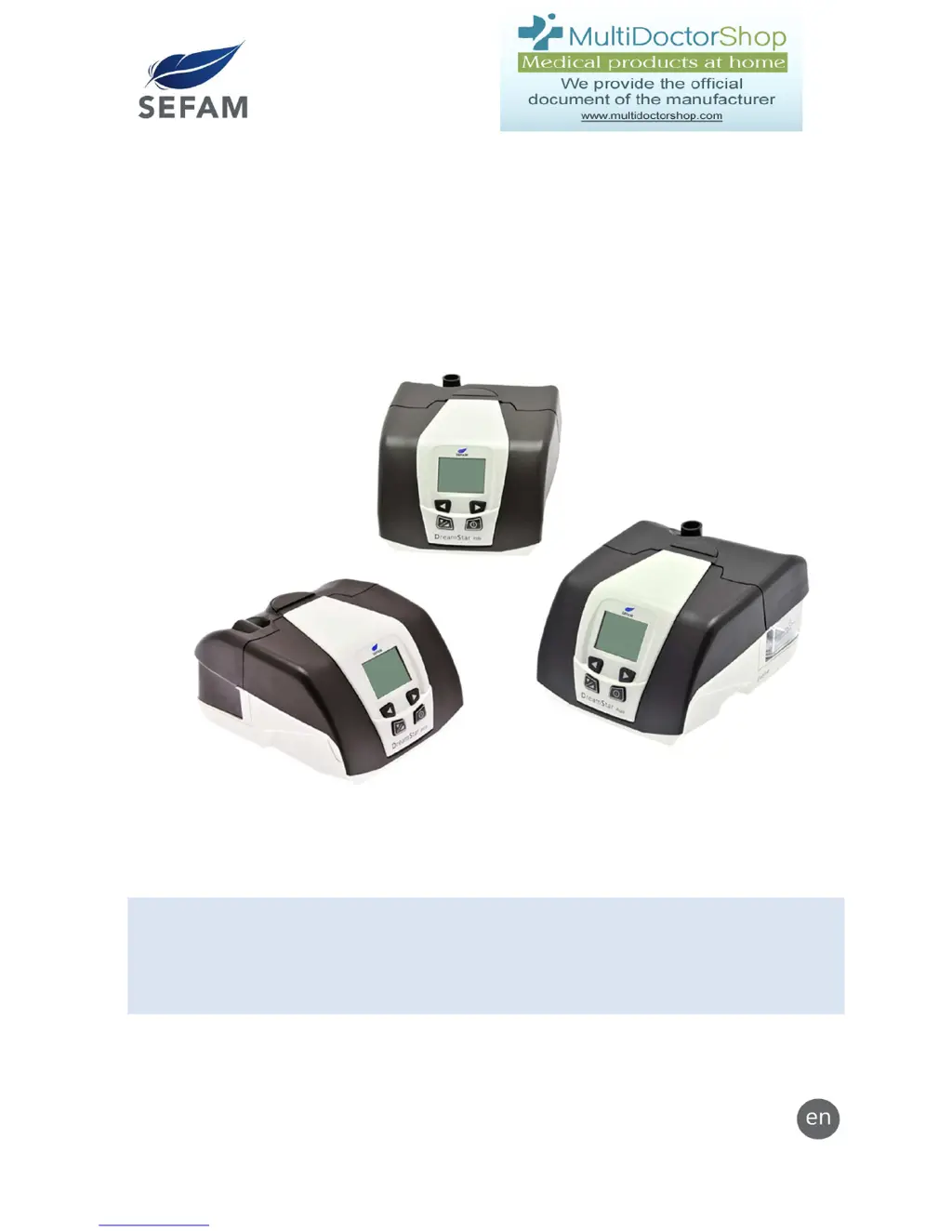
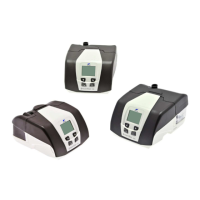
DreamStar™ Product Range
Upgradeable Humidifier Option
DreamStar™ Intro DreamStar™ Intro Evolve
DreamStar™ Info DreamStar™ Info Evolve
DreamStar™ Auto DreamStar™ Auto Evolve
DreamStar™ is a brand registered by SEFAM.

Table of Contents

Other manuals for SEFAM DreamStar Intro

Questions and Answers

  • W
    william30Sep 9, 2025
    How to fix Er 01 error on SEFAM DreamStar Intro Medical Equipment?
    • C
      Christopher PetersonSep 9, 2025
      If your SEFAM Medical Equipment displays 'Er 01' due to a patient settings problem, reinitialize the default settings by holding down the right control button for 2 seconds until the blinking “DEF?” message appears. Accept by pressing the On/Off button. The device will then be set to the default values and can be reset to your desired settings. If the error persists, further technical assistance may be required.
  • A
    Angela MorrisonAug 25, 2025
    What to do if SEFAM Humidifier shows 'LEAK' error?
    • B
      Benjamin MckinneyAug 25, 2025
      If your SEFAM Humidifier displays 'LEAK : ++ (or +++ or ++++)', it means the device is detecting a high level of air leak. Try adjusting your mask, mask cushion, and harness to achieve a better fit. The leak level needs to decrease until the screen displays 'LEAK : OK'. If the problem continues, it may require professional assistance.
  • T
    Tamara CummingsAug 25, 2025
    Why does my SEFAM Humidifier show Er 02?
    • J
      Joe OwensAug 26, 2025
      The Er 02 error on your SEFAM Humidifier indicates a high motor temperature. To resolve this: 1. Unplug the device from the power source. 2. Check and clean the air intake filter. 3. Allow the device to cool down completely. 4. Plug it back in, carefully following the usage instructions. If the error persists, further assistance may be needed.
  • D
    Diana GrantSep 22, 2025
    What to do if water spills into my SEFAM Medical Equipment?
    • A
      anna84Sep 22, 2025
      If water spilled into the SEFAM device, unplug the device and allow it to dry for at least 24 hours. Re-apply power and then check for proper operation.
  • S
    shelly57Sep 9, 2025
    Why do I have a runny nose using SEFAM Medical Equipment?
    • I
      Ian GriffithSep 10, 2025
      A runny nose when using SEFAM Medical Equipment can be a reaction to the airflow and pressure levels. Contact your medical technical team or your attending physician for assistance.
  • P
    Patrick DavisSep 14, 2025
    How to fix a SEFAM DreamStar™ that won't turn on?
    • B
      Brandy BeardSep 14, 2025
      If your SEFAM DreamStar™ device doesn't turn on (no display), the power supply cord may not be correctly plugged in, there may be no power, or the device's internal fuse might be defective. Check the connections between the device, the power cord, and the power source. Plug another device into the power source to confirm that current is available. If problems persist, contact your home care provider.
  • J
    Jim BarnettSep 4, 2025
    What does Er 102 mean on SEFAM Humidifier?
    • S
      Sharon DuffySep 4, 2025
      The Er 102 error on your SEFAM Humidifier indicates that the humidifier current is too high, and the device is operating without the heated humidification feature. Try unplugging the device from all power sources, plugging it back in, and turning it on. If the error persists, it may require professional assistance.
  • M
    Michelle GonzalesSep 4, 2025
    What does Er 103 mean on SEFAM Humidifier?
    • L
      Lori MaloneSep 4, 2025
      The Er 103 error on your SEFAM Humidifier indicates that the humidifier current is too low, and the device is operating without the heated humidification feature. Try unplugging the device from all power sources, plugging it back in, and turning it on. If the error persists, it may require professional assistance.
  • B
    Bryan BrownSep 23, 2025
    Why is my nose cold when using SEFAM Medical Equipment?
    • J
      Jay SpenceSep 23, 2025
      If your nose is cold while using SEFAM Medical Equipment, it might be because the room temperature is too low, causing the delivered air to be too cold. Try raising the room temperature. You can also place the patient circuit under a cover and run it next to your body to reduce heat loss.
  • T
    Tina MartinAug 29, 2025
    How to fix Er 09 on SEFAM Humidifier?
    • N
      Noah HoltAug 29, 2025
      The Er 09 error on DreamStar™ Info / Info Evolve and DreamStar™ Auto / Auto Evolve SEFAM Humidifier indicates a Language CheckSum error. Unplug the machine from all electrical power and plug it back in. If the error recurs, it may require professional assistance.

Summary

DreamStar Product Range

Product Overview

Briefly introduces the DreamStar product family and its variants.

Before You Start

Safety Precautions

Critical warnings and precautions for safe device operation.

Recommended Use

Defines the intended application and patient population for the devices.

Available Features

Humidification & Pressure Alter

Describes heated humidification and patient-adjustable pressure features.

Auto ON & Mask Features

Covers Auto ON function and mask unplugged detection.

Patient Reminders

Explains the feature for reminding patients of key events.

Comfort and Ramp Features

Comfort Calibration

Feature to enhance breathing comfort by adjusting pressure.

Ramp Time Settings

Details on Time Ramp for gradual pressure rise.

Indexed Ramp Operation

Indexed Ramp Functionality

Explains how the indexed ramp works in different modes.

Device Settings and Configuration

Parameter Definitions

Explains key terms and parameters for device settings.

Settings Ranges

Details default, min, and max values for device parameters.

Menu Navigation Guide

Explains how to navigate through device menus and screen pages.

Setting DreamStar Intro Device

Accessing Settings

Procedure to access the settings menu for the Intro device.

Adjusting Prescribed Pressure

How to adjust parameters like Prescribed Pressure and Pressure Alter.

Service Menu (Intro Device)

Language and Clock Settings

How to select language and set the clock.

Patient Reminders Setup (Intro Device)

Reminder Configuration

How to configure patient reminder frequencies.

Setting DreamStar Info Device

Accessing Settings

Procedure to access the settings menu for the Info device.

Ramp and Comfort Settings

How to adjust comfort pressure and ramp settings.

Calibrating the Device

Comfort Calibration + Feature

How to enable/disable Comfort Calibration and select patient circuit.

Setting DreamStar Auto Device

Accessing Settings

Procedure to access the settings menu for the Auto device.

CPAP Mode Settings

How to set parameters in CPAP mode.

Auto-CPAP Mode Settings

How to set parameters in Auto-CPAP mode.

Service Menu (Info;Auto Device)

Language, Clock, and Date Settings

How to set language, clock, and date.

Patient Settings Access Control

Controlling patient access to specific settings.

Other Settings and Information

General Information Menu

Accessing and using the General Information menu for device data.

Setting the Heat Level

Heat Level Adjustment

How to adjust the heated humidifier's heat level.

Reminders About Key Events

Event Reminder Management

How to respond to and manage expiring reminders.

Pneumatic Configuration Calibration

Specific Calibration Procedure

Steps for calibrating the pneumatic configuration for optimal performance.

Using a Memory Card

Data Backup Procedure

How patients can download compliance data using a memory card.

Memory Card Operations

Updating Device Settings

How settings are updated via a memory card.

Service Card Configuration

How to configure and use a service card.

Cleaning and Maintenance

Daily Water Chamber Cleaning

Instructions for daily cleaning of the water chamber.

Weekly Water Chamber Cleaning

Steps for weekly disassembly and cleaning of the water chamber.

Filter Maintenance

Washable Filter Cleaning

How to clean and maintain the washable filter.

Monthly Maintenance

Device Exterior Cleaning

Instructions for monthly cleaning of the device exterior.

Air Intake Filter Replacement

Guidance on changing air intake filters.

Water Chamber Monthly Care

Monthly cleaning and vinegar soak for the water chamber.

Material Disinfection

Surface Disinfection Procedure

Procedure for disinfecting the device's exterior surfaces.

Water Chamber Disinfection

Detailed steps for disinfecting the water chamber.

Prohibited Cleaning Agents

What Not to Use

Lists materials and agents that must not be used for cleaning.

Troubleshooting Tips

Device Messages and Errors

Explains common device messages and error codes.

Technical Specifications

Device Performance Specs

Details on pressure, sound level, and battery life.

Humidifier Performance Specs

Specifications for the integrated humidifier.

Operating Conditions

Environmental and operational parameters for the device.

Transportation and Storage

Electrical Characteristics

Information on power input and consumption.

Physical Characteristics

Dimensions, weight, and volume of the device.

CE Marking Details

Details on the CE marking and compliance.

Device Symbols

Symbol Definitions

Explains the meaning of symbols found on the device.

Standards Compliance

Regulatory Standards List

Lists standards the DreamStar devices comply with.

Device Disposal

End-of-Life Disposal Guidelines

Guidelines for proper disposal of the device.

ISO 17510-1:2007 Compliance

Pressure Stability Data

Technical data on pressure stability according to ISO standards.

Maximum Flow and Sound Levels

Data on maximum flow and sound pressure measurements.

Model-Specific Compliance Data

Pressure Stability for Info;Auto Models

Pressure stability data for Info/Auto models with different tubing.

Functional Pneumatic Block Diagram

Pneumatic System Overview

Illustration of the device's pneumatic system components.

Electromagnetic Compatibility

RF Emissions Information

Information on the device's RF emissions.

Electromagnetic Immunity Details

Details on the device's immunity to electromagnetic interference.

RF Communications Equipment Guidelines

Recommended Separation Distances

Recommended distances for RF equipment to avoid interference.

Compliant Cables and Accessories

Lists compliant cables for optimal device performance.

SEFAM DreamStar Intro Specifications

General IconGeneral
Device TypeCPAP
Pressure Range4 to 20 cm H2O
HumidifierIntegrated
Ramp FunctionYes
Data StorageSD card
ModesCPAP
Power Supply100-240V AC
Sound Level< 26 dB

Related product manuals