16
Managing Game F iles
Enter
Icon
selection
Return to
previous
screen/Cancel
SLEEP MODE
A
B
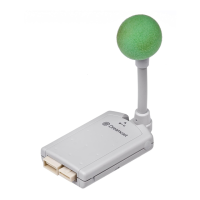
Memory card
(sold separately)
Initializing a memory card
Initialization is the process of erasing all files using the ALL icon.
Initialization is necessary the first time you use a memory card after purchase or when you can no
longer use a memory card for some reason. There are also some settings that can only be changed at
initialization time: icon and color. These two settings can be used to help differentiate one memory card
from another.
1
Select the ALL icon on the file
menu screen and press the A Button (Enter).
2
Select “Delete All (Memory Reset)” and press the
A Button (Enter).
3
Confirm that you want to delete all files by
selecting “Yes” and pressing the A Button
(Enter).
4
Select an icon and press the A Button (Enter).
Please review the icons displayed on the screen. Using the
Directional Pad or the Analog Thumb Pad highlight the icon you
like and press the A Button (Enter) to choose it. Choose “Select”
to continue to the next display.



 To Next Page
 Loading...