Setting the TV Channel (Except French models)
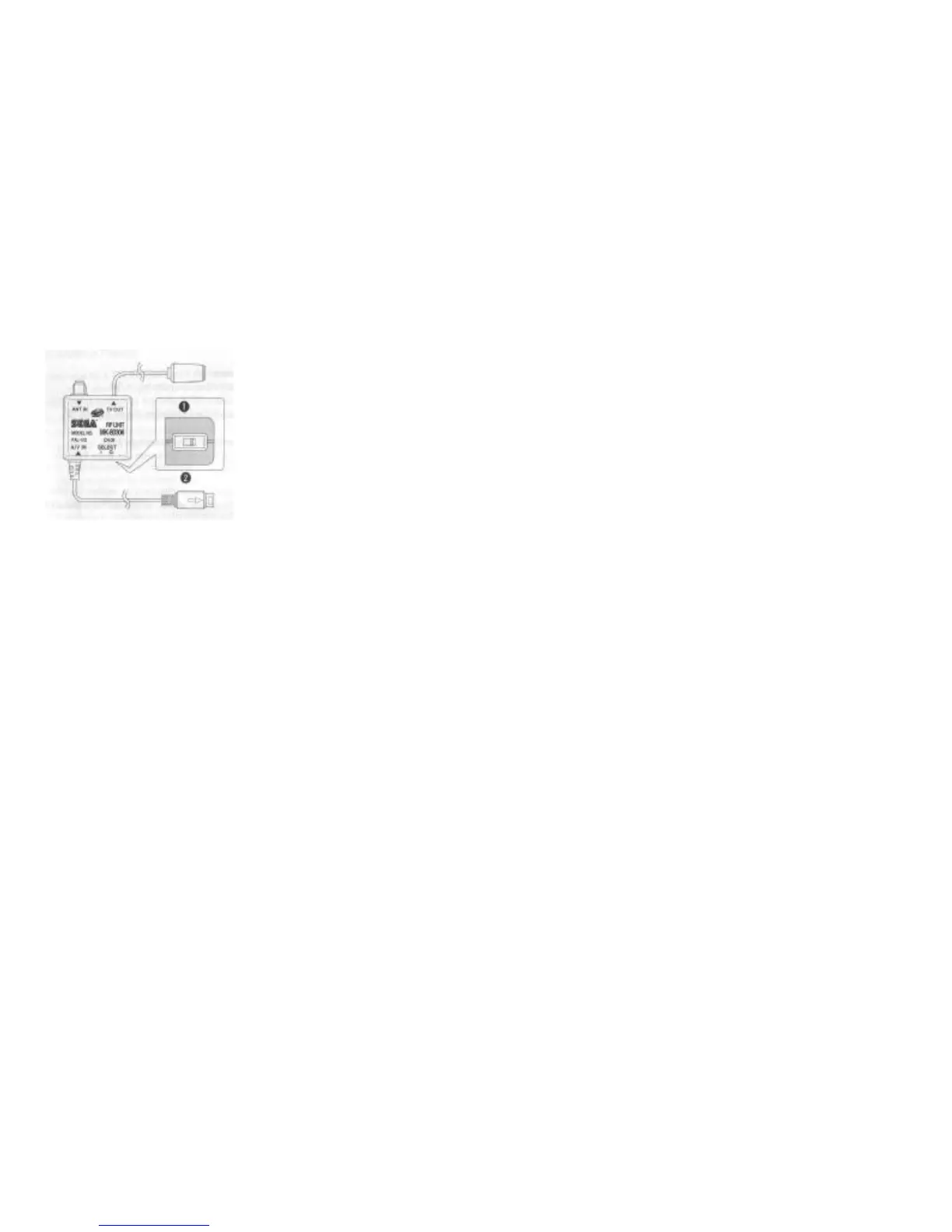
If you are using an RF Unit, see below.
1. Set your TV to the channel 36.
2. Set the channel switch on the RF Unit to I (United Kingdom only)/ G (all other
countries).
3. Turn on the TV and fine-tune to locate the MODEL ideal picture.
Note: If your TV has automatic fine-tuning control (AFC), turn it off and manually adjust the picture. However, if you
have a colour TV that turns black and white when the AFC is turned off, leave the AFC on.
1. Side View
2. Select I-G (CH 36)



 To Next Page
 Loading...