5
7. Charging Your Drone’s Battery
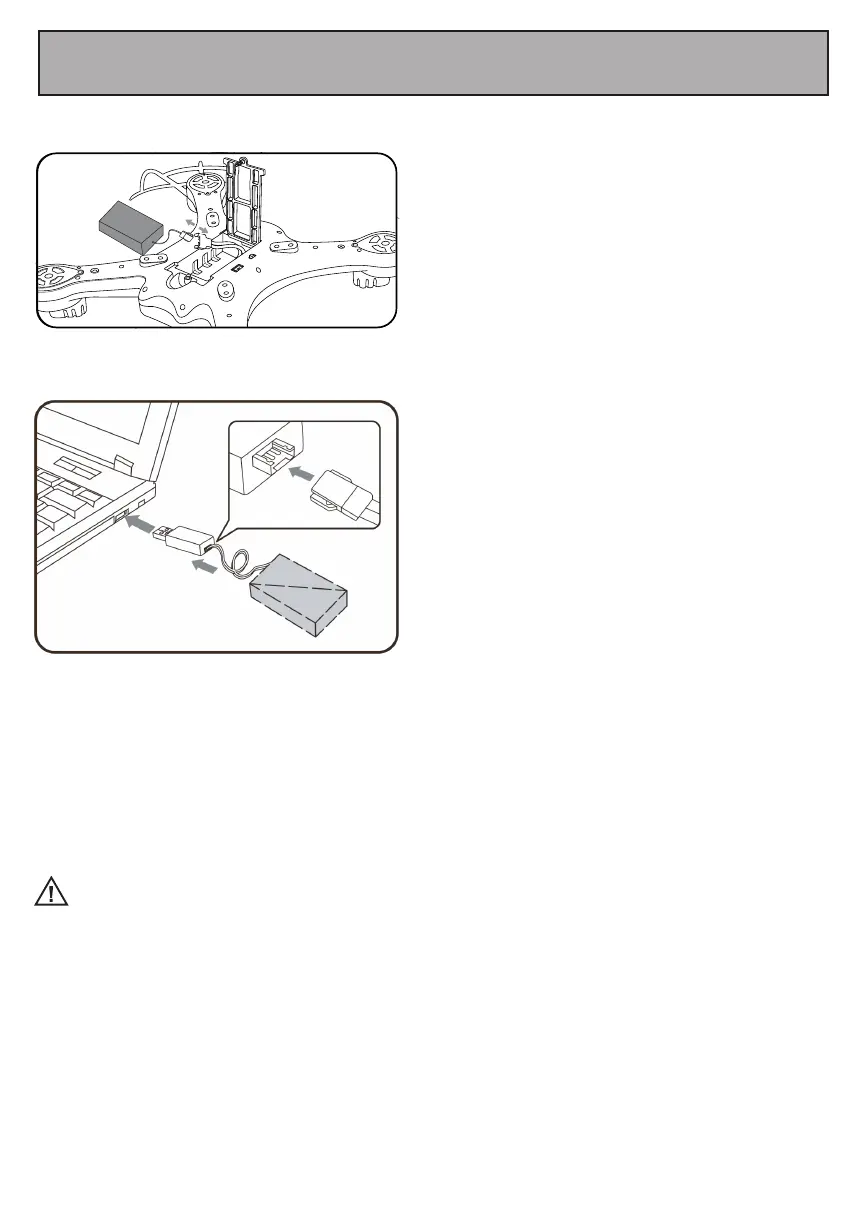
Open the drone’s battery compartment and
remove the battery.
Once fully charged, connect the battery’s cable to the cable in the battery compartment.
Then put the battery back in the battery compartment and close the cover.
WARNING:
1. The charging plug can overheat if overcharged. If this occurs unplug the charger immediately to
avoid damaging the battery.
2. Do not leave the battery unattended when charging.
3. Do not use other chargers other than the one supplied.
4. Wait at least 30 minutes after using your drone before charging the battery. The battery’s
temperature can become elevated during use and charging it immediately could damage the
battery.
5. Remove the drone’s battery when the drone is not in use. Store it in a cool dry place.
6. Do not leave the battery exposed to excessive heat, flame or fire.
7. Do not short circuit the battery. Do not leave the battery in contact with any metal parts.
8. Cancer and reproductive Harm-www.P65Warnings.ca.gov.
Connect the battery to the included charger.
Then plug the charger into a USB charging
adapter (not included). For best results, use a
5V, 1-2A charger to charge the battery.
The charger has an LED light indicator. While
charging,the LED light on the charger will be
red. This light will be off once charging is
complete.


 To Next Page