6
9. Installing Camera
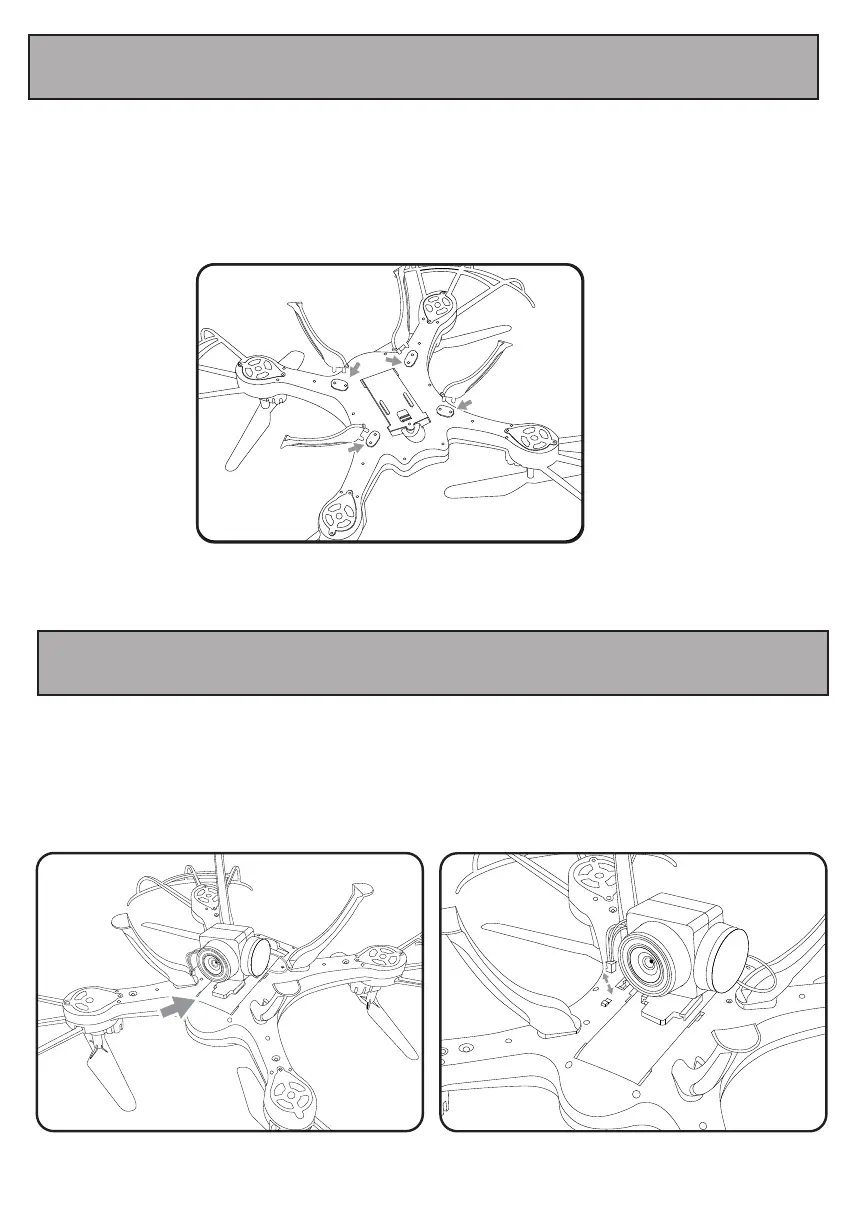
8. Installing Landing Legs/Landing Guards
Install the camera (included) to the bottom of your drone.
Step1:Insert the camera as shown in the illustration below.
Install the landing legs (included) to the bottom of your drone.
There are sockets at the bottom of the drone to attach the landing legs. Insert the landing legs as shown in the
illustration below. To secure the landing legs with the screws.
Step2:Insert the cable to the port of bottom of drone as shown in the illustration below.


 To Next Page