Need help?
Do you have a question about the Segway Ninebot KickScooter MAX and is the answer not in the manual?
Covers general riding, speed, alertness, yielding to pedestrians, and pre-ride checks.
Details who should not ride, compliance with laws, visibility, and adverse riding conditions.
Highlights safe charging practices, using approved parts, and avoiding unauthorized modifications.
Includes safety for children, proper parking, brake system caution, and maintenance advice.
Details the main KickScooter unit and all included accessories like tools and cables.
Illustrates and labels all parts of the KickScooter for easy identification.
Explains the speedometer, speed modes, error notifications, battery level, and power button functions.
Provides a visual guide for unfolding the stem, attaching the handlebar, and installing screws.
Details the steps for opening the charge port, connecting the power cord, and closing the port.
Guides users through scanning QR code, downloading app, pairing, and activating the KickScooter.
Explains how to power on, start gliding, balance, speed up, brake, and turn safely.
Covers riding on public roads, using phones, braking, feet placement, parking, attire, passengers, and one-handed riding.
Details warnings about riding in rain, puddles, pressing throttle while walking, overtaking, hot motor, stairs, and speed on uneven surfaces.
Explains how to fold and unfold the KickScooter using the safety hook and quick-release lever.
Provides guidance on how to lift and carry the KickScooter when it is folded.
Covers how to clean the KickScooter, safe storage practices, and temperature considerations.
Details battery care, usage of specified chargers, temperature limits, and puncture/disassembly warnings.
Lists dimensions, weight, payload, recommended age, height, speed, range, slope, and terrain.
Covers operating temperature, storage, IP rating, charging, battery capacity, and motor power.
Instructions on unscrewing the valve cap, connecting the extension, and inflating the tire.
Details trademarks, patents, app usage, and manufacturer's rights and limitations.
Outlines user risks, experience requirements, wear and tear, riding responsibility, and local laws.
Covers proper disposal of the KickScooter and warnings against unauthorized modifications or accessories.
Informs about manual updates, changes in design, and the illustrative nature of diagrams.
Details components covered, warranty periods, and eligibility requirements for service.
Lists conditions that void the warranty, including abuse, misuse, improper use, and cosmetic damage.
States disclaimers on consequential damages and limits aggregate liability for claims.
Outlines the arbitration process, opt-out procedures, and governing language for disputes.
This document describes the Ninebot KickScooter MAX, a recreational product designed for personal mobility. It is equipped with a mobile app that allows users to connect with other riders, enhancing the overall riding experience. The manual provides comprehensive instructions on safe operation, assembly, charging, activation, riding techniques, warnings, folding, carrying, and maintenance.
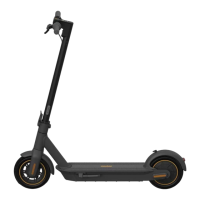
The Ninebot KickScooter MAX is an electric kickscooter designed for personal transport. It features an electronic throttle for acceleration, a brake lever for deceleration, and a dashboard that displays essential information such as current speed, speed mode, battery level, and error notifications. The scooter supports multiple speed modes: ECO (Energy-saving mode), D (Standard mode), and S (Sport mode), allowing users to adjust performance based on their needs and local regulations. A Walk Mode is also available, limiting the speed to 5 km/h (3.1 mph) for pedestrian areas, with the headlight and rear light always on in this mode. The KickScooter is designed for a single rider and is not intended for carrying passengers or heavy objects on the handlebar.
To begin using the KickScooter, users must first unfold the stem, secure it with the quick-release lever and safety hook, and then unfold the kickstand. The handlebar is then slid onto the stem with the headlight facing forward, ensuring all internal wires are connected. Six screws are installed to secure the handlebar, and the device is powered on. Before the first use, the battery must be charged for at least three seconds to activate it; otherwise, the KickScooter will not power on. An inactivated KickScooter will beep and have its speed limited until activated through the Segway-Ninebot app. Users need to download the app, register, log in, search for and pair with their KickScooter, watch a riding safety tutorial, and then activate the device.
Riding the KickScooter requires adherence to safety guidelines. The motor will not engage until the scooter reaches 1.9 mph (3 km/h). To ride, stand on the footboard with one foot and push off with the other to start gliding. Once balanced, place the other foot on the footboard and press the throttle to accelerate. To slow down, release the throttle and squeeze the brake lever, which will cause the rear light to flash. Turning is achieved by shifting body weight and slightly turning the handlebar.
The KickScooter is designed for traversable terrains such as bicycle lanes, parks, campuses, and most flat road conditions. It is crucial to avoid riding in snow, rain, wet, muddy, icy, or slippery conditions, as well as over obstacles like sand, loose gravel, or sticks, which can lead to loss of balance or traction. Users should always wear a helmet, elbow pads, and knee pads while riding. It is also important to maintain a moderate speed, especially when hard braking, to avoid serious injury from loss of traction or falls. Users should scan both far ahead and in front of the KickScooter to identify and avoid obstacles and low-traction surfaces.
The KickScooter can be folded for carrying and storage. To fold, release the safety hook, push down the quick-release lever, and fold the stem. The snap hook is then aligned with the buckle and hooked to secure the folded position. When carrying, lift the KickScooter by its stem. To unfold, disengage the snap hook from the buckle, unfold the stem, close the quick-release lever, and lock it with the safety hook, then unfold the kickstand.
Regular maintenance is recommended for a better riding experience and to ensure the longevity and safe operation of the KickScooter. Before performing any maintenance or replacing parts, the KickScooter must be powered off. When installing components, proper force should be used to ensure they are secure, as loose or overtightened parts can lead to malfunction or injury. Users are explicitly warned against modifying the KickScooter, as this can interfere with operation, cause serious injury, void the warranty, and should only use Ninebot or Segway approved parts and accessories.
For cleaning, a soft, wet cloth can be used to wipe the mainframe. Stubborn dirt can be scrubbed with a toothbrush and toothpaste, then wiped clean with a soft, wet cloth. It is critical to ensure the KickScooter is powered off, the charge cable is unplugged, and the charge port rubber cap is tightly sealed before cleaning to prevent electric shock or damage to electronic components. Harsh chemicals like alcohol, gasoline, acetone, or other corrosive solvents should not be used, as they can damage the scooter's appearance and internal structure. Power washers, strong water flows, or high-pressure hoses should also be avoided. Water should not enter the charge port. If the KickScooter has been exposed to heavy rain, it should be stored outdoors, protected from elements, until dry.
For storage, the KickScooter should be kept indoors, away from extreme temperatures. It should not be stored outdoors for extended periods. The ideal storage temperature range is between 14°F (-10°C) and 122°F (50°C). If the temperature is below 32°F (0°C), the scooter should not be charged until it has warmed up to over 50°F (10°C). Exposure to direct sunlight and extreme temperatures can accelerate the aging of plastic components and reduce battery life.
Battery maintenance is crucial. Only the manufacturer-specified charger should be used. The battery should not be stored or charged outside the stated temperature limits. Puncturing, disassembling, or touching battery contacts is prohibited. The battery casing should not be dismantled or punctured. To prevent short circuits and fire risks, battery contacts should be kept away from metal objects. The battery should not be charged or used if it is damaged or shows traces of water. After each ride, the battery should be charged, and it should not be completely drained. For long-term storage (over seven consecutive days with battery level under 30%), the battery will enter sleep mode and must be charged for three seconds to reactivate. It is recommended to charge the battery to 50% or above before storage and to charge it once every 30 to 60 days to prevent over-discharge damage. The manufacturer's warranty does not cover damage caused by over-charge or over-discharge.
 General
| Top Speed | 18.6 mph (30 km/h) |
|---|---|
| Motor Power | 350 W |
| Max Motor Power | 700 W |
| Battery Capacity | 551 Wh |
| Weight | 41.2 lbs (18.7 kg) |
| Max Load | 220 lbs (100 kg) |
| Tire Size | 10 inches |
| Charging Time | 6 hours |
| Water Resistance | IPX5 |
| Foldable | Yes |
| Display | LED display |
| Range | 40.4 miles (65 km) |
| Tire Type | Pneumatic |
| Brake System | Front drum brake |
| Lights | Front LED light and rear brake light |





 To Next Page