EasyManua.ls Logo

Segway Ninebot S - User Manual

Segway Ninebot S
19 pages
Print Icon
To Next Page IconTo Next Page
Loading...
•All drawings in the User Manual are for reference only. Reference should always be made to the actual physical items.
The actual functions of the product may vary from the content of the User Manual due to technology upgrades and

For the latest information on functions and guidance, please download the Segway-Ninebot App and refer to the e-Manual
in the App.
•Toutes les illustrations contenues dans le mode d’emploi sont données à titre informatif uniquement. Reportez-vous
toujours aux éléments matériels à votre disposition.


Pour connaître les informations les plus récentes concernant les fonctionnalités et les conseils d’utilisation, veuillez
télécharger l’application Segway-Ninebot et vous référer au manuel électronique de l’application.
•Alle Zeichnungen im Benutzerhandbuch dienen nur zur Information. Es sollte immer auf die tatsächlichen Gegenstände
Bezug genommen werden.
Die tatsächlichen Funktionen des Produkts können vom Inhalt des Benutzerhandbuchs abweichen, wenn beispielsweise
neuere Technologien oder Firmware-Aktualisierungen vorhanden sind.

•Tutti i disegni del Manuale utente sono solo a scopo illustrativo.Fare sempre riferimento agli articoli reali.
Le funzioni del prodotto potrebbero variare rispetto ai contenuti del Manuale utente a causa degli aggiornamenti delle

Per le ultime informazioni su funzioni e assistenza, scaricare l’App per Segway-Ninebot e fare riferimento al manuale
elettronico dell’App.
•Los dibujos del Manual de usuario son solo de referencia. Siempre harán referencia a los elementos físicos reales.
Las funciones actuales del producto pueden ser diferentes al contenido del Manual de usuario debido a actualizaciones

Para obtener la información más actualizada y orientación sobre las funciones, descargue la aplicación Segway-Ninebot y
consulte el manual electrónico desde de la app.





Segway-Ninebot.






www.ninebot.com
V1.0
Ninebot S User Manual 01
Mode d’emploi du Ninebot S 19
Benutzerhandbuch Ninebot S 35
Manuale utente di Ninebot S 51
Manual de usuario de Ninebot S 67
Руководство пользователя NinebotS 83
Instrukcja obsługi pojazdu Ninebot S 99
Question and Answer IconNeed help?

Do you have a question about the Segway Ninebot S and is the answer not in the manual?

Summary

1 Riding Safety

2 Product and Accessories

3 Function Overview

Power Button

Controls power on/off; auto-off after inactivity or prolonged resting.

Lock Indicator

Indicates if the Ninebot S is in Lock Mode, vibrating and alarming if moved.

Bluetooth Indicator

Shows Bluetooth status: flashing when enabled but not connected, steady when connected.

Speed Limit Mode

Restricts speed to a lower limit; foot mat tilts to prevent acceleration past the limit.

Power Level

Visual representation of battery charge; low levels trigger flashing and warnings.

4 Assembling

5 Charging

6 First Ride

Pairing Ninebot S with Phone

Guide to connect the Ninebot S to a smartphone via Bluetooth using the Segway-Ninebot App.

7 Learning to Ride

8 Safety Risks & Precautions

9 Dangerous Behavior to be Avoided

10 Lifting and Power-assist Mode

Lifting the Ninebot S

Proper methods for lifting the Ninebot S to avoid power cut-off and injury from moving parts.

Power-assist Mode Operation

Enables easy pushing of the powered-on Ninebot S on smooth surfaces; lift for steps.

11 General Care and Maintenance

Cleaning and Storing the Ninebot S

Instructions for cleaning the vehicle and recommendations for storage to preserve its condition.

Ninebot S Battery Maintenance

Guidelines for battery care, charging, and temperature limits to maximize lifespan and performance.

Recommended Tire Pressure

Specifies the optimal tire pressure for the Ninebot S to ensure performance and safety.

12 Specifications

13 Trademark & Legal Statement

14 Certifications

WEEE Disposal and Recycling

Information on proper disposal and recycling of the product according to WEEE directives.

European Battery Recycling

Details on EU regulations for battery collection, recycling, and treatment.

RoHS Directive Compliance

Confirmation of compliance with the EU Restriction of Hazardous Substances directive.

Radio Equipment Directive

Declaration of compliance for wireless equipment with EU directives regarding radio frequency and frequency bands.

Overview

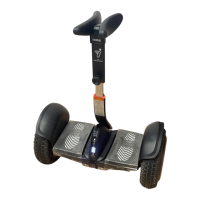
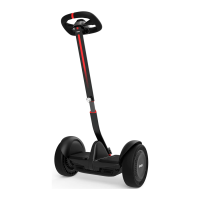
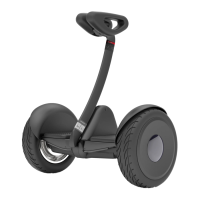
The Ninebot S is an intelligent electric balancing vehicle designed for recreational use and easy portability. It offers a fashionable way to move around, emphasizing user safety and convenience.

Function Description

The Ninebot S operates as a self-balancing electric vehicle, controlled by shifting body weight and knee movements. It features a knee control bar for steering and stability. The vehicle is equipped with a dashboard that provides essential information to the rider.

Dashboard Indicators:

  • Power Button: Turns the Ninebot S on/off. The device automatically powers off after 10 minutes of inactivity or if laid down for over 30 seconds.
  • Lock Indicator: When enabled via the Segway-Ninebot App, this mode causes the Ninebot S to vibrate and sound an alarm if moved. The app also alarms if running and within Bluetooth range.
  • Bluetooth Indicator: Flashes when Bluetooth is enabled but not connected to a mobile device, and remains steady when connected to the Segway-Ninebot App.
  • Speed Limit Mode: Illuminates to indicate a low-speed limit (default 7 km/h). The foot mat gradually tilts backward when approaching this limit, making acceleration difficult. This mode can be disabled and adjusted via the app.
  • Power Level: Displays the remaining battery charge, with each bar representing 20%. A flashing icon indicates low power, prompting a recharge. The app provides remaining power and estimated mileage. The maximum speed limit gradually reduces as power decreases to ensure safety, and the device beeps when power is extremely low.

Vehicle Components:

  • Knee Control Pad: Used for steering by leaning the knees.
  • Steering Bar: Connects to the knee control pad.
  • Fender: Protects against splashes.
  • Foot Mat: Where the rider stands.
  • Tire Air Valve: For adjusting tire pressure.
  • Charging Port: For connecting the charger.
  • Lights: For visibility.
  • Wheel: The primary means of propulsion and balance.
  • Hubcap Decorative Plates: Aesthetic covers for the wheels.

Usage Modes:

  • First Ride/New Rider Tutorial: Requires downloading the Segway-Ninebot App (Android or iOS) and completing safety instructions and training. Initially, speed is limited to less than 7 km/h, and turning is slow. After completing the tutorial, the limit increases to less than 10 km/h until 1 km has been driven, after which the speed restriction can be disabled.
  • Lifting Mode: When lifted from the ground while powered on, the Ninebot S automatically cuts off power output for safety. Power is restored when placed back on the ground. It is crucial not to lift the device by the fenders or main body to avoid the tires running freely and potential injury.
  • Power-assist Mode: Activates when the Ninebot S is powered on but not ridden, allowing for easy pushing across smooth surfaces. For steps, the device should be lifted.

Important Technical Specifications

  • Model: N3M240
  • Dimensions (Length x Width): 260 × 548 mm
  • Height: 595 mm (from ground to highest point)
  • Payload: 40 – 85 kg
  • Net Weight: Approx. 12.8 kg
  • Rider Age: 16 – 50 years
  • Rider Height: 130 – 200 cm
  • Maximum Speed: Approx. 16 km/h
  • Typical Mileage of Range: Approx. 22 km (under specific conditions: 70 kg load, 15 km/h average speed, 25°C ambient temperature)
  • Maximum Slope: Approx. 15°
  • Suitable Terrain: Hard roads, flat concrete roads, slopes less than 15 degrees, steps not higher than 1 cm, and dips no more than 3 cm wide.
  • Operating Temperature: -10°C ~ +40°C
  • Storage Temperature: -20°C ~ +45°C
  • Permitted Charging Temperature: 0°C ~ 40°C
  • IP Rating: IP54 (protected against dust and splashing water)

Battery Pack:

  • Rated Voltage: 54.8 V
  • Maximum Charging Voltage: 63 V
  • Rated Capacity: 236 Wh
  • Smart BMS: Features overvoltage/undervoltage/short circuit/overheating protection, and auto-sleep/wake-up.
  • Maximum Continuous Discharge Power: 1000 W (reduces with lower power level and temperature)

Motor:

  • Rated Power: 350 × 2 W
  • Maximum Power: 700 × 2 W

Charger:

  • Input Voltage: 100 – 240 V
  • Output Voltage: Approx. 63 V
  • Rated Power: 120 W
  • Charging Time: Approx. 3 hours

App Connection:

  • Compatible with: Android 4.3; iOS 8.0 or later
  • Wireless Connectivity: Bluetooth 4.2

Usage Features

  • Activation: The Ninebot S is pre-set as unactivated from the factory. It must be activated via the Segway-Ninebot App before immediate use. Without activation, speed and sensitivity are very limited, and the device will beep if someone stands on the foot mat.
  • Safety First: Always wear an approved helmet and protective gear (e.g., knee pads) when riding. Avoid riding under the influence of alcohol or drugs, or if suffering from conditions affecting balance or physical activity. Riders under 16 years old should be supervised by an adult.
  • Environmental Awareness: Be alert to surroundings, scanning far ahead for obstacles and low-traction surfaces (wet ground, loose sand/gravel, ice). Do not ride in snow, rain, or on wet/muddy/icy roads. Avoid sudden acceleration or deceleration, especially when the vehicle tilts backward or alarms.
  • Charging: Use only the Ninebot-supplied charger. Do not charge if the Ninebot S, charger, or power outlet is wet. Use a surge protector. Avoid charging outside the 0°C to 40°C temperature range to extend battery life.
  • Steering: Control movement by slowly shifting body weight forwards and backward, and make turns by leaning against the knee control pads left and right.
  • Pedestrian Courtesy: Yield to pedestrians, pass on the left when possible, and slow down when approaching from the front or behind, announcing your presence.
  • Prohibited Actions: Do not ride in traffic lanes or residential areas with vehicles and pedestrians. Do not ride at excessive speeds that cause the vehicle to tilt backward or alarm. Do not suddenly accelerate or brake. Do not ride with anyone else, including children. Do not attempt to ride up or down steps. Minors under 1.3 m in height and 40 kg in weight should not ride. Do not ride in standing water higher than 2 cm. Do not ride on slopes with an incline greater than 15 degrees.

Maintenance Features

  • Cleaning: Wipe the body surface with a soft, damp cloth. For stubborn stains, use a toothbrush and toothpaste. Scratches on plastic parts can be polished with sandpaper. Avoid alcohol, gasoline, kerosene, or other corrosive/volatile chemical solvents. Do not use a pressurized water gun. Ensure the Ninebot S is powered off, the charge cable is unplugged, and the charging port cover is sealed before cleaning to prevent electric shock or water damage.
  • Storage: Store in a cool, dry place. Avoid prolonged outdoor storage, excessive sunlight, and extreme temperatures (hot or cold) to prevent aging of appearance and tires, and to preserve battery life.
  • Battery Care:
    • Avoid complete submersion in water, as this will destroy the lithium battery and poses a fire risk. If water enters the battery, stop use immediately and contact customer service.
    • Do not store the battery in environments above 50°C or below -20°C (e.g., a car exposed to summer sun).
    • Do not throw the battery pack into a fire.
    • Do not charge below 0°C or above 40°C.
    • Avoid completely draining the battery; using it when charged extends its operating life.
    • Battery performance and life are reduced in temperatures below 0°C. At -10°C, mileage may be halved or less.
    • A fully charged Ninebot S can be on standby for approximately 120-180 days. A partially charged unit needs charging after 30-60 days. Failure to recharge can lead to over-discharge and irreparable damage, which is not covered by the warranty.
    • Non-specialized personnel should not attempt to disassemble the battery pack due to the risk of electric shock or short circuit.
  • Tire Pressure: Recommended tire pressure is 45-50 Psi (310-345 kPa). Low tire pressure significantly affects mileage. Always check and adjust tire pressure before riding.
  • Pre-Ride Check: Before each ride, check for loose fasteners, damaged components, and low tire pressure. If abnormal sounds or alarms occur, stop riding immediately and diagnose via the Segway-Ninebot App, then contact service.
  • Parts and Accessories: Use only Ninebot or Ninebot-approved parts and accessories. Modifications to the Ninebot S can interfere with operation, cause injury/damage, and void the warranty.

Segway Ninebot S Specifications

General IconGeneral
BrandSegway
ModelNinebot S
CategoryElectric Vehicles
LanguageEnglish

Related product manuals