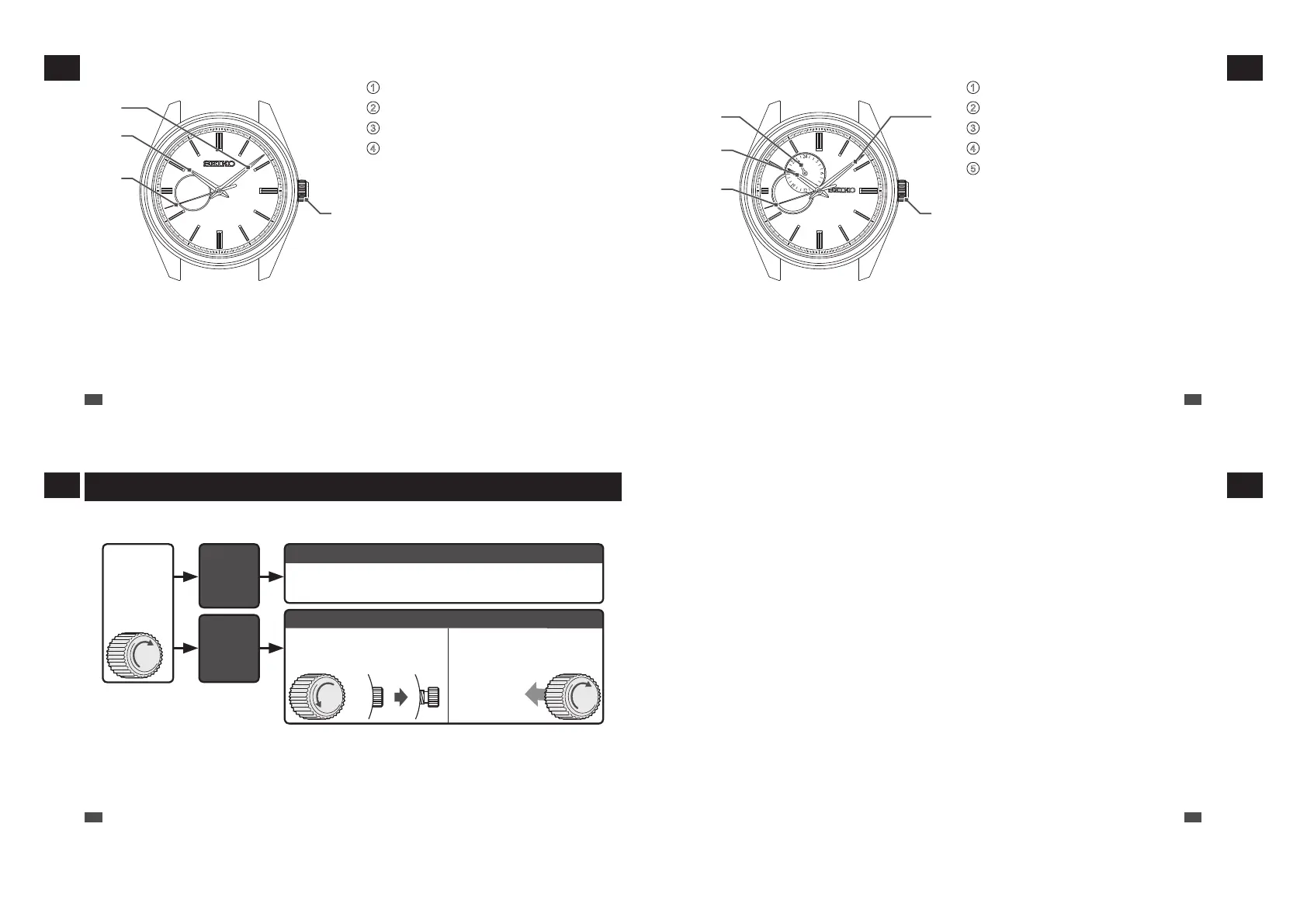
■ 4R38 / 4R71 / 4R72
1
Minute hand
2
Hour hand
3
Seconds hand
4
Crown
• Normal position (not locked): Wind up the
watch (hand-wound)
• First click position: Time setting
* The position and design of the display may vary depending on the model.
1
4
2
3
EN
12
1
HOW TO USE
■ 4R39
1
24-hour hand
2
Hour hand
3
Seconds hand
4
Minute hand
5
Crown
• Normal position (not locked): Wind up the
watch (hand-wound)
• First click position: Time setting
* The position and design of the display may vary depending on the model.
1
4
5
2
3
EN
13
1
HOW TO USE
Crown
There are two types of crowns, a normal crown and a screw down crown.
Please check the type of the crown of your watch.
While
pressing the
crown in, turn it
in the direction
indicated by
the arrow.
The
crown
turns.
The crown
does not
turn.
Normal crown
Pull out the crown and operate it.
Screw down crown
Unlock the crown before
operating it.
After operating the crown,
lock it.
Unscrew
Rotate while
pressing
the crown in.
* By locking the crown by screw, a screw down crown can prevent malfunction and increase water resistance.
* Be careful not to screw the crown in by force as it may damage the slots of the crown.
EN
14
1
HOW TO USE
EN
15
1
HOW TO USE



 To Next Page