4
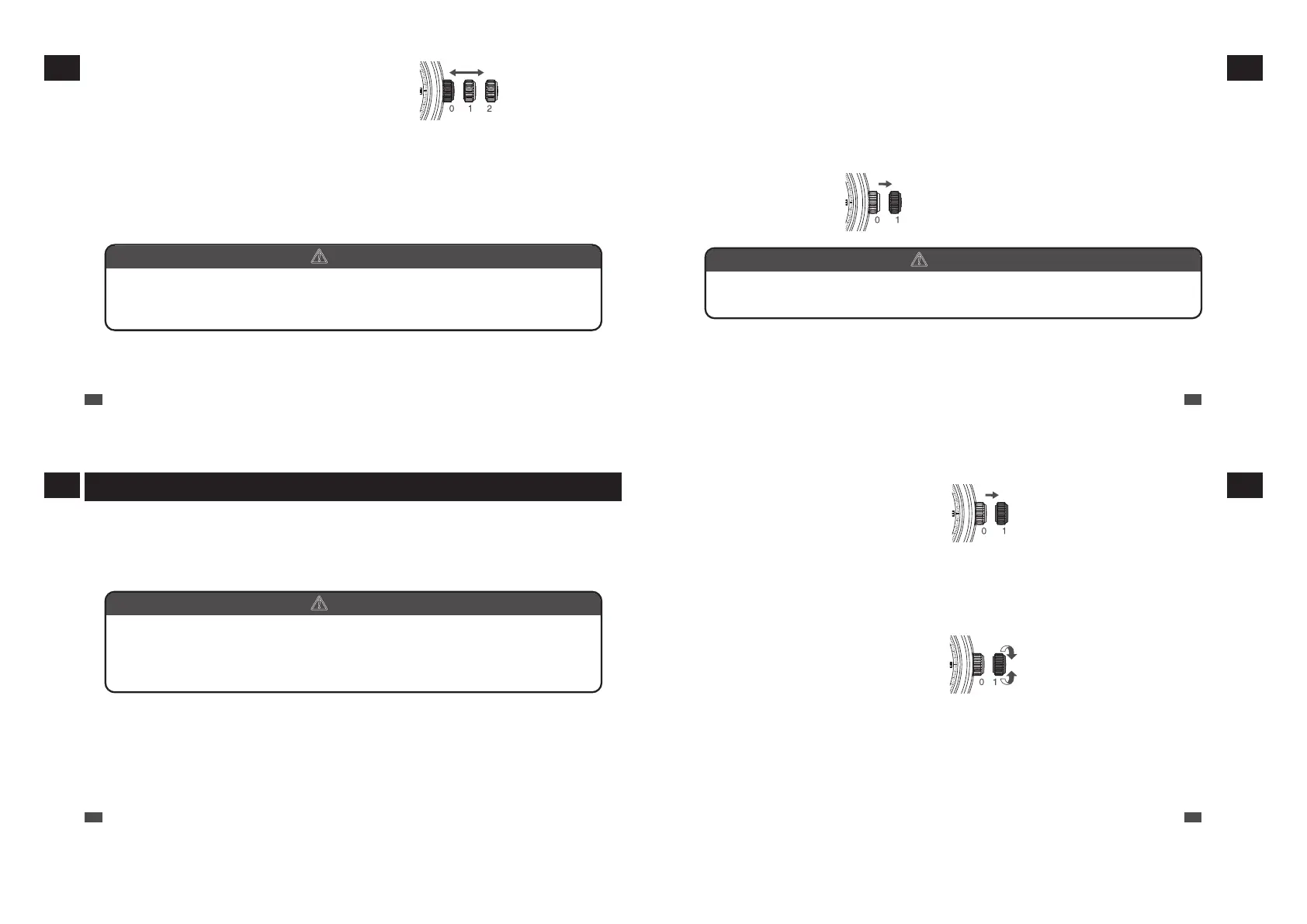
Push the crown back in to the normal position in accordance with a time signal.
The seconds hand immediately starts moving.
* The telephone time signal service is helpful for setting the seconds hand exactly.
* For models with screw down crown, please be sure to lock the crown after operating it.
b
CAUTION
The mechanism of mechanical watches is different from that of quartz watches.
When setting the time, be sure to turn back the minute hand a little behind the desired
time and then advance it to the exact time.
3
Pull out the crown to the second click and set
the time.
Pull out the crown to the second click when the seconds
hand is at the 12 o’clock position; the seconds hand stops
on the spot.
Turn the crown to advance the hands until the date
changes to the next. The time is now set for the A.M. period.
Advance the hands to set the correct time.
EN
20
1
HOW TO USE
■ Date adjustment at the end of the month
It is necessary to adjust the date at the end of February and 30-day months.
Ex.) To adjust the date in the A.M. period on the first day of a month following a 30-day month
The watch displays “31” instead of “1.” Pull out the crown to the first click.
Turn the crown counterclockwise to set the date to “1” and then push the crown back in to the normal
position.
* For models with screw down crown, please be sure to lock the crown after operating it.
Pull out the crown to the first
click
b
CAUTION
• Avoid amending the date when the watch is displaying between 9 PM and 1 AM. Doing
so may cause damage.
EN
21
1
HOW TO USE
How to set the time, date, and day of the week (4R36)
The watch is provided with a date and day of the week function and is so designed that the date
and day of the week change once every 24 hours.
The date changes around midnight, and the day of the week changes at around 4:00 a.m. If
AM/PM is not properly set, the date will change at 12 o’clock noon, and the day of the week will
change at around 4:00 p.m.
b
CAUTION
Do not set the date or the day of the week between 9:00 p.m. and 4:00 a.m.
Amending the date or the day of the week during this time period may cause problems
such as the date or the day of the week failing to change the next day or may cause
damage.
EN
22
1
HOW TO USE
Pull out the crown to the first
click
2
The date and day of the week can be set by turning the crown.
Turn it until the previous day’s date/day of the week appears.
Ex.) To display the date as “6,” then set this to “5.”
Set the day of the week
Set the date
1
Pull out the crown to the first
click.
* For models with screw down crown,
please unlock the crown before operating
it.
Turn the crown counterclockwise to set
the date, and turn the crown clockwise to
set the day of the week.
For models with bilingual day of the week
displays, choose the language of your
preference when setting the day of the
week.
EN
23
1
HOW TO USE



 To Next Page