15
6. Close the Roll Cover. At the time, be careful not to close the Roll Cover on your fingers.
Testing the Printer
A quick test lets you know your printer is operating properly and that the labels are loaded correctly.
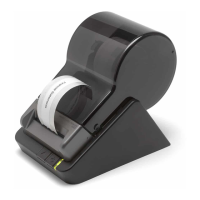
Testing the SLP 620, 650, and 650SE
1. Press and hold the Power Button for 2 seconds to turn the printer standby.
2. Press and hold the Form Feed Button and then press the Power Button. The green Status Light will
begin to flash. Do not release the Form Feed Button.
3. To print the serial number and firmware version:
While holding the Form Feed Button, press and release the Power Button once, and release
the Form Feed Button.
4. To print the density test:
While holding the Form Feed Button, press and release the Power Button twice, and release
the Form Feed Button.


 To Next Page