EasyManua.ls Logo

Seiko 7D56A - TECHNICAL GUIDE: FUNCTIONAL CHECKS; Crown Operation Checks

Seiko 7D56A
44 pages
Print Icon
To Next Page IconTo Next Page
To Previous Page IconTo Previous Page
Loading...
Cal. 7D56A
38/44
Technical guide
Operation Function Checkpoint
O
C
T
D
E
C
F
E
B
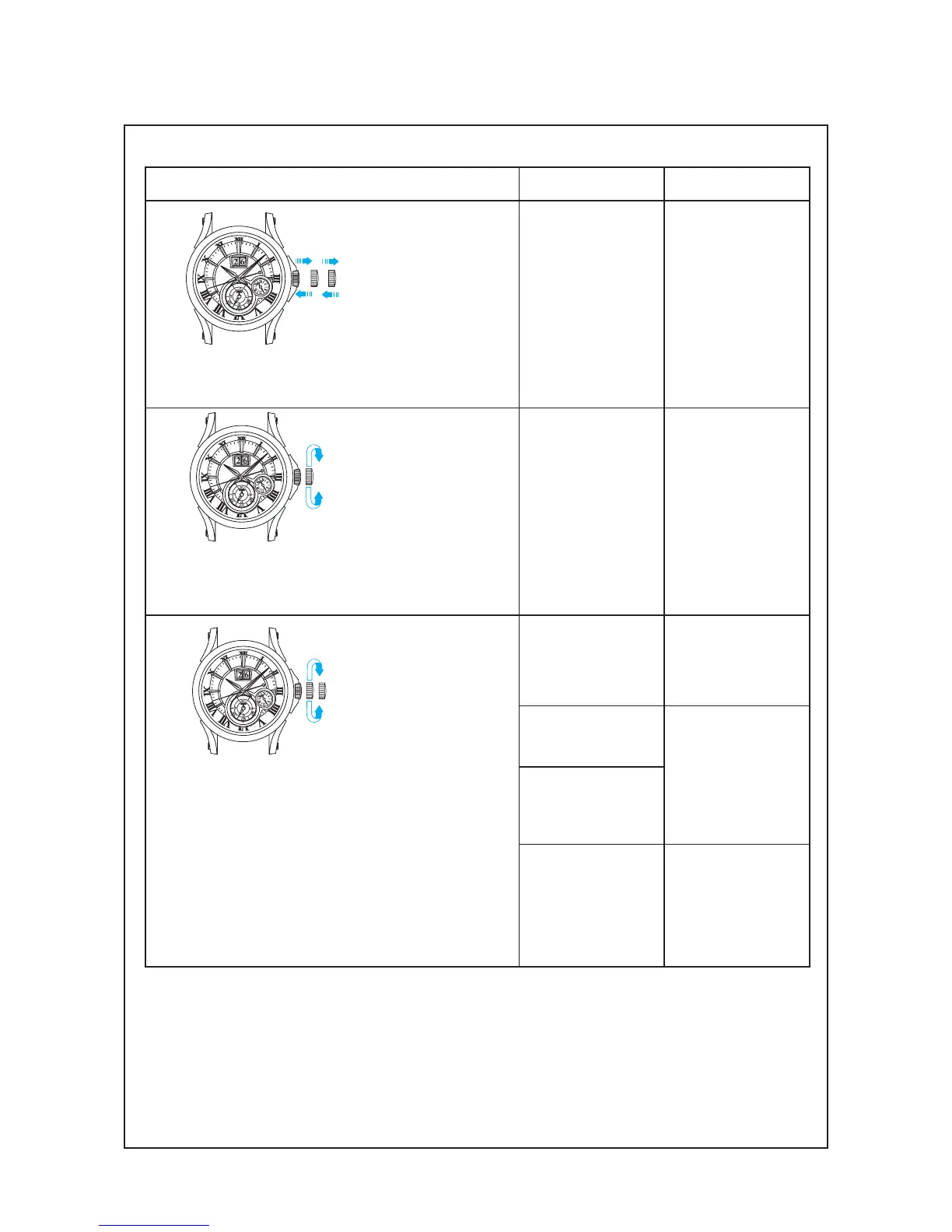
Pull out the
crown to the 2nd
click and push it
back in to the
normal 
position. Repeat
the same several
times.
Setting mechanism -
switching the
function of the time
setting
Make sure that it has
a click at each
position and the
stem is not pulled
off.
O
C
T
D
E
C
F
E
B
Pull out the
crown to the 1st
click, then turn it.
Calendar
mechanism -
correcting the date
Make sure that the
date changes
smoothly.
O
C
T
D
E
C
F
E
B
Pull out the
crown to the 2nd
click, then turn it.
Second hand stop
function
Make sure that the
second hand stops
when the crown is
pulled out to the 2nd
click.
Setting mechanism -
hour and minute
hand setting
Make sure that the
hour and minute
hands move
smoothly (without
touching each other
or touching the
surface of the dial or
inside of the glass).
Hands installation
Calendar
mechanism - date
change
Make sure that the
date changes when
the hour and minute
hands pass around
midnight.
l
Function check

Related product manuals