Cal. 7D56A
4/44
SPECIFICATIONS
●
Date, month and year are interlocked on the perpetual calendar. To set the month or year,
advance the date by turning the crown until the month or year becomes adjustable.
* The calendar can be adjusted by turning the crown in either direction upward or downward at the
first click position.
<Remarks on month, year settings>
When the date advances to change to "1 ," the month indicator rotates for one month to indicate
the following month. When the date advances further until the month indicator moves forward
from December (DEC) to January (JAN), the year indicator rotates to show the following year.
CAUTION
●
When setting the calendar in the direction backward, put the date back for one or two days
behind the date you wish to set, and then advance it to the desired date.
* Follow the above procedure for setting the calendar in the direction backward, otherwise the date
numeral may not appear in the center of the calendar frame. Even though this happens, the date
display will be aligned correctly the following day.
* When setting the calendar backward to dates in December, the year indicator may not be correctly
aligned. In that case, set the calendar back to November then forward it to the correct date in
December.
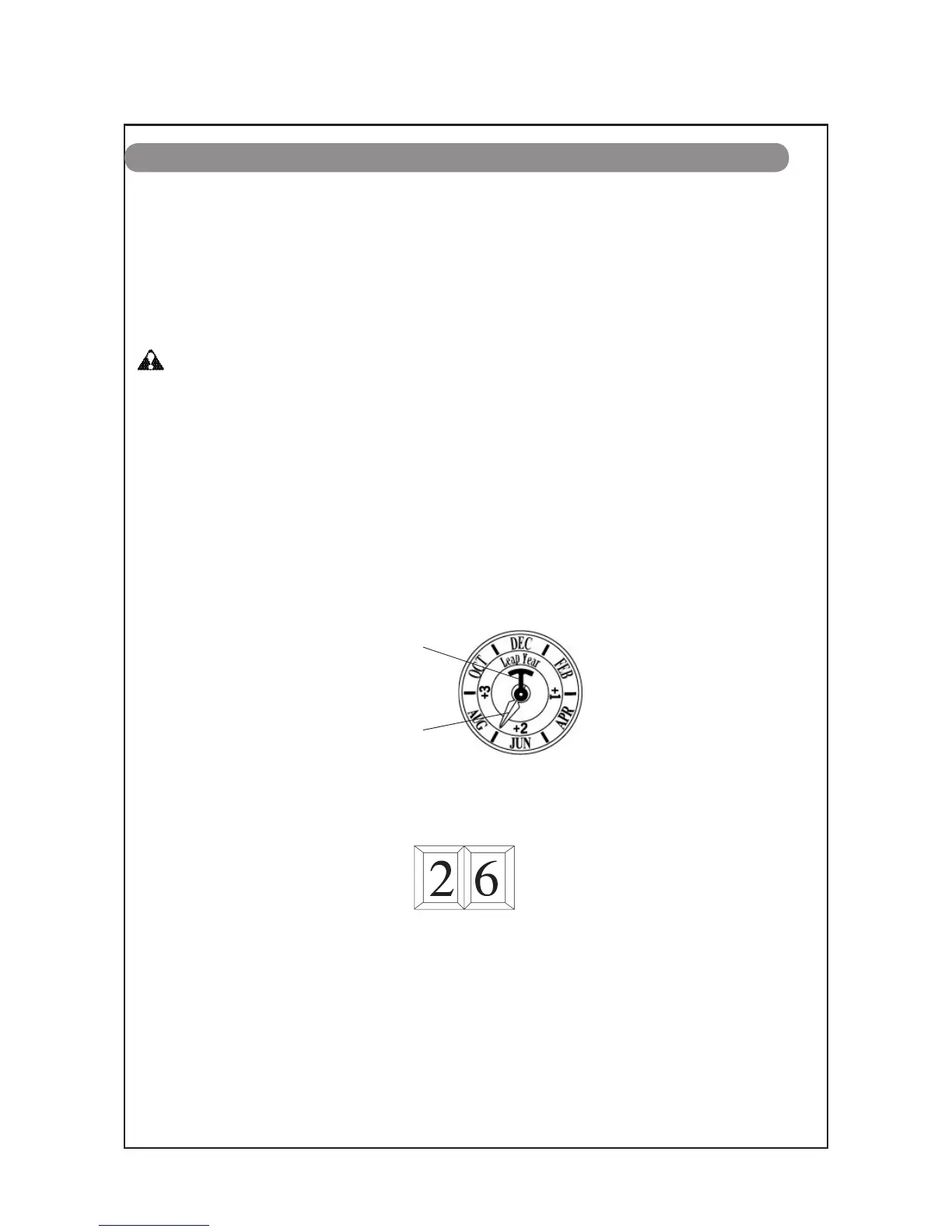
3. Turn the crown to rotate the year/month indicator until the desired indication appears. Continue
to turn the crown until the month becomes adjustable.
Year/Month indicator
Month indicator
(Example: July)
4. Turn the crown to set the month display hand to indicate the correct month. Then continue to
turn the crown to set the date.
5. Upon completion of the calendar adjustment in sequence of year, month and date, push the
crown back into the originalposition.
Example: Date display of the 26th
Year indicator
(Example: Leap year)
HOW TO SET THE PERPETUAL CALENDAR


 To Next Page