Cal. 7D56A
32/44
Technical guide
l
How to install the hands
Cal. 7D56 features the perpetual calendar. Thus, the hands should be carefully mounted exactly as
instructed below.
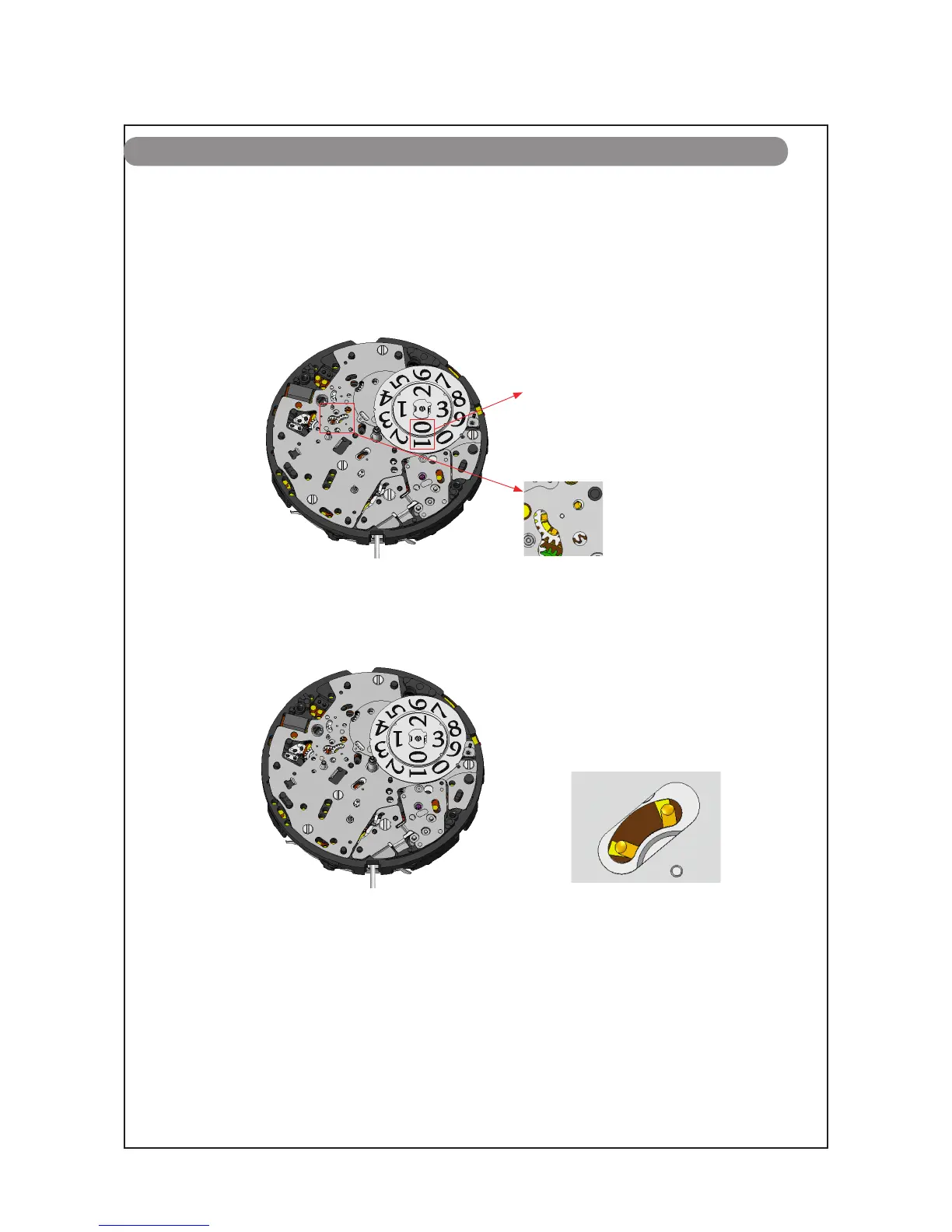
1. Pull out the SETTING STEM to the first click position, and set the calendar to “ the leap year,
January 1.”
Date
Month
2. Pull out the SETTING STEM to the second click position, and turn the crown to set the 24H
contact point as illustrated below (to correct the timing of date change).
* Connect the probes of testers to “A” and “ B” portions. The 24H contact point will be adjusted, allowing
for a check of date changing status.
3. Keep the watch in this state when carrying out the installation of the hands in order
of the 24-hour hand, month indicator, hour hand, minute hand and second hand.
* When removing the hands during repair work, ensure that the calendar is set to “ the leap year, January 1”.
If the hands are removed with the calendar set to a date other than “the leap year, January 1”, the correct
position of the year may be lost.
REMARKS ON DECASING/CASING, DIAL AND HANDS SETTING
Date changing status
A Portion
B Portion
“A” portion in the
illustration to the left



 To Next Page