7
English
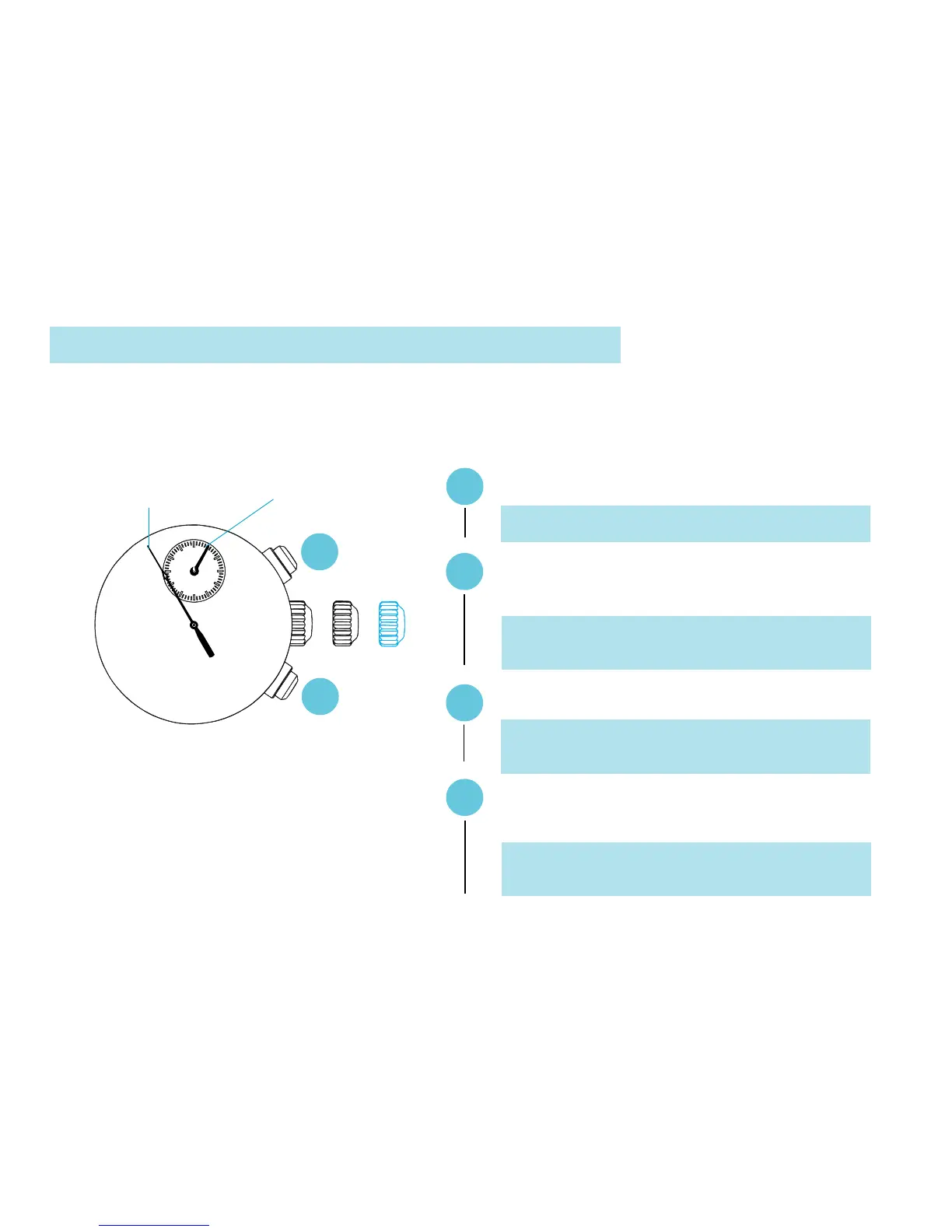
3. STOPWATCH HAND POSITION ADJUSTMENT
6
STOPWATCH
minute hand
B
▼
▼
A
Press for 2 seconds.
* STOPWATCH minute hand turns a full circle.
Press repeatedly to set STOPWATCH
minute hand to the “0” position.
A
Press for 2 seconds.
B
Press repeatedly to set STOPWATCH
1/5-second hand to the “0” position.
▼
STOPWATCH
1/5-second hand
A
B
* STOPWATCH 1/5-second hand turns a full
circle.
▼
✩ If the STOPWATCH hands are not in the “0”
position, follow the procedure below to set them
to the “0” position.
* The hand moves quickly if button B is kept
pressed.
* The hand moves quickly if button B is kept
pressed.



 To Next Page