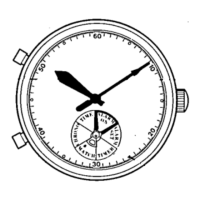
Modelwitha24-hourhand
Ifyourwatchhasa24-hourhand,ithastwodifferenttypesof24-hourhandusage.Sincethe
timesettingmethoddiffersaccordingtothetypeofusage,pleasechoosethetypebeforesetting
thetime.)
Timesetting
( )
Timesettingmethodsvarydependingonwhetheritisamodelwithor
withouta24-hourhand.Therearetwotypesofusageforthe24-hourhand.
<Type1>Usingthe24-hourhandsimplyasanAM/PMindicator.Thatis,using
the24-hourhandbysettingittothetimeoftheareayoucurrentlylive.
・Thisisthestandardusagetypeforthe24-hourhand.
・Forinstance,bysettingthe24-hourhandtoJapantime,evenifyousetthehourandminute
handstodisplaythetimeoftheplaceyouarestayingwhiletravelingabroad,youcaneasily
checkthetimeinJapanwiththe24-hourhandwhichisquiteconvenient.ThetimeinJapanin
suchacasemaybereferredtoas"hometime"andthistermwillbeusedinthefollowingpart
ofthismanual.
<Type2>Usingthe24-hourhandtoindicatethetimeinadifferenttimezone.
・Bysettingthe24-hourhandtothetimeofaplacedifferentfromwhereyoulive(somewhere
withtimedifference),thistypeusesthe24-hourandhour/minutehandsfordualtimedisplay.
・Forinstance,bysettingthe24-hourhandtoGMTwhilesettingthehourandminutehandsto
indicateJapantime,youcaneasilycheckGMTwiththe24-hourhandatanytime.
2.Currentmonth
Thecurrentmonthisshowninthecalendarframe
for5seconds.
*
Januaryisrepresentedby"1",February"2",andsoon.
3.Currentdate
Thenumeralinthecalendarframereturnstothe
currentdate.
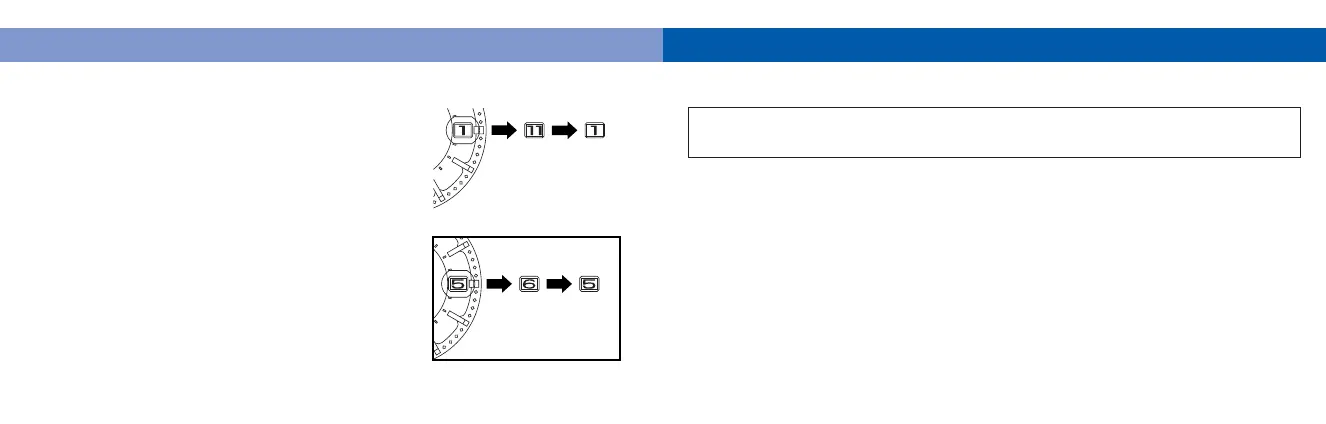
*Whenthemonthanddatearerepresentedby
thesamenumeralasinthecaseof"January
1st","February2nd"andsoon,thenumeral
inthecalendarframequicklyadvancesand
movesbackbyonetoindicatethatthemonth
anddatenumeralsareidentical.
★Afterthecalendarhasbeendisplayed,thesecondhandstartsmovingquicklyand
thenresumesnormalmovement.
Ex.:November1st
Ex.:May5th



 To Next Page