34
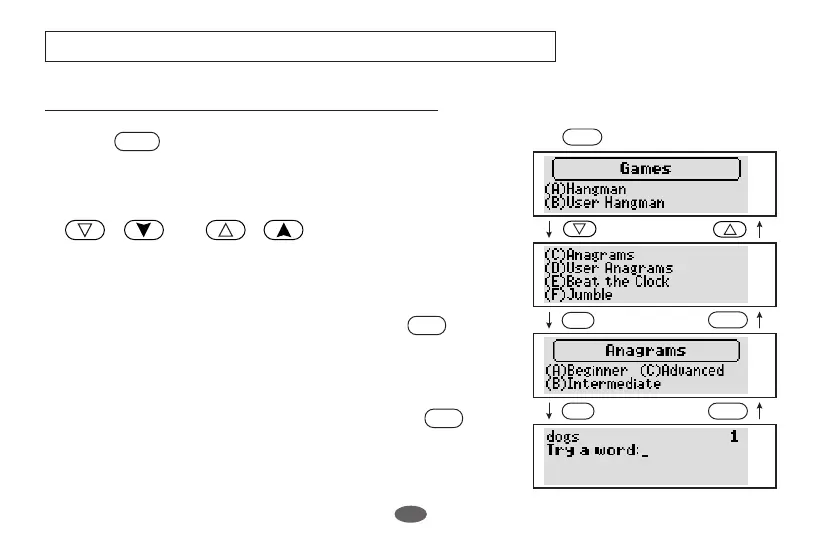
Selecting the Game and Setting the Level
Examples are based on “ (A) Beginner ” level.
1 Press .
2 Select the game you wish to play by pressing
( ) or ( ).
3 Select the game by pressing the alphabet key.
Example: Select “Anagrams” by pressing .
4 Set the level and start the game.
Example: Set the Beginner level by pressing .
GAMES
▼
GAMES
▼▲
GAMES
GAMES
GAMES
C
BACK
A
BACK
GAMES
C
A



 To Next Page