9-2
9.1.1 Installation
(1) When Using a Special Mount
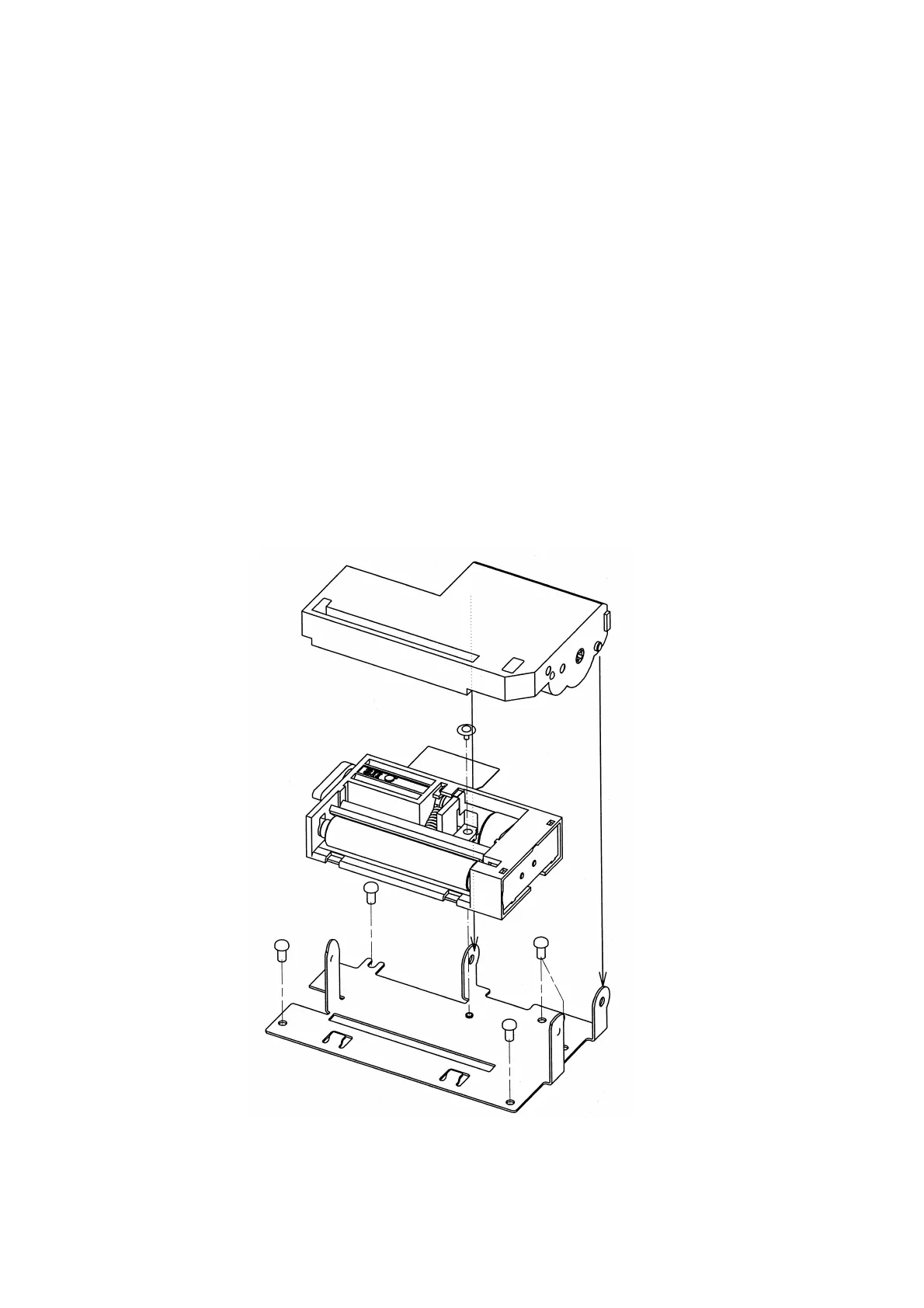
1) Secure the printer on the special mount (OP-L1200-E) with the special screws.
2) The recommended tightening torque is 3 kgf cm (
①
in Figure 9-1).
3) Use four screws to secure the mount on the cabinet. Recommended screws: M2.6 (②
in Figture 9-1).
4) Connect the FPC and FFC of the printer to the main unit.
5) Install the ACU6205 autocutter unit from the grounding plate side (③,④ in Figure 9-1).
6) Connect the cutter leads.
Figure 9-1 Installation
③
④
②
②
②
②
①


 To Next Page