EasyManua.ls Logo

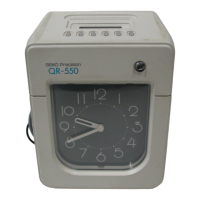
Seiko QR-550 - User Manual

Seiko QR-550
36 pages
Print Icon
To Next Page IconTo Next Page
Loading...
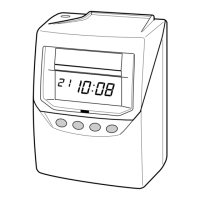
QUARTZ TIME RECORDER
OPERATION MANUAL
Question and Answer IconNeed help?

Do you have a question about the Seiko QR-550 and is the answer not in the manual?

Summary

Safety Precautions

Pre-Use Setup and Information

Daily Operation Guide

System Configuration and Settings

Setting Pay Periods and Closing Dates

How to configure pay periods (monthly, weekly, bi-weekly) and closing dates.

Setting Date, Time, Printing, and Hour Format

Guide to setting date, time, 1/60 or 1/100 printing, and 12/24 hour format.

Setting the Day Advance Time

Configure the time for shifting to the next working day record.

Configuring Time Table Programs

Set automatic print color, external signal, and column selection.

Resetting the Unit to Factory Defaults

How to restore all settings to their original factory-shipped state.

Connecting External Time Signal Device

Troubleshooting Common Issues

Troubleshooting Error Codes

Specific error codes and their corresponding troubleshooting actions.

Summary

Safety Precautions

Pre-Use Setup and Information

Daily Operation Guide

System Configuration and Settings

Setting Pay Periods and Closing Dates

How to configure pay periods (monthly, weekly, bi-weekly) and closing dates.

Setting Date, Time, Printing, and Hour Format

Guide to setting date, time, 1/60 or 1/100 printing, and 12/24 hour format.

Setting the Day Advance Time

Configure the time for shifting to the next working day record.

Configuring Time Table Programs

Set automatic print color, external signal, and column selection.

Resetting the Unit to Factory Defaults

How to restore all settings to their original factory-shipped state.

Connecting External Time Signal Device

Troubleshooting Common Issues

Troubleshooting Error Codes

Specific error codes and their corresponding troubleshooting actions.

Seiko QR-550 Specifications

General IconGeneral
Battery BackupYes
PrintingDot Matrix
Power SourceAC Adapter
CalendarAutomatic
Weight1.4 kg

Related product manuals