Instruction Manual Roundshot VR Drive - version 4.0 – January 2010 - © by Seitz Phototechnik AG / Switzerland www.roundshot.ch page 8
2.1 Setting up the VR Drive Panorama Set (continued)
Step 7: Setting the nodal point (continued)
Select two points that lie behind each other in space. Ideal are vertical lines (for instance
of houses, poles, pillars etc.).
Look through the viewfinder of your digital camera.
Position the camera, mounted on the VR Drive, in such a way that both lines are exactly
aligned. Thelineshouldbeeitheron thevery left or very right of the viewfinder /
screen.
Then turn the camera and observe the behaviour of vertical lines in the viewfinder.
If the two lines are still exactly behind each other after turning the camera the nodal point
is correctly set.
If not, change the position of the camera on the adjustment bar (C) forward or backward
and repeat this until both lines are perfectly aligned.
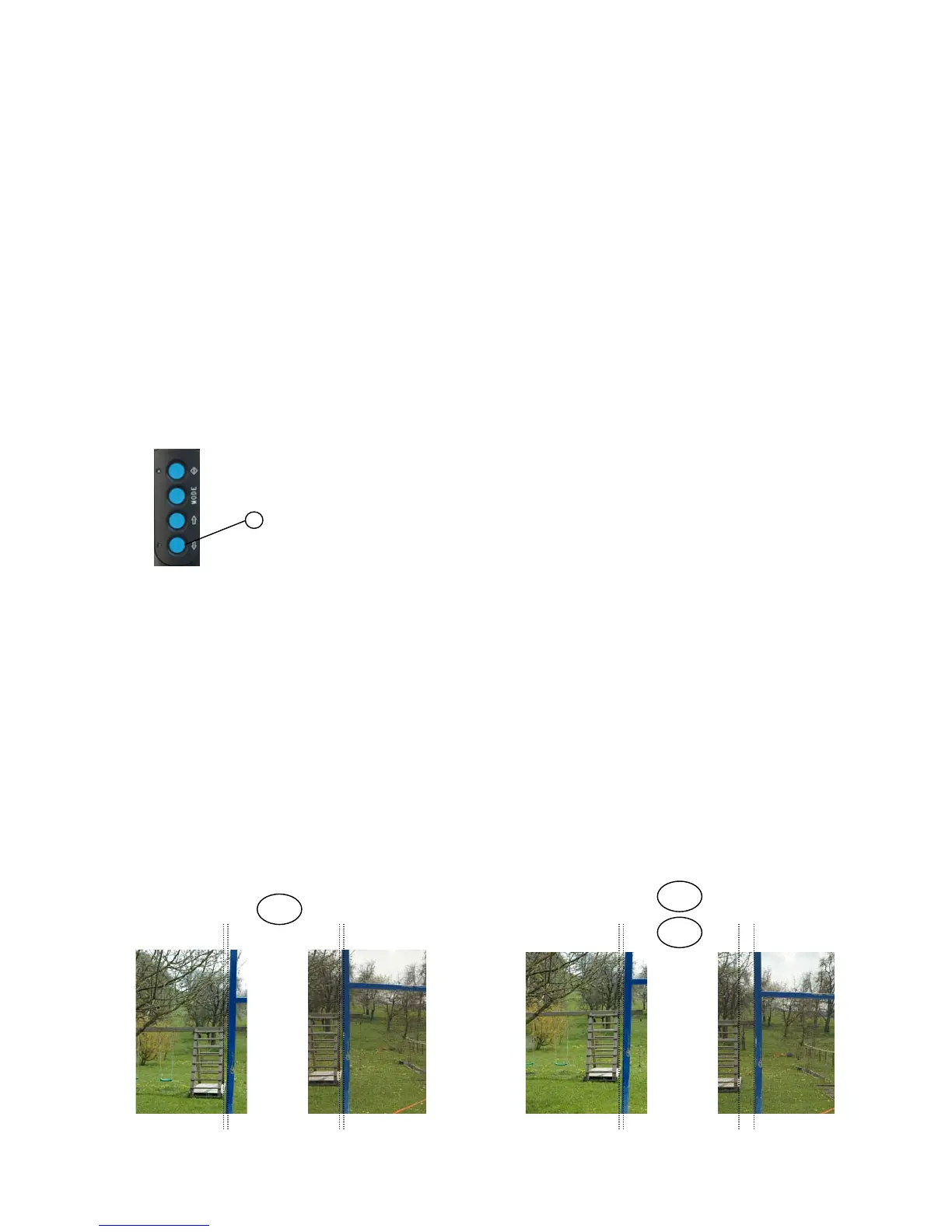
Good nodal point:
Distance between vertical lines does not
change
Bad nodal point:
Distance between vertical lines changes
Power „off“
button
8
Power off the VR Drive motor to make sure that it
is not damaged when turning the VR Head.
This is done by pressing the power „off“ button (8)
for a few seconds.
=
<
>



 To Next Page