EasyManua.ls Logo

Sejoy HB-101 - User Manual

Sejoy HB-101
44 pages
Print Icon
To Next Page IconTo Next Page
Loading...
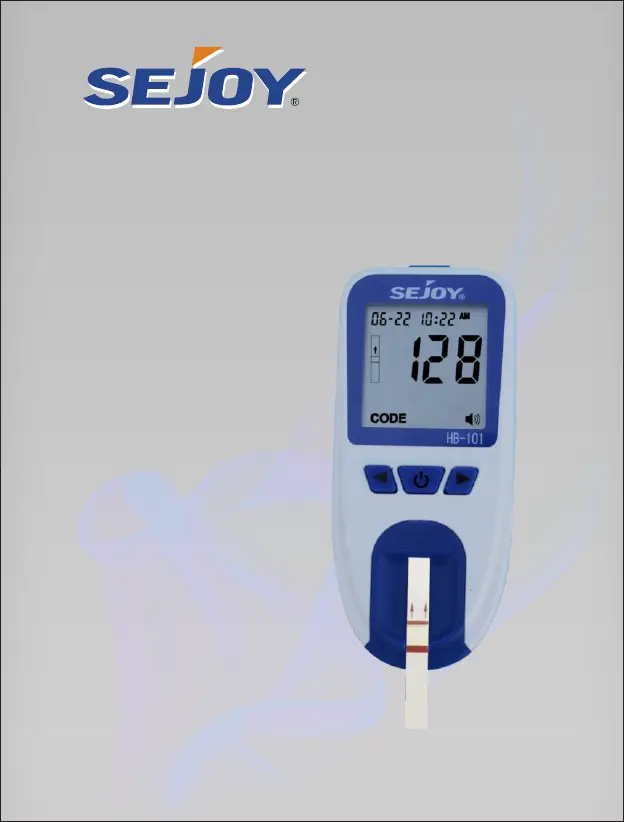
Owner’s Booklet
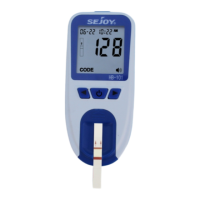
Hb Hemoglobin Testing System
HB-101
Realiable Hemoglobin Testing System

Questions and Answers

  • V
    Vanessa WebsterAug 3, 2025
    What to do if Sejoy Blood Glucose Meter does not start after applying blood?
    • J
      julie00Aug 3, 2025
      If the Sejoy Blood Glucose Meter doesn't start after applying the blood sample, it could be due to several reasons: the blood sample might be too small, the test strip could be defective, or the sample was applied after the meter timed out. Try repeating the test with a new test strip and a larger blood sample. If you suspect the meter timed out, repeat the test using a new test strip, waiting until you see the blood and test strip symbols on the display screen before applying the blood sample.
  • M
    Mr. Ronnie GarciaAug 7, 2025
    Why Sejoy Blood Glucose Meter is not entering test mode?
    • S
      schneiderannetteAug 7, 2025
      If your Sejoy Blood Glucose Meter isn't entering test mode after inserting a test strip, it could be due to low battery power, incorrect battery installation, or the test strip being inserted incorrectly. Replace the battery, resetting the date and time if necessary. Ensure the battery is installed correctly. Also, make sure to insert the test strip with the printed side up and the top of the strip into the meter.
  • M
    Michael RussellAug 11, 2025
    What does temperature prompt flashing mean on Sejoy HB-101 Blood Glucose Meter?
    • M
      Matthew CordovaAug 11, 2025
      If you see the temperature prompt flashing on your Sejoy Blood Glucose Meter, it means the operating temperature is not within the range of 10℃-40℃ (50℉-104℉). For more accurate test data, it is suggested to use the meter in the temperature range of 15℃-30℃ (59℉-86℉).
  • Z
    zkennedyAug 16, 2025
    What to do if Sejoy HB-101 Blood Glucose Meter shows lower than 4.5 g/dL?
    • G
      George JonesAug 16, 2025
      If the test result on your Sejoy Blood Glucose Meter is lower than 4.5 g/dL, it might be due to an insufficient specimen (less than 1µL). If the specimen was taken from a container, ensure it is mixed well and repeat the test.
  • P
    Pam BurtonAug 20, 2025
    How to fix low battery on Sejoy HB-101?
    • F
      foleyjosephAug 21, 2025
      If your Sejoy Blood Glucose Meter indicates a low battery, replace the batteries and then repeat the test.
  • R
    Ricky PrinceAug 25, 2025
    What to do if the test strip was removed during the Sejoy Blood Glucose Meter test?
    • B
      Brian RobertsAug 25, 2025
      If the test strip was removed during the Sejoy Blood Glucose Meter test, repeat the test, making sure the test strip remains in place.
  • M
    mcclainchristopherAug 29, 2025
    What to do if Sejoy Blood Glucose Meter specimen was applied too soon?
    • E
      Eric WalkerAug 29, 2025
      If the specimen was applied to the test strip too soon when using the Sejoy Blood Glucose Meter, repeat the test and apply the specimen after the blood drop symbol appears.

Summary

Introduction and Safety

Intended Use and Test Principle

Describes the intended purpose and the scientific principle behind the hemoglobin testing system.

Important Safety Information

Provides critical warnings and precautions for safe usage of the meter and lancing device.

Health and Environmental Guidelines

Outlines health-related advice and environmental conditions for proper instrument operation.

Getting to Know Your System

Kit Components and Manufacturers

Lists all items included in the kit and identifies the manufacturers of key components.

System Components Descriptions

Detailed explanations of the function and purpose of each part of the hemoglobin testing system.

Meter Hardware Overview

Diagram illustrating the physical parts and features of the HB-101 hemoglobin meter.

Meter Display and Icons

Explains the symbols, indicators, and information displayed on the meter's screen.

Test Strip Application and Handling

Instructions on how to correctly apply blood samples to test strips and handle them.

Test Strip Handling and Coding

Information on test strip code numbers, usage, storage, and expiration.

Lancing Device and Lancet Details

Diagrams and descriptions of the lancing device and sterile lancets.

Setting Up Your Meter

Initial Setup and Meter Setup Modes

Guides the user through the initial setup process and entering meter setup modes.

Date, Time, and Unit Configuration

Instructions for setting the year, month, date, and time format on the meter.

Time Format, Unit, and Sound Settings

Details on configuring the time display format, measuring units, and audio feedback.

Optical Check Procedure

Steps for performing an optical check to verify the meter's system functionality.

Meter Coding Process

Instructions on checking and inserting the code chip for meter calibration.

Matching Meter and Strip Codes

Guidance on ensuring meter code matches the test strip vial code for accurate results.

Testing Procedures

Preparing the Lancing Device

Step-by-step guide on how to prepare the lancing device for blood sample collection.

Lancing Device Preparation Steps

Detailed steps for inserting a lancet, removing the cover, and adjusting depth settings.

Cocking the Lancing Device

Instructions on how to cock the lancing device, making it ready for use.

Fingertip Blood Sampling

Procedure for obtaining a blood sample from the fingertip using the lancing device.

Capillary Transfer Tube Usage

Guidance on using the capillary transfer tube to collect and apply blood samples.

Lancet Disposal

Safe instructions for disposing of used lancets to prevent injury and contamination.

Venous Blood Sampling

Procedure for collecting venous blood samples for hemoglobin testing.

Blood Sampling Best Practices

Important tips for ensuring accurate blood samples, including temperature and strip handling.

Performing the Test Steps

Steps for turning on the meter, inserting test strips, and preparing for sample application.

Test Progress and Results

Describes the test progress indicators and how to read the hemoglobin and HCT results.

Data Management and Maintenance

Memory and Data Deletion

Information on how the meter stores results and how to delete stored data.

Battery Replacement

Instructions on how to replace the meter's batteries when the battery symbol appears.

System Care and Storage

Guidance on proper care, storage conditions, and checking test strip expiration.

Cleaning Meter Components

Instructions for cleaning the test strip holder and the meter sensor area.

Cleaning the Lancing Device

Procedures for cleaning and disinfecting the lancing device.

Troubleshooting and Specifications

Troubleshooting Error Messages

Explains common error codes (E-1 to E-4) and their possible causes and solutions.

Troubleshooting Other Issues

Addresses issues like no test records, low/high results, and temperature prompts.

Troubleshooting Common Problems

Solutions for problems such as meter not entering test mode or test not starting.

Device Specifications

Technical details including meter type, blood sample requirements, and measuring ranges.

Device Specifications

Further technical specifications covering power, repeatability, accuracy, and dimensions.

Compliance and Support

Safe Disposal Guidelines

Recommendations for the proper and safe disposal of the meter, strips, lancets, and batteries.

Warranty Information

Details of the limited 2-year warranty for the hemoglobin testing system.

Symbol Index

Defines the various symbols used throughout the user manual for clarity.

Additional Symbol Definitions

Provides further explanations of symbols related to CE marking and European authorization.

Sejoy HB-101 Specifications

General IconGeneral
Blood SampleCapillary whole blood
Measuring Time5 seconds
Sample TypeWhole blood
Measuring Range20-600 mg/dL
Operating Temperature10-40°C

Related product manuals