6
There are two ways of communicating with the SEL-787 Motor Relay. You can communicate with the relay using the
Human Machine Interface (HMI) on the front panel or through serial port communications with a computer. For
communications, the computer must have a serial port and the operating system should be Windows
®
2000 or newer. A
standard EIA-232 crossover cable or an SEL-234A cable will also be necessary.
HMI Pushbuttons
Computer Connection Steps
Step 1. Connect the PC and the relay using a serial communications cable.
Step 2. Apply power to both the PC and the relay.
Step 3. Open a terminal emulation program.
Option 1:
ACSELERATOR QuickSet SEL-5030 Software
Open
ACSELERATOR QuickSet and proceed to Step 4. If you do not
have
ACSELERATOR QuickSet, you can download the program from
www.selinc.com/sel-5030.htm. Refer to Section 3 of the SEL-787
manual for more information about
ACSELERATOR QuickSet.
Option 2: HyperTerminal
To open HyperTerminal go to Start > Programs > Accessories >
Communications > HyperTerminal. Once there you will be prompted to
enter a name of your choice for the connection. Then you will choose
the port through which you will connect. Make sure you select the same
port to which you connected the cable and then click OK.
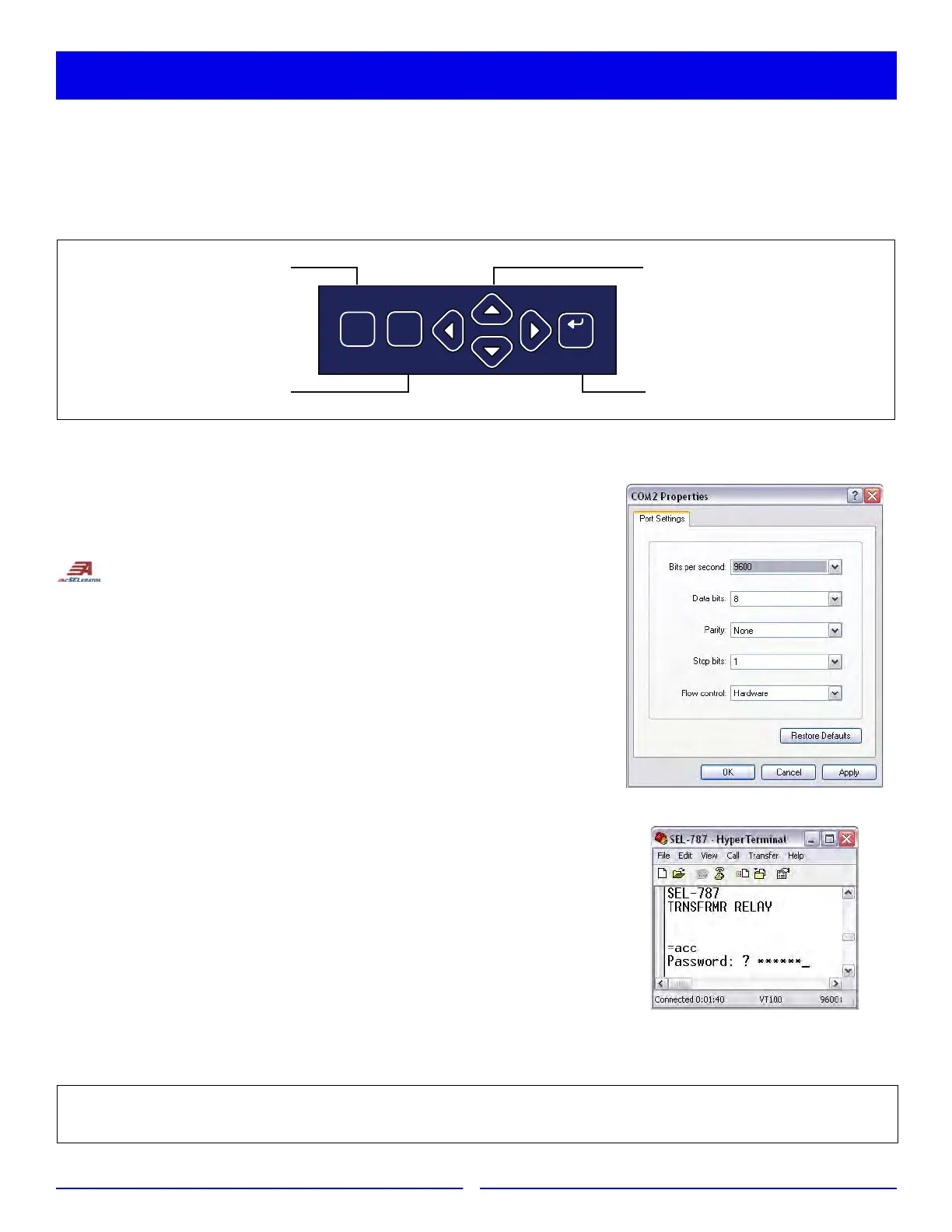
Step 4. Set the PC terminal emulation program to the same communications
port settings as shown in the figure to the right and click OK.
Step 5. Press the <Enter> key on the PC keyboard to check the
communications link. You should see the = prompt. If you do not see the
= prompt, check the cable connections, confirm that the settings in the
terminal emulation program are the default values, and that the
emulation mode is set to VT100.
Step 6. Once connected, you can set all other relay settings and obtain values as
necessary. Refer to Section 6 in the SEL-787 manual for more
information.
Press the TARGET RESET pushbutton
to clear targets that have been alarmed.
Press the ESC pushbutton
to return to previous menu.
Press the directional (up, down, left, right)
pushbuttons to scroll through options.
Press the ENT pushbutton
for selection to see next menu.
ENT
ESC
TARGET
RESET
SEL-787 Relays are shipped with default passwords. To prevent unauthorized access, change default passwords to private
passwords at installation. SEL shall not be responsible for damage resulting from unauthorized access.
Communication With Relay



 To Next Page