EasyManua.ls Logo

Sel SEL-787 - User Manual

Sel SEL-787
612 pages
Print Icon
To Next Page IconTo Next Page
Loading...
Instruction Manual
20150130
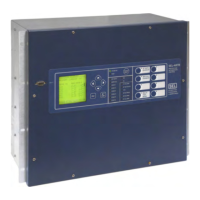
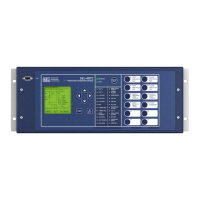
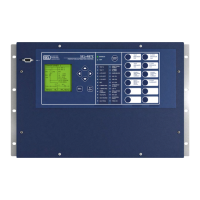
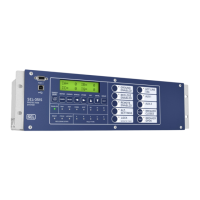
SEL-787 Relay
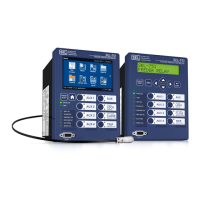
Transformer Protection Relay
Instruction Manual
*PM787-01-NB*

Table of Contents

Questions and Answers

  • M
    Mrs. Victoria Vazquez MDAug 2, 2025
    What to do if Sel SEL-787 does not respond to commands from a device connected to the serial port?
    • T
      Theodore KimAug 2, 2025
      If your Sel relay isn't responding to commands from a connected device, start by verifying the cable connections. Next, ensure that the cable is the correct type by verifying the cable pinout. Then, check that the relay and device are set to the correct baud rate and that there are no other parameter mismatches in the device software setup. Lastly, if the relay serial port has received an XOFF, type to send the relay XON and restart communications.
  • S
    sarahrogersAug 8, 2025
    What to do if Sel SEL-787 does not respond to faults?
    • J
      Jay MartinezAug 8, 2025
      If your Sel relay isn't responding to faults, it could be due to several reasons. First, double-check the relay settings to ensure they are correct. Also, verify the test source settings. Another potential cause is a wiring error in the current or voltage input; ensure the input wiring is correct. Finally, a failed relay self-test could be the culprit; check the self-test results using the front-panel RELAY STATUS function.
  • L
    lindaparkAug 14, 2025
    Why Sel SEL-787 does not accurately measure voltages or currents?
    • L
      ljohnsonAug 15, 2025
      If your Sel relay isn't accurately measuring voltages or currents, start by checking the input wiring for any errors. Also, verify the instrument transformer ratios, connections, and associated settings (CTR1, CTR2, CTRN, or PTR). Finally, ensure that the voltage neutral terminal (N) is properly grounded by verifying the wiring and connections.
  • Z
    zsalinasAug 19, 2025
    How to fix a dark ENABLED front-panel LED on Sel SEL-787?
    • E
      Erica GonzalesAug 20, 2025
      If the ENABLED front-panel LED on your Sel relay is dark, first verify that input power is present and check the fuse continuity. If power is present and the fuse is intact, view the self-test failure message on the front-panel display to diagnose the issue.
  • B
    Brianna HarrisAug 26, 2025
    How to fix Sel SEL-787 Relays front-panel display when it does not show characters?
    • M
      Melissa BushAug 26, 2025
      If the front-panel display on your Sel relay is blank, first press the ESC pushbutton to activate the display, in case it has timed out. If that doesn't work, verify input power and fuse continuity to ensure the relay is energized.

Summary

SEL-787 Relay

Section 1: Introduction and Specifications

Specifications

Provides detailed technical specifications for the SEL-787 relay.

Section 2: Installation

Relay Placement

Provides guidelines for proper physical installation of the SEL-787 relay.

Section 3: PC Software

Section 4: Protection and Logic Functions

Basic Protection

Covers settings for differential, restricted earth fault, and overcurrent protection elements.

Section 5: Metering and Monitoring

Section 6: Settings

View;Change Settings With Front Panel

Details how to use the front-panel pushbuttons to view and change settings.

View;Change Settings Over Communications Port

Explains how to set up and access relay serial or Ethernet ports with PC software using ASCII commands.

Section 7: Communications

Section 8: Front-Panel Operations

Front-Panel Layout

Identifies regions of the front panel including HMI, buttons, LEDs, and serial port.

Section 9: Analyzing Events

Section 10: Testing and Troubleshooting

Commissioning Tests

Provides a procedure for functional checks and calibration of the SEL-787 relay.

Self-Test

Describes the self-test features of the SEL-787 relay and corrective actions for out-of-tolerance conditions.

Troubleshooting

Provides a guide to isolating and correcting problems that arise during commissioning or periodic tests.

Appendix B: Firmware Upgrade Instructions

Upgrade Firmware Using ACSELERATOR QuickSet

Details the steps for loading firmware into the SEL device using ACSELERATOR QuickSet.

Upgrade Firmware Using a Terminal Emulator

Provides instructions for upgrading firmware using terminal emulation software.

Appendix C: SEL Communications Processors

SEL Communications Processor

Describes SEL communications processors as tools for system integration and automation.

Appendix H: Synchrophasors

Synchrophasor Measurement

Details how the SEL-787 measures synchrophasor values and the time-stamping process.

Sel SEL-787 Specifications

General IconGeneral
Frequency50/60 Hz
Communication ProtocolsIEC 61850, DNP3, Modbus
DisplayLCD
Protection FunctionsOvercurrent, Overvoltage, Undervoltage, Frequency
MountingPanel
DC Voltage125 V DC
Current Input1 A
Operating Temperature-40 to +85 °C
CategoryRelay

Related product manuals