3.3
Date Code 20150130 Instruction Manual SEL-787 Relay
PC Software
Setup
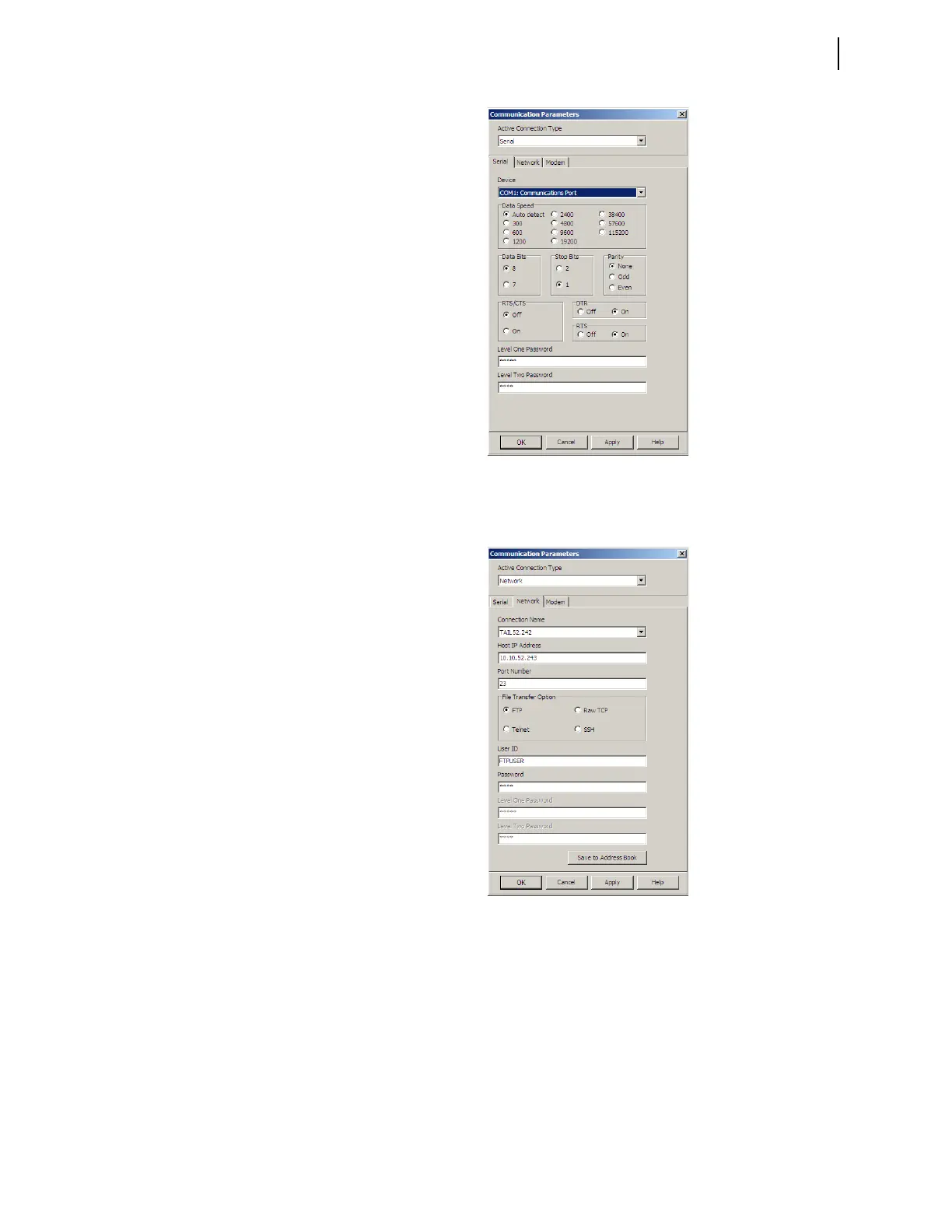
Figure 3.2 Serial Port Communication Parameters Dialog Box
Step 5. For network communications, check the Use Network check
box and enter the network parameters as shown in Figure 3.3.
Figure 3.3 Network Communication Parameters Dialog Box
Step 6. Exit the menus by clicking OK when finished.



 To Next Page