4.98
SEL-787 Relay Instruction Manual Date Code 20150130
Protection and Logic Functions
Front-Panel Settings (SET F Command)
To optimize the time you spend on setting the device, only the number of
enabled display points and enabled local bits become available for use. Use
the front-panel LCD timeout setting (FP_TO) as a security measure. If the
display is within an Access Level 2 function when a timeout occurs, such as
the device setting entry, the function is automatically terminated (without
saving changes) after inactivity for this length of time. After terminating the
function, the front-panel display returns to the default display. If you prefer to
disable the front-panel timeout function during device testing, set the LCD
timeout equal to OFF. Use the front-panel LCD contrast setting (FP_CONT)
to adjust the contrast of the liquid crystal display.
Use the front-panel automessage setting FP_AUTO to define displaying of
Trip/Warning messages. Set FP_AUTO either to Override or add to the
Rotating display when the relay triggers a Trip/Warning message. Set
RSTLED := Y to reset the latched LEDs automatically when the breaker or
the contactor closes.
Display Points
Use display points to view either the state of internal relay elements (Boolean
information) or analog information on the LCD display. Although the LCD
screen displays a maximum of 16 characters at a time, you can enter as many
as 60 valid characters. Valid characters are 0–9, A–Z, -, /, ", {, }, space. For
text exceeding 16 characters, the LCD displays the first 16 characters, then
scrolls through the remaining text not initially displayed on the screen.
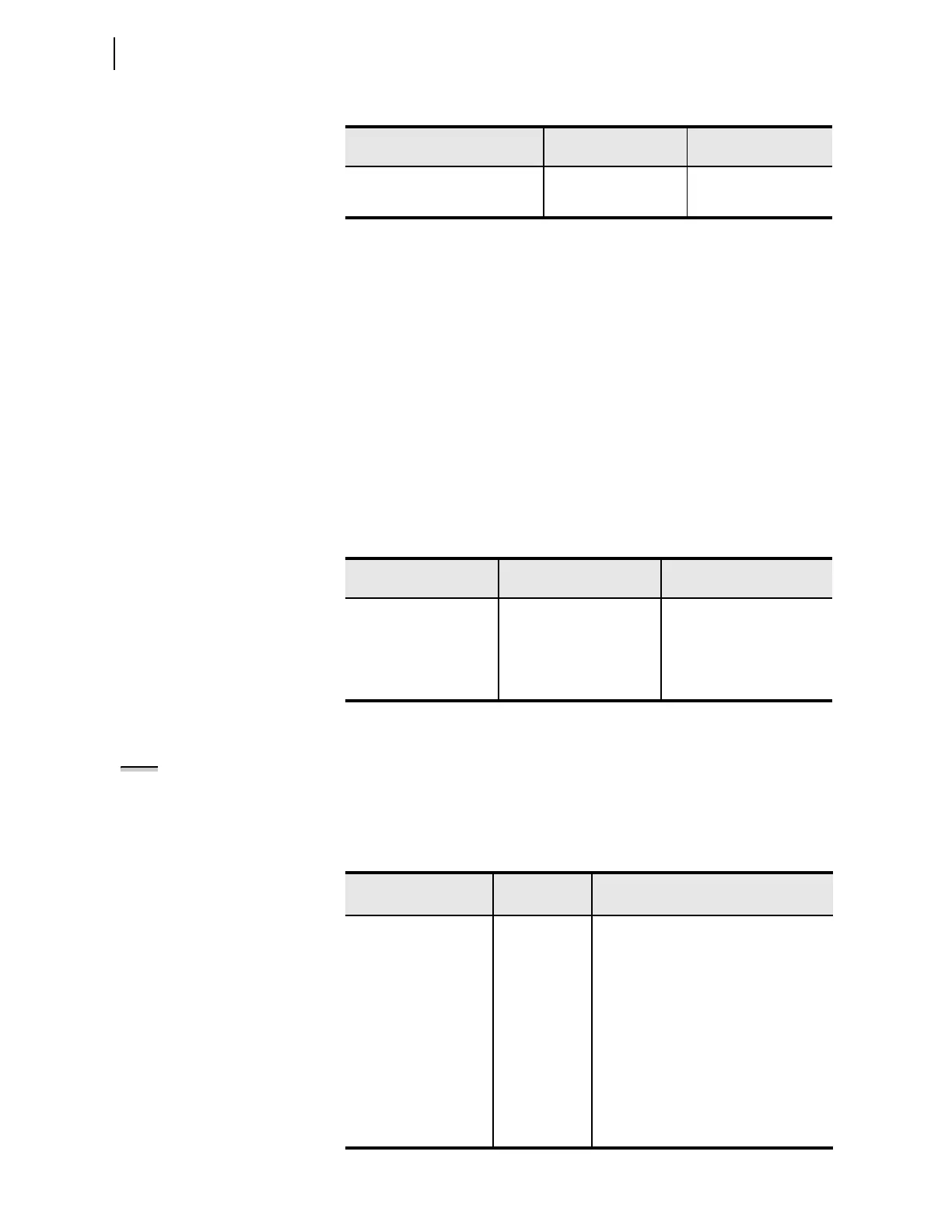
Table 4.51 Display Point and Local Bit Default Settings
Setting Prompt Setting Range
Setting Name :=
Factory Defau lt
DISPLAY PTS ENABL N, 1–32 EDP := 4
LOCAL BITS ENABL N, 1–32 ELB := N
Table 4.52 Front-Panel General Settings
Setting Prompt Setting Range
Setting Name :=
Factory Default
LCD TIMEOUT OFF, 1–30; min FP_TO := 15
LCD CONTRAST 1–8 FP_CONT := 5
FP AUTOMESSAGES OVERRIDE, ROTATING FP_AUTO := OVERRIDE
CLOSE RESET LEDS Y, N RSTLED := Y
Table 4.53 LCD Display Point Settings
Setting Prompt Setting Range
S e t t i n g N a m e : =
Fac tory Defau lt
DISPLAY POINT DP01 60 characters DP01 := RID,"{16}"
DISPLAY POINT DP02 60 characters DP02 := TID,"{16}"
DISPLAY POINT DP03 60 characters DP03 := IAVW1MAG, "W1 AVE I {5} A"
DISPLAY POINT DP04 60 characters DP04 := IAVW2MAG, "W2 AVE I {5} A"
DISPLAY POINT DP05 60 characters DP05 :=
•
•
•
•
•
•
•
•
•
DISPLAY POINT DP32 60 characters DP32 :=
NOTE: The rotating display is
updated approximately every two (2)
seconds.



 To Next Page