G.2
SEL-787 Relay Instruction Manual Date Code 20150130
DeviceNet Communications
DeviceNet Card
DeviceNet Card
The DeviceNet Card is an optional accessory that enables connection of the
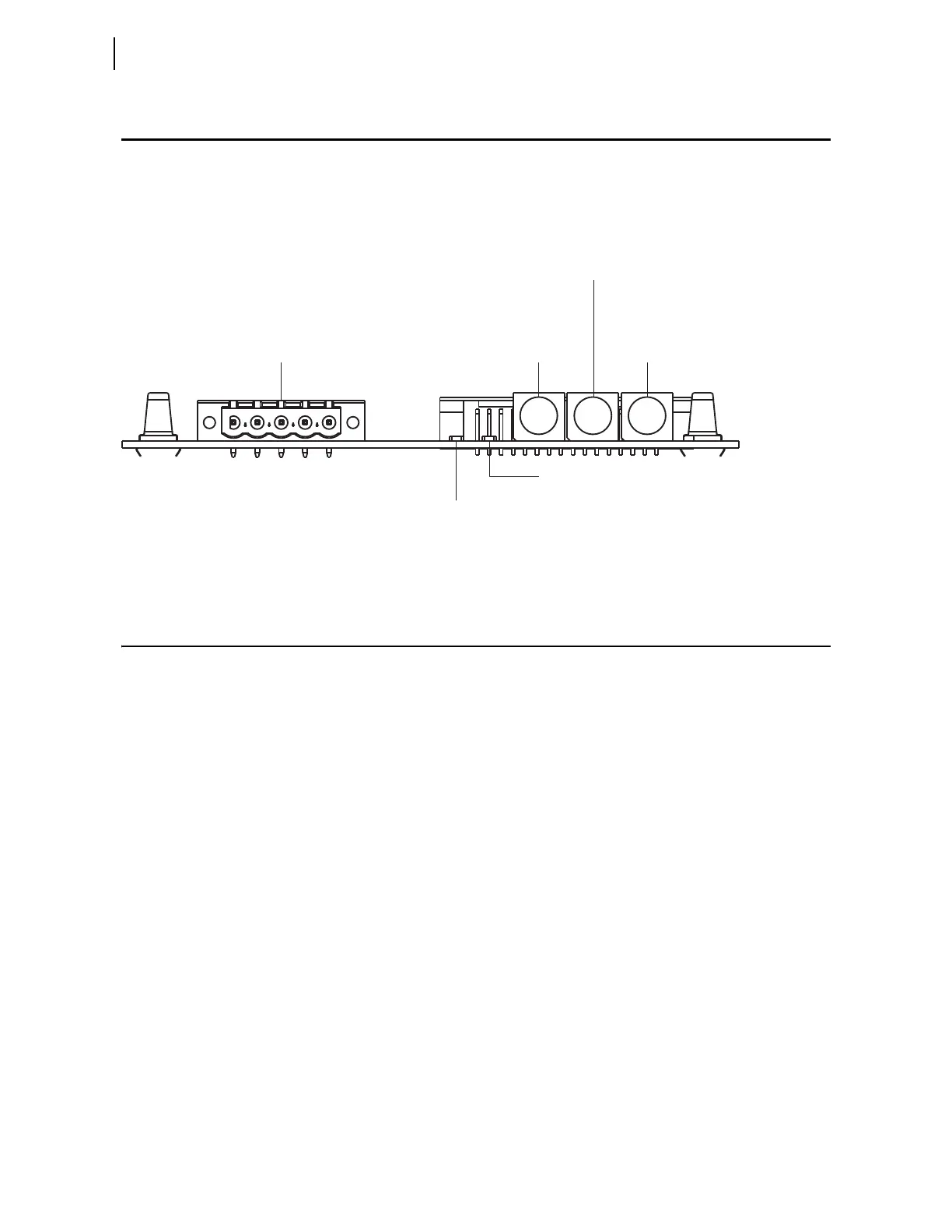
SEL-787 to the DeviceNet automation network. The card (see Figure G.1)
occupies the communications expansion Slot C in the relay.
Figure G.1 DeviceNet Card Component Overview
Features
The DeviceNet Card features the following:
➤ The card receives the required power from the DeviceNet
network.
➤ Rotary switches let you set the node address and network data
rate prior to mounting in the SEL-787 and applying power.
Alternatively, the switches can be set to positions that allow for
configuration of these settings over the DeviceNet network,
utilizing a network configuration tool such as RSNetWorx for
DeviceNet.
➤ Status indicators report the status of the device bus and network
communications. They are visible from the back panel of the
SEL-787 as installed.
You can do the following with the DeviceNet interface:
➤ Retrieve metering data such as the following:
➢ Currents
➢ Voltages
➢ Power
➢ Energy
➢ Max/Min
➢ Analog Inputs
➢ Counters
Node Address Switch: Rotary switch
for setting the least significant digit
(LSD) of node address
DeviceNet Connector: Accepts a
5-pin linear, open DeviceNet plug
Node Address Switch: Rotary
switch for setting the most
significant digit (MSD) of node
Data Rate Switch: Rotary switch for
selecting the DeviceNet data rate at which
the card communicates
Network Status LED: Status indicator
for DeviceNet communication
Bus Status LED: Status indicator for
backplane (relay) communication



 To Next Page