8.2
SEL-787 Relay Instruction Manual Date Code 20150130
Front-Panel Operations
Human-Machine Interface
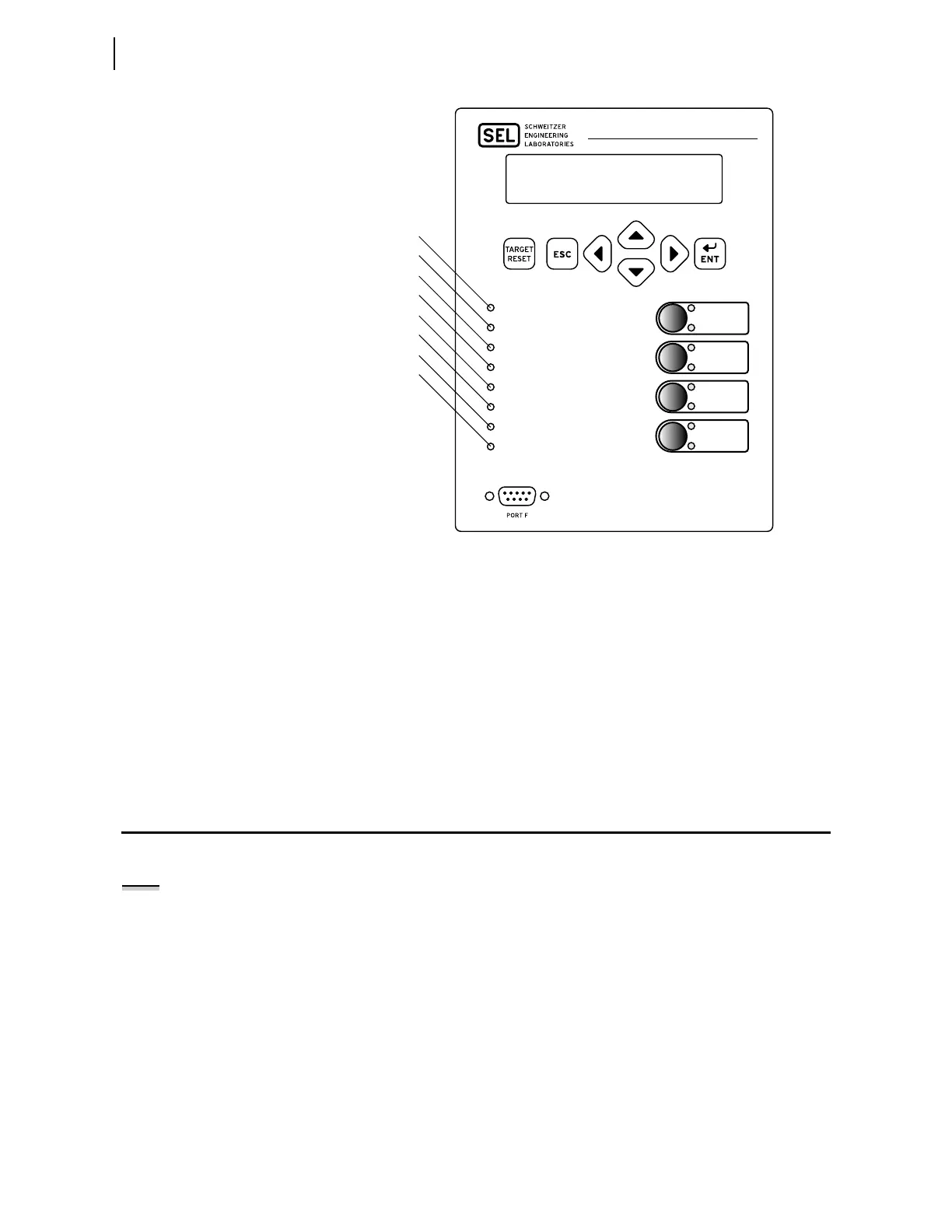
Figure 8.1 Front-Panel Overview
This versatile front panel supports the following features so you can customize
it for your needs:
➤ Rotating display on the HMI
➤ Programmable target LEDs
➤ Programmable pushbutton LEDs
➤ Slide-in configurable front-panel labels to change the
identification of target LEDs, pushbuttons, pushbutton LEDs
and their operation.
Human-Machine Interface
Contrast
You can adjust the LCD screen contrast to suit your viewing angle and
lighting conditions. To change screen contrast, press and hold the ESC
pushbutton for two seconds. The SEL-787 displays a contrast adjustment box.
Pressing the Right Arrow pushbutton increases the contrast. Pressing the Left
Arrow pushbutton decreases the screen contrast. When you are finished
adjusting the screen contrast, press the ENT pushbutton; this process is a
shortcut for changing the LCD contrast setting FP_CONT in the front-panel
settings.
Relay Powered Properly And Self-Tests Are Okay
Trip Occurred
Differential Trip
Instantaneous/Definite-Time Overcurrent Trip
Time Overcurrent Trip
Over/Undervoltage Trip
Over/Underfrequency Trip
Volts/Hertz
ENABLED
LOCK
DISABLED
BRKR 1
SELECT
BRKR 2
BRKR 1 CLOSED
CLOSE
BRKR 2 CLOSED
BRKR 1 OPEN
TRIP
BRKR 2 OPEN
SEL-787
TRANSFORMER PROTECTION RELAY
ENABLED
TRIP
DIFFERENTIAL
INST. OVERCURRENT
TIME OVERCURRENT
OVER/UNDERVOLTAGE
OVER/UNDERFREQUENCY
VOLTS/HERTZ
NOTE: See the Preface for an
explanation of typographic
conventions used to describe menus,
the front-panel display, and the front-
panel pushbuttons.



 To Next Page