7.4
SEL-787 Relay Instruction Manual Date Code 20150130
Communications
Communications Interfaces
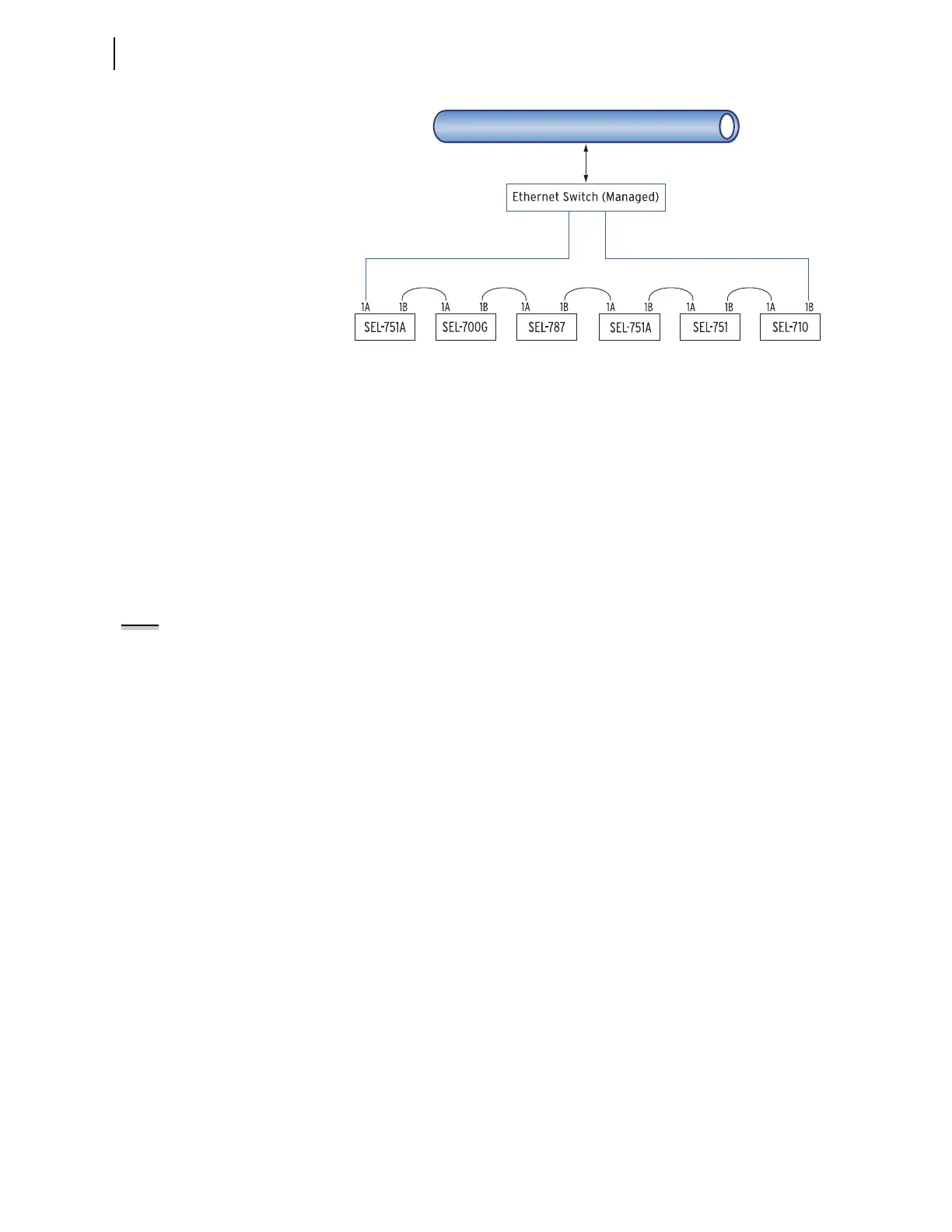
Figure 7.3 Ethernet Network Configuration With Ring Structure (Switched
Mode)
Dual Network Port Operation
The SEL-787 dual Ethernet port option has two network ports. Network port
failover mode enables the dual Ethernet port to operate as a single network
adapter with a primary and standby physical interface. You can connect the
two network ports to the same network or to different networks depending on
your specific Ethernet network architecture.
Failover Mode
In the failover mode operation, the relay determines the active port. To use
failover mode, proceed with the following steps.
Step 1. Set NETMODE to FAILOVER.
Step 2. Set FTIME to the desired network port failover time.
Step 3. Set NETPORT to the preferred network interface.
On startup the relay communicates via NETPORT (primary port) selected. If
the SEL-787 detects a link failure on the primary port, it activates the standby
port after the failover time, FTIME, elapses. If the link status on the primary
link returns to normal before the failover time expires, the failover timer resets
and uninterrupted operation continues on the primary network port.
After failover, while communicating via standby port, the SEL-787 checks the
primary link periodically and continues checking until it detects a normal link
status. The relay continues to communicate via the standby port even after the
primary port returns to normal. The port of choice for communications is
reevaluated on change of settings or failure of the standby port or on reboot.
The relay returns to operation on the primary link under those conditions if it
detects a normal link status. When the active and backup links both fail, the
relay alternates checking for the link status of the primary and standby ports.
Unmanaged Switch Mode
If you have a network configuration where you want to use the relay as an
unmanaged switch, set NETMODE to SWITCHED. In this mode, both links
are enabled. The relay will respond to the messages received on either port.
All the messages received on one network port that are not addressed to the
relay will be transmitted out of the other port without any modifications. In
this mode NETPORT setting is ignored.
Set Port 1 (Ethernet) settings in each relay.
NETWORK
CAT 5 shielded twisted pair (STP) cables
with RJ45 connectors (SEL-C627/C628)
for copper Ethernet ports
OR
Fiber-optic Ethernet cables with
LC connectors (SEL-C808) for
fiber-optic Ethernet ports
NOTE: If you change settings for the
host port in the relay and the standby
network port is active, the relay
resets and returns to operation on
the primary port.



 To Next Page