Performer Operation Manual 18
Maintenance
Important note: Make sure the followspot is switched off and disconnected from
the mains supply before opening the side cover.
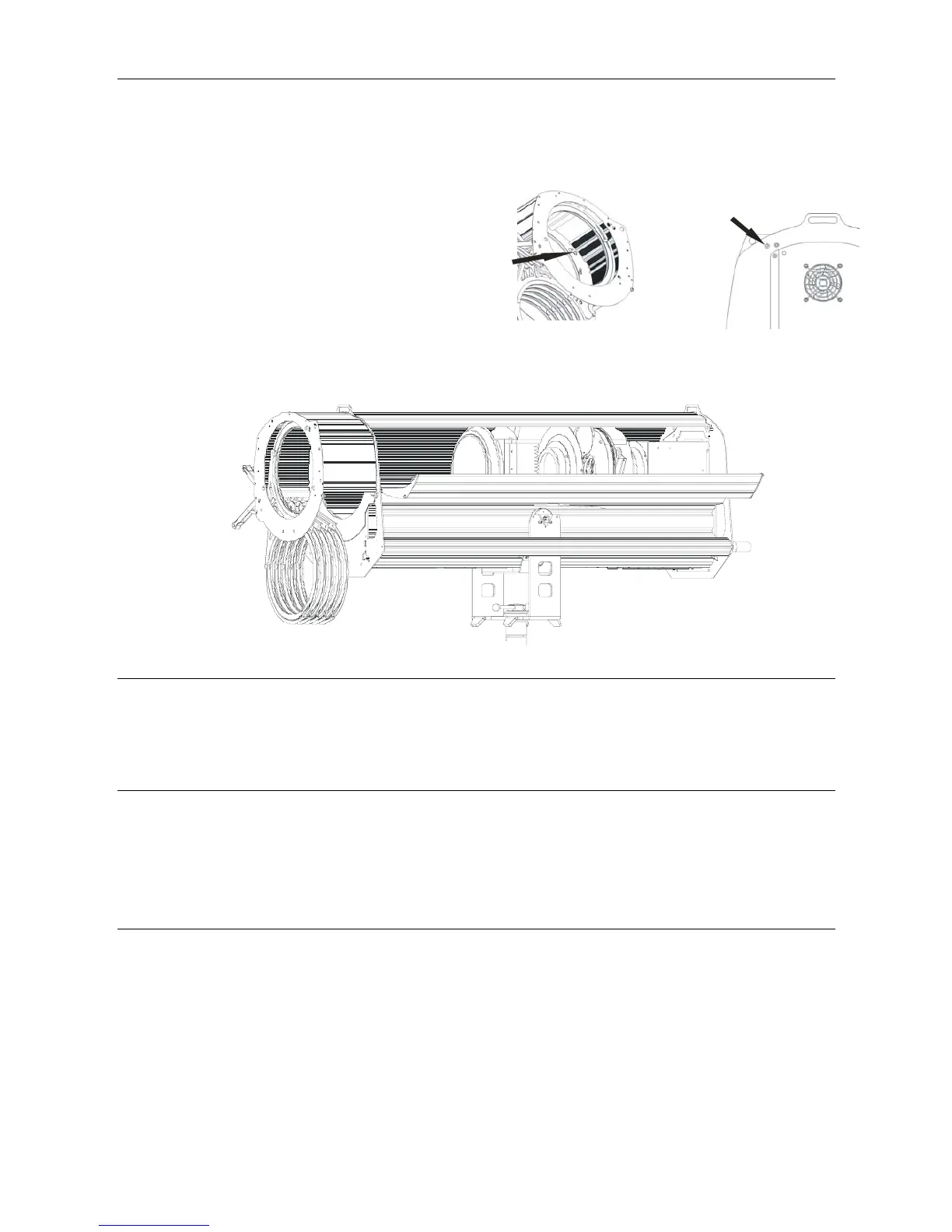
Rear Cover
Screw
Front Cover
Screw
To open the side cover, unscrew the front
and rear side cover screws with the Allen
key provided.
Swing the cover out to the open position as shown.
Cleaning the front and rear lens
Use a soft cloth and cleaning alcohol / methylated spirits to clean the surfaces of the lens.
Replacing the Dichroic CTO Filter
To replace the Dichroic CTO filter, slide the retention clip to the top position, and lift out the filter. Place the
replacement filter into the holder and slide the retention clip to the bottom position.
Replacing the Frost
To replace the frost, slide the retention clip to the top position, and lift out the frost. Place the replacement
frost into the holder and slide the retention clip to the bottom position.
The above are the only maintenance tasks which can be safely carried out by suitably qualified
personnel. Refer below - Safety note.
Version 2: January 2009 © 2009 Selecon New Zealand Limited. All Rights Reserved



 To Next Page