TEC Series v 3.2X
Page 36
TITLE PAGE continued
Continue the second line as required. If you require any
modifications of line 2, then line 1 must be re-entered first. After
completion, press "*". This will return you to the System
Parameters menu.
LINE 2
COMMUNICATIONS SETUP
The Communications Setup menu comes with factory
defaults that should be sufficient for most installations. These
default values are shown on Pg. 28 and 29 . Some functions are
used with options that may not be present on your TEC. For
example, selection 2 RS-232 Baud is not valid unless you
purchase the optional serial printer interface (OPTKPRT). To get
the right menu, press "4" from the main menu.
COMM. SETUP
SELECT 1 - 8
TERMINAL TYPE
The TEC is designed to respond to terminals that follow VT
-100B terminal control codes. It also can respond to "dumb
terminal" codes. To disable the Terminal Type from the factory
default of 1, press "1" from the Communications Setup menu to get
this sub-menu. Press "0" to disable VT-100B emulation, and press
"*". This will return you to the Communications Setup menu.
TERM. TYPE = 1
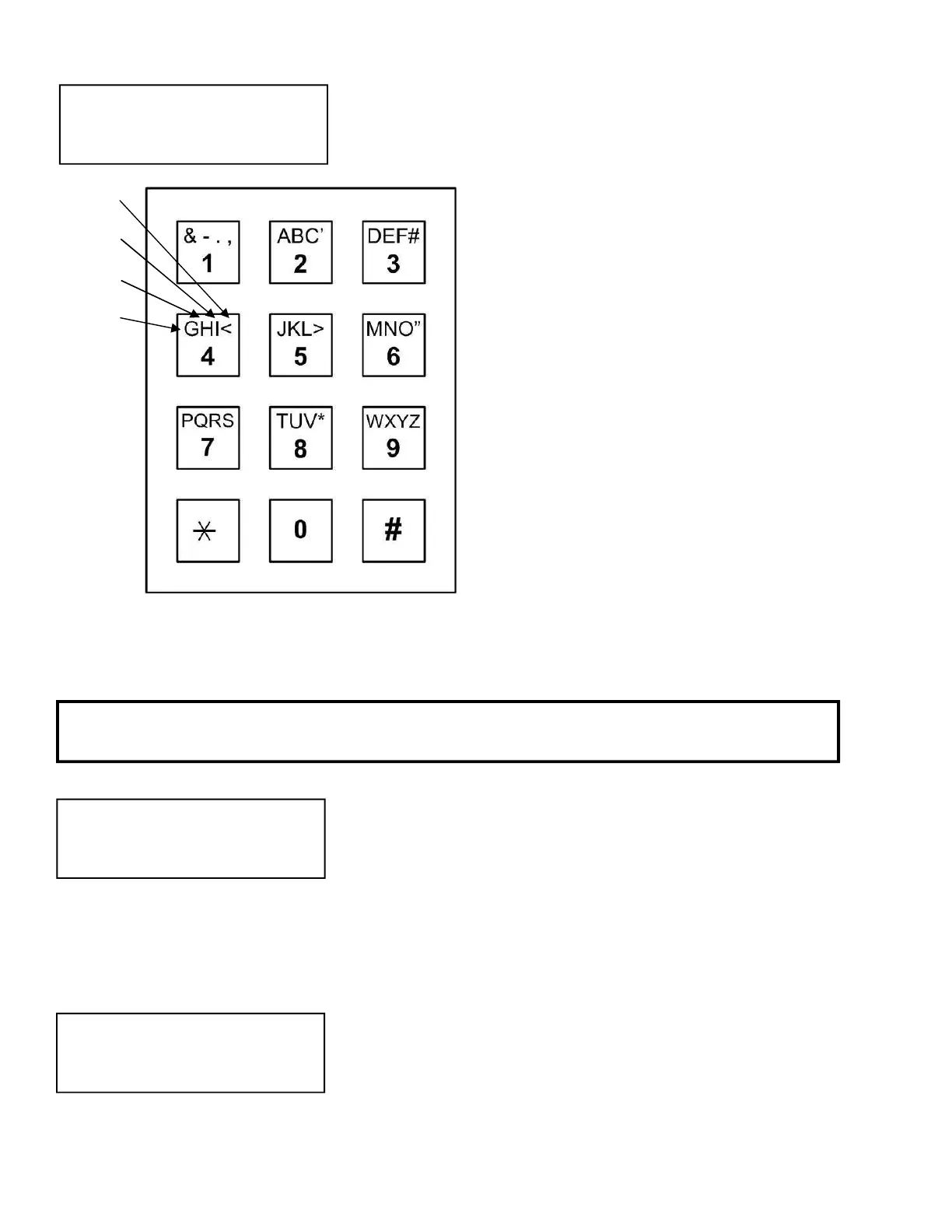
The keypad programming table is
repeated here as an aid to selecting the proper
key strokes to set the title page.
The first time you press a key, the first
character corresponding to that key will appear in
the display. To get to the second character,
press the same key a second time. To get the
third character, press the same key a third time.
To skip a space, press the "#" key. To
backspace, press the "0" and the "#"
simultaneously. A backspace over an existing
character will delete that character. If you
inadvertently key past the desired character,
keep pressing the key until the desired character
is in the window. Then press the "#" key to
advance to the next space.
FOR NUMBERS:
To select numbers, press the "0" key and
then the desired number key.
After completely entering the name, press the "*"
key to enter the name into memory.
NOTE: PRESS THE # KEY TO MOVE PAST THE LAST LETTER BEFORE PRESSING
*, OR LAST LETTER IS NOT PROGRAMMED.
4th Time
3rd Time
2nd Time
1st Time
Same as
Enter Key
# = Space
#0 =
Back


 To Next Page
 Loading...