TEC Series v 3.2X
Page 55
The Entrance X Auto Group refers to the group of Access levels and time zones that allow the
entrance to automatically open on given days for the hours that match the time zone programmed. .
To change the number from the default setting of 0 to another number, press "3" from the ENT 1
Control menu. Select the new number (from 0 - 9) and press the "Enter" key. You will be returned to
the Entry Control menu. SELECTING A "0" DISABLES THE AUTO GROUP FUNCTION. Selecting a
number from 1 - 7 allows that number to automatically open the door on the days and times set for
that group.
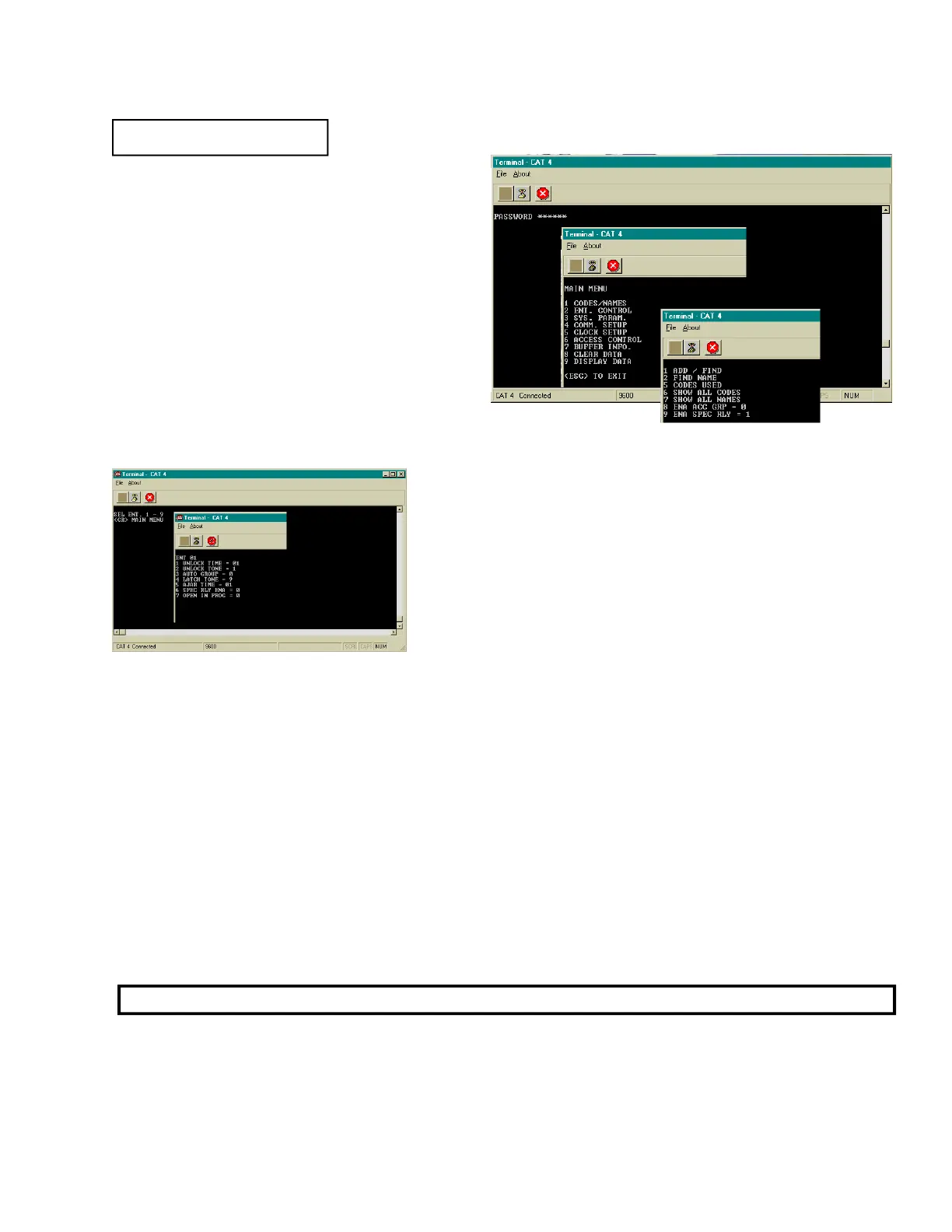
ENABLE ACCESS GROUPS
Access Groups allow more control of a TEC by
adding time zone control and increased card
reader control.
To enable Access Groups from the
factory default of 0, press "8" from the Codes /
Names menu to get this sub-menu. Press "1" to
enable Access Groups, and press the "Enter"
key. This will return you to the Codes / Names
menu.
ENTRY CONTROL
The Entry Control menu comes with factory defaults that
should be sufficient for most installations. These default values
are shown on Pg. 51 and 52 . Some functions work with
options that may not be present on your TEC unit. To get the
menu at left, press "2" and then select the entrance to
modify,The TEC unit can support up to 4 entrances with
options installed.
ENTRANCE X UNLOCK TIME
Press "1" from the Entry Control menu to set the time in seconds from 1 to 99 seconds. This is the
length of time the door control relay for door 1 will be energized. The factory default is 10 seconds. A
good rule of thumb for entry time is 3 seconds plus 2 seconds for every step from the TEC to the
entrance being controlled. To change time, key in the time desired and press the "Enter" key. You will
be returned to the Entry Control menu.
ENTRANCE X AUTO GROUP
ENTRANCE X UNLOCK TONE
The Entrance X tone refers to the Touch-Tone™ number from a telephone that must be pressed to
energize the door control relay. This relay will be energized for whatever length of time was selected.
Rotary or pulse type telephones must dial any number "6" or greater to energize the door control relay.
This will energize only the primary door control relay. To change the number from the default setting
of 6 to another number, press "2" from the Entrance 1 Control menu. Select the new number (from 1 -
NOTE: SELECTING A "0" DISABLES ENTRANCE XX UNLOCK TONE FEATURE.
ENA ACC GRP = 0
(CAT Shown. TEC is similar.)


 To Next Page
 Loading...