TEC Series v 3.2X
Page 67
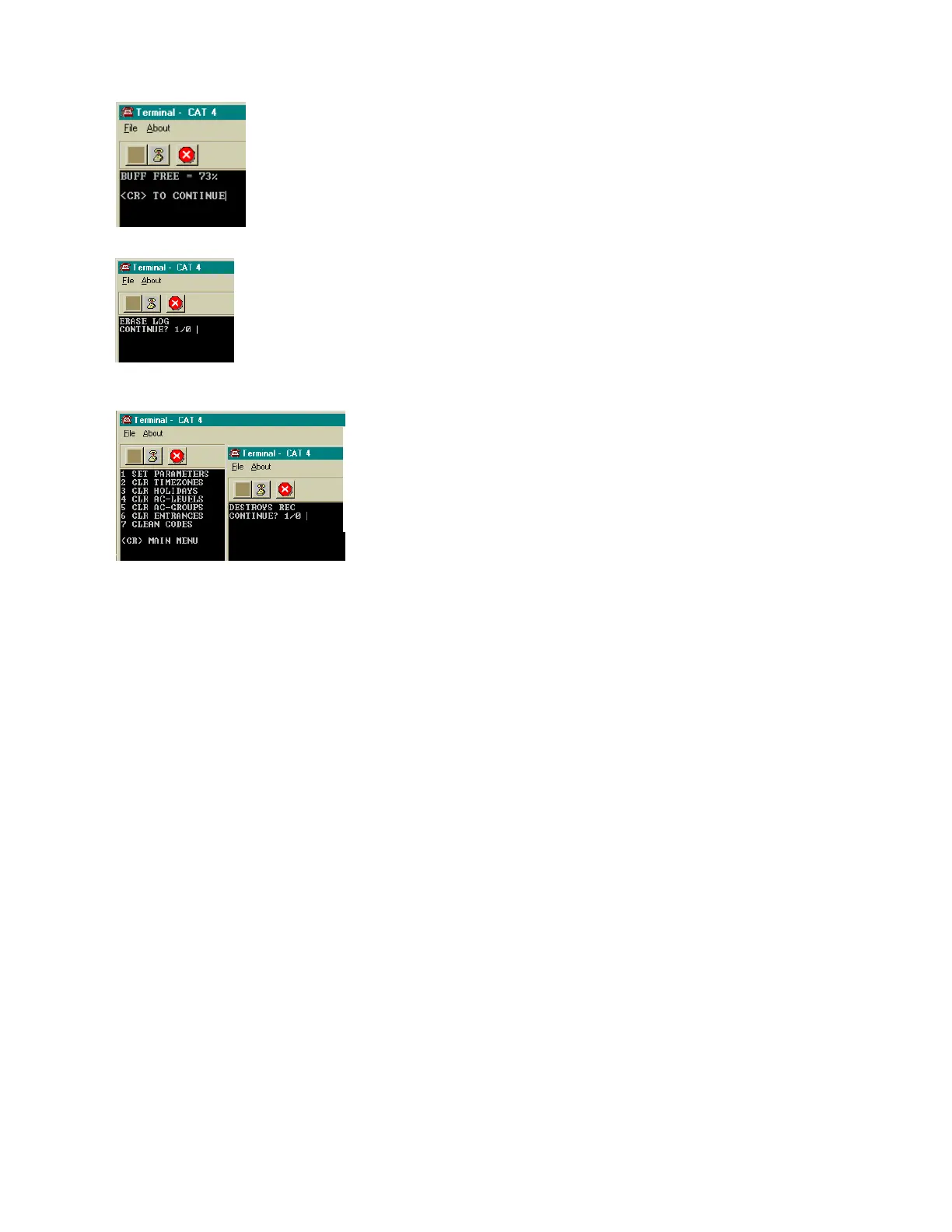
CLR BUFFER: Press "4" to get to the selection at left. Pressing a "1" then
“Enter” key clears all transactions stored in the buffer for the TEC. If you press a "1"
by mistake, press BkSpc to backspace over the "1". Press "0" then “Enter” key to
return to the main menu. If you press any key other than "1", the TEC will sound a
long error beep. Press “Enter” key to return to the Buffer Information menu. Press
“Enter” key again, to return to the Main menu.
CLEAR DATA
TRANSACTION BUFFER FREE
Pressing "3" will only show the approximate amount of
space remaining in the buffer. A message similar to left will
appear.
SET PARAMETERS
Pressing "1" returns all Entrance Control, System Parameters and Communication Setup
settings to the SES factory defaults. These defaults are shown on Pg. 51 and 52. Press "1" to reset
the parameters. Press “Enter” key to return to the Main menu.
Pressing "2" causes this selection to clear any previously programmed time zone and resets
all times to 00:00. Press "1" to reset the parameters. Press “Enter” key to return to the Main menu.
CLEAR HOLIDAYS
Pressing "3" causes this selection to clear all Holidays from memory. This is useful for
Holidays that are observed on different days from year to year, such as Thanksgiving or Labor Day.
Press "1" to reset the parameters Press “Enter” key to return to the Main menu.
CLEAR TIME ZONES
CLR (Erase) BUFFER
The Clear Data selections enable you to reset the unit to zero
values or factory defaults if zero would not be acceptable. A warning
message requiring you to press “1” is present for each action. Press
“Enter” key to return to the Main menu.
CLEAR ACCESS GROUPS
Pressing "5" causes this selection to clear all access groups of any previously programmed
data. Press "1" to reset the parameters Press “Enter” key to return to the Main menu.
CLEAR ACCESS LEVELS
Pressing "4" causes this selection to clear all access levels of any previously programmed data.
Press "1" to reset the parameters Press “Enter” key to return to the Main menu.
CLEAR ENTRANCES
Pressing "6" causes this selection to clear all entrance data. Press "1" to reset the parameters
Press “Enter” key to return to the Main menu.
CLEAN CODES
Pressing "7" causes this selection to clean all corrupted directory data. Press "1" to reset the
parameters Press “Enter” key to return to the Mai n menu.
SETUP AND PROGRAMMING
(CAT Shown. TEC is similar.)


 To Next Page
 Loading...