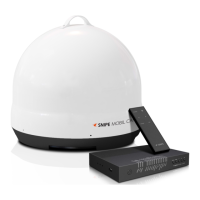
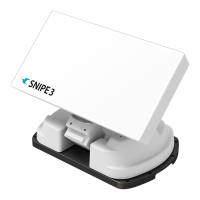
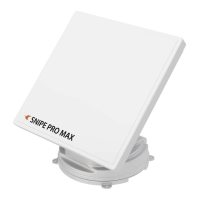
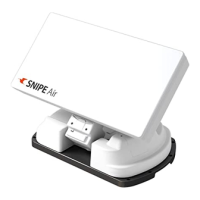
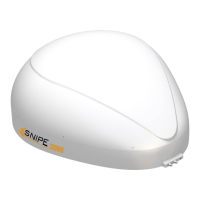
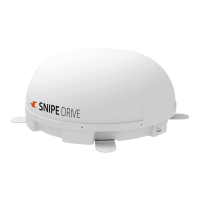
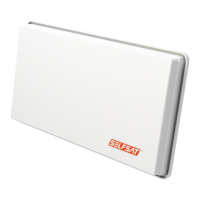
The SELFSAT CARAVAN MOBIL is a portable automatic satellite camping system designed for easy transport and use. It allows users to watch their favorite TV shows with optimal picture and sound quality wherever they go, thanks to its ability to automatically locate satellites. The system is integrated into a case, which facilitates storage without additional packaging when not in use.
Function Description
The CARAVAN MOBIL is an automatic camping satellite antenna. Its primary function is to automatically find and connect to satellites to provide TV signal reception. The system includes a main unit (the antenna itself), a PI BOX for control and power management, and necessary cables for connection. Users can control the antenna's operations, such as searching for satellites and returning to the home position, via the PI BOX or a dedicated smartphone/tablet app called SAT CONNECT. The system is pre-programmed to search for ASTRA1 but can be configured for other satellites via the app.
Important Technical Specifications
Main Unit (CARAVAN MOBIL):
- Input Frequency: 10.7 ~ 12.75 GHz
- Polarization: Vertical & Horizontal
- Antenna Gain: 33.0 dBi @ 12.7 GHz
- Dish Size (W x D): 435 x 387 mm (with edge)
- Size (W x D x H): 45.6 x 46.3 x 20.2 cm
- Weight: 7.0 Kg
- LNB Output: 1
- LNB Output Frequency: 950 ~ 2,150 MHz
- L.O. Frequency: 9.75 / 10.6 GHz
- Input Voltage: DC 12 V
- Power Consumption (While searching): 11 W (normal) / 30 W (max)
- Power Consumption (Stand-by): 3.6 W
- Required Operating Space: Ø841 mm diameter, with a height range of 311 mm to 362 mm and a width of 841 mm.
PI BOX:
- Size (W x D x H): 129 x 105 x 28 mm (excluding connectors and cables)
- Height (with connectors): 35 mm
- Width (with connectors): 34 mm
Accessories Included:
- Main Unit (1)
- PI BOX / M4x20 screw (2)
- PI cable - 1.5m (1)
- Signal cable - 12m (1)
- Power input cable - 5m (1)
- User Manual (1)
Usage Features
Basic Operation:
- Connection: Connect the CARAVAN MOBIL to the PI BOX with the 12m signal cable. Connect the PI BOX to the STB (receiver) with the 1.5m PI cable.
- Power On: Turn on the TV and STB. Press the POWER button on the PI BOX to activate the antenna.
- Satellite Search: The antenna will automatically search for satellites. Once a satellite is found, TV viewing is possible.
- Home Position: After watching TV, press the HOME button on the PI BOX to fold the antenna back to its original (HOME) position.
- Disconnect: Once the main unit is fully folded and the PI BOX is powered off, disconnect the signal cable.
PI BOX Control:
- Satellite Search: Pressing the POWER button initiates a satellite search after about 10 seconds. The antenna searches for pre-programmed or most recently received satellites (default is ASTRA1, changeable via the app).
- If the antenna is in the HOME position, it starts searching.
- If it's already pointing to the satellite, it remains static.
- If it's in another position, it first moves to HOME and then searches.
- If no satellite is found within 10 minutes, it returns to HOME. Rebooting the PI BOX restarts the search.
- Power Off: Press and hold the POWER button for more than 2 seconds to turn off the PI BOX, regardless of antenna status.
- Home Position & Auto Power Off: Pressing the HOME button moves the antenna to the HOME position. If there's no other input for 60 seconds, the PI BOX automatically powers off (POWER LED and HOME LED blink alternately).
SAT CONNECT App (Android/iOS):
- Download: Available on App Store (Android/iOS) via QR codes provided in the manual.
- Setup: Requires agreement to Terms and Conditions, and access to Bluetooth and GPS functions on the smartphone/tablet.
- Pairing:
- Check the MAC Address on the antenna unit or PI BOX.
- Run the app; it will automatically detect connectable antenna units.
- Select the unit matching the antenna's MAC Address (GP-xx:xx:xx).
- Click 'connect' to establish Bluetooth connection.
- Basic Features:
- Settings button: Check firmware version and language settings.
- Status display window: Shows current antenna status (e.g., "Home position").
- Satellite selection window: Select a satellite to search for. Default is ASTRA1.
- Controller (Home/Search/OFF):
- Home: Moves antenna to HOME position (orange lamp blinks, green lamp turns on when complete).
- Search: Select desired satellite and press to initiate search (orange lamp flashes during search, green lamp lights up when found).
- OFF: Turns off the antenna.
- F/W Update: Updates antenna firmware. During update, stay near the PI BOX, ensure sufficient battery on the smart device, avoid other apps or calls to prevent connection loss. Incomplete updates may require sending the antenna to a service center.
- Settings Page:
- Firmware Version: Displays main board and app firmware versions.
- Bluetooth Edit: Delete registered product MAC addresses to register new ones.
- Language: Change app language.
Skew Adjustment:
- Necessary when receiving satellites other than the default.
- The LNB's rotation angle (skew) needs to be adjusted for optimal signal quality.
- The actual skew angle depends on the target satellite and user location.
- Refer to the provided maps (Turksat @ 42.0°E, Astra2 @ 28.2°E, Astra3 @ 23.5°E, Astra1 @ 19.2°E, HotBird @ 13.0°E, Eutelsat 9 @ 9.0°E, Astra4 @ 4.9°E, Thor @ 0.8°W, Eutelsat 5W @ 5.0°W, Hispasat @ 30.0°W) to determine the appropriate skew.
- Accuracy is not critical; small tolerances are acceptable.
- Rotate the LNB gradually to maximize signal quality on the TV screen, then fix it.
Maintenance Features
Storage:
- The antenna has a storage compartment at the bottom. Unscrew the thumbscrew and remove the cover.
- When not in use, the signal cable can be wrapped around hooks inside the compartment for storage.
Troubleshooting:
- No function when power on:
- Check all cable connections (power to PI BOX, PI BOX to antenna).
- Verify PI BOX power (POWER LED should be on).
- Check for damaged power input cable.
- Ensure correct polarity if connected to a battery.
- Fail to search satellite:
- Ensure no obstructions (buildings, trees) in the southward direction.
- Turn PI BOX off and on again.
- Mechanical problems:
- If the antenna is stuck or not moving: Power OFF/ON again.
- If the antenna makes noise but remains static: Power OFF/ON again. If persistent, contact local dealer/shop.
- Other issues:
- Improper wiring: Contact local dealer/shop for assistance with cable damage.
Safety Instructions:
- Ensure a clear view of the sky for satellite reception; obstacles will block the signal.
- Refer to the rating label for power input and safety information.
- Operate only with 12 V DC. For portable use, use the manufacturer's optional power adapter.
- The manufacturer is not liable for damage due to unsuitable battery usage, faulty installation, or wrong wire connection.
- Do not use the system for purposes other than specified.
- Do not use other reflectors or LNBs than those originally installed.
- Never disassemble the device; this voids the warranty and can be dangerous.
- Do not place the unit in water or areas where water may pool.
- Handle the antenna with care during transport and setup. Do not step on it, place heavy objects on it, or subject it to external shocks. Damage can reduce antenna gain and degrade TV signal quality.
- Install on a flat, reliable surface to prevent damage or accidents.
- Avoid forcibly stopping the antenna during operation (rotation or lifting) to prevent damage or personal injury.
- Before moving, switch off and disconnect all cables to prevent tripping.
- Do not operate if the system shows signs of damage.
- Do not paint the antenna; this can degrade the signal and void the warranty.
- Pull the plug, not the cable, when disconnecting from the power outlet.
- All service must be carried out at approved service centers.
- If water penetrates the system, switch it off and inform the service department.
- Do not expose the device to excessive heat sources.
- If a defect, odor, smoke, or significant malfunction is detected, switch off and inform the service department.
- Never attempt self-repair; contact customer service.
- Consult a local dealer for general use information.

 Need help?

 To Next Page
 General