EasyManua.ls Logo

SellEton Scales SL-7510 Series - User Manual

SellEton Scales SL-7510 Series
30 pages
Print Icon
To Next Page IconTo Next Page
Loading...
www.selletonscales.com
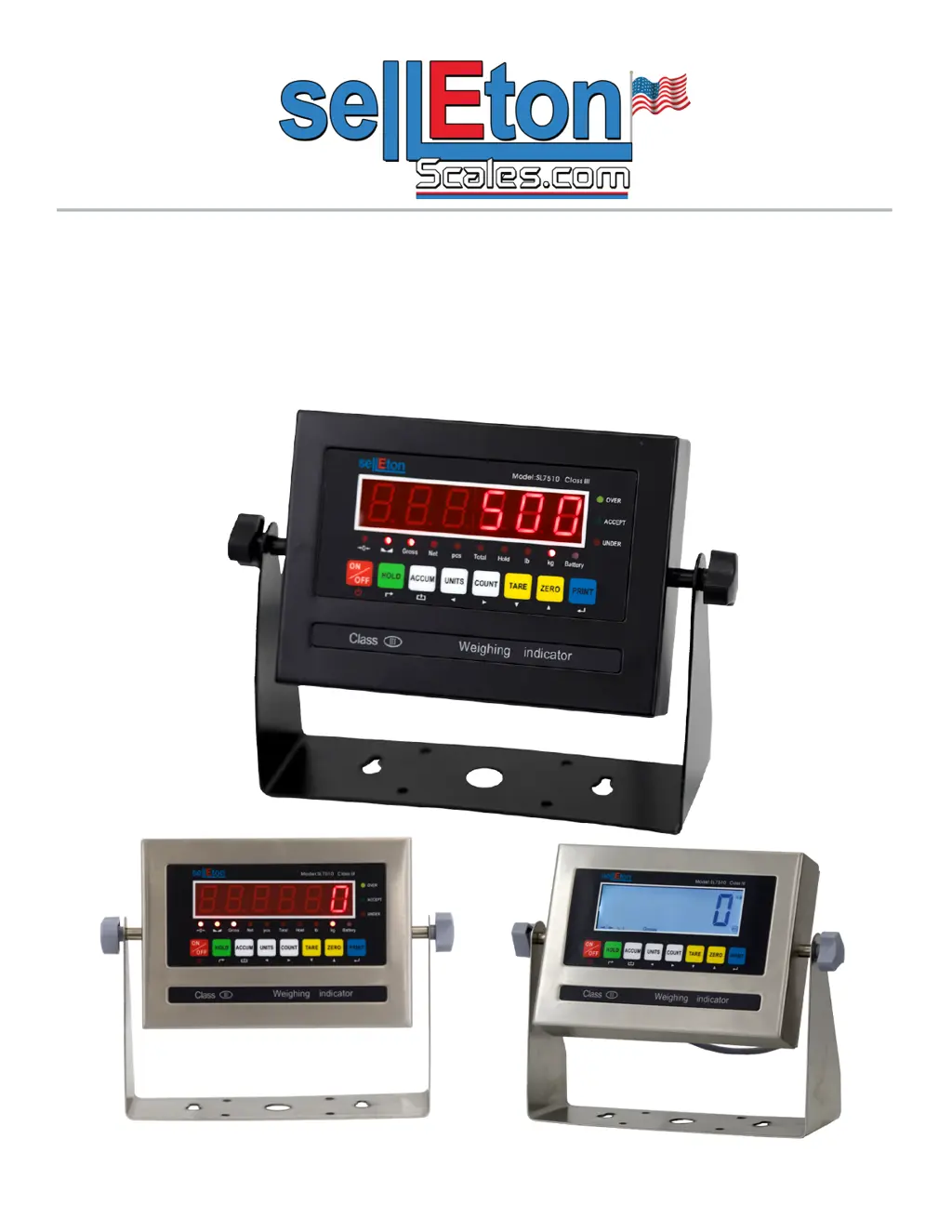
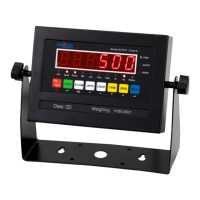
SL-7510 SERIES INDICATOR
USER’S MANUAL
(SL-7510-E, SL-7510-C Series)
9.9.19

Questions and Answers

  • A
    Andrew CuevasAug 6, 2025
    What to do if my SellEton Scales SL-7510 Measuring Instruments display 'UUUUUU'?
    • J
      Joshua MccartyAug 6, 2025
      If your SellEton Scales Measuring Instruments display 'UUUUUU', it could be due to several reasons. First, you might be overloading the scale, in which case you should reduce the weight. Second, there might be a wrong connection with the load cell, so you should check the load cell connection. Finally, the load cell itself might have a quality problem, requiring you to inspect it and check its input/output.
  • C
    Catherine SimpsonAug 10, 2025
    Why does my SellEton Scales SL-7510 display 'nnnnnnn'?
    • A
      Alan GarciaAug 10, 2025
      If your SellEton Scales Measuring Instruments display 'nnnnnnn', consider these potential causes. First, the calibration might be off, so ensure the scale is level. Second, there could be a wrong connection with the load cell; check that connection. Third, the load cell might have a quality issue, requiring you to check its input and output resistance.
  • K
    Katie PadillaAug 14, 2025
    What to do if SellEton Scales SL-7510 show 'ERR3' during calibration?
    • A
      alvin57Aug 14, 2025
      If your SellEton Scales Measuring Instruments display 'ERR3' during calibration, it indicates that the input signal is negative. Here's what you should do: 1. Check all wire connections. 2. Check the load cell. 3. Recalibrate the device. 4. If the previous steps fail, PCB replacement might be necessary.
  • K
    Kristin BrownAug 19, 2025
    What to do if SellEton Scales SL-7510 display 'ERR1'?
    • B
      Beth Rodriguez MDAug 19, 2025
      If your SellEton Scales Measuring Instruments display 'ERR1', it means that during calibration, either no weight was used or the weight exceeded the maximum capacity. To resolve this, use the correct weight within the defined range during calibration.
  • F
    fstoneAug 23, 2025
    What to do if SellEton Scales SL-7510 display 'ERR2'?
    • D
      David AndersonAug 23, 2025
      If your SellEton Scales Measuring Instruments display 'ERR2', it means that during calibration, the weight used was below the minimum required weight. The calibration weight minimum is 10% of the max. capacity set in C04. It is recommended to use 60%-80% of max. capacity if possible.
  • D
    Donna ClayAug 27, 2025
    What to do if SellEton Scales Measuring Instruments display 'ERR4'?
    • J
      Joseph WhiteAug 27, 2025
      If your SellEton Scales Measuring Instruments display 'ERR4', it indicates that the signal was unstable during calibration. Ensure the platform is stable before starting the calibration process.
  • K
    Katrina ClarkeAug 31, 2025
    What to do if SellEton Scales SL-7510 Measuring Instruments display 'ERR5'?
    • J
      Jaclyn MillerAug 31, 2025
      If your SellEton Scales Measuring Instruments display 'ERR5', it indicates an EEPROM Error. To resolve this, you will need to change the PCB.

Summary

SAFETY PRECAUTIONS

PREPARATION & SET UP

Instructions for preparing and setting up the weighing indicator.

FEATURES

Technical Parameters

Key technical specifications of the weighing indicator.

POWER SUPPLY

OPERATING INSTRUCTIONS

CALIBRATION PROCEDURE

Single Point Calibration

Step-by-step guide for single-point calibration.

Linear Calibration

INDICATOR PARAMETER SETTINGS

Indicator Parameter Settings: Communication & Power

Indicator Parameter Settings: Filtering & Ranges

CONNECTORS

Connector Details

RS232 SERIAL OUTPUT FORMAT

RS232 Continuous Output Formats

RS232 Specific Output Modes

RS232 Computer & Printer Modes

4-20 mA ANALOG OUTPUT

Connection Diagram

Diagram illustrating the 4-20 mA analog output connection.

Calibration Procedure

Calibration procedure for the 4-20 mA analog output.

RELAY OUTPUT

Relay Output Parameter Settings

Table detailing parameter settings for relay outputs.

Relay Output Pin Definition

Pin definition table for relay output connections.

TROUBLESHOOTING

Error Codes

List of error codes and their corresponding reasons and solutions.

Troubleshooting Common Errors

ERR6 Error Resolution

Procedure to resolve the ERR6 error code.

nnnnnn;uuuuuu Error Resolution

Steps to resolve "nnnnnn" and "uuuuuu" errors.

SellEton Scales SL-7510 Series Specifications

General IconGeneral
DisplayLCD
Auto Power OffYes
Tare FunctionYes
Overload IndicatorYes
Low Battery IndicatorYes
Accuracy0.1 lb
Graduation0.1 lb
PowerAC Adapter or 4 x AA Batteries
Power SupplyAC Adapter or 4 x AA Batteries

Related product manuals