EasyManua.ls Logo

Selve i-R Multi Send - User Manual

Selve i-R Multi Send
63 pages
Print Icon
To Next Page IconTo Next Page
Loading...
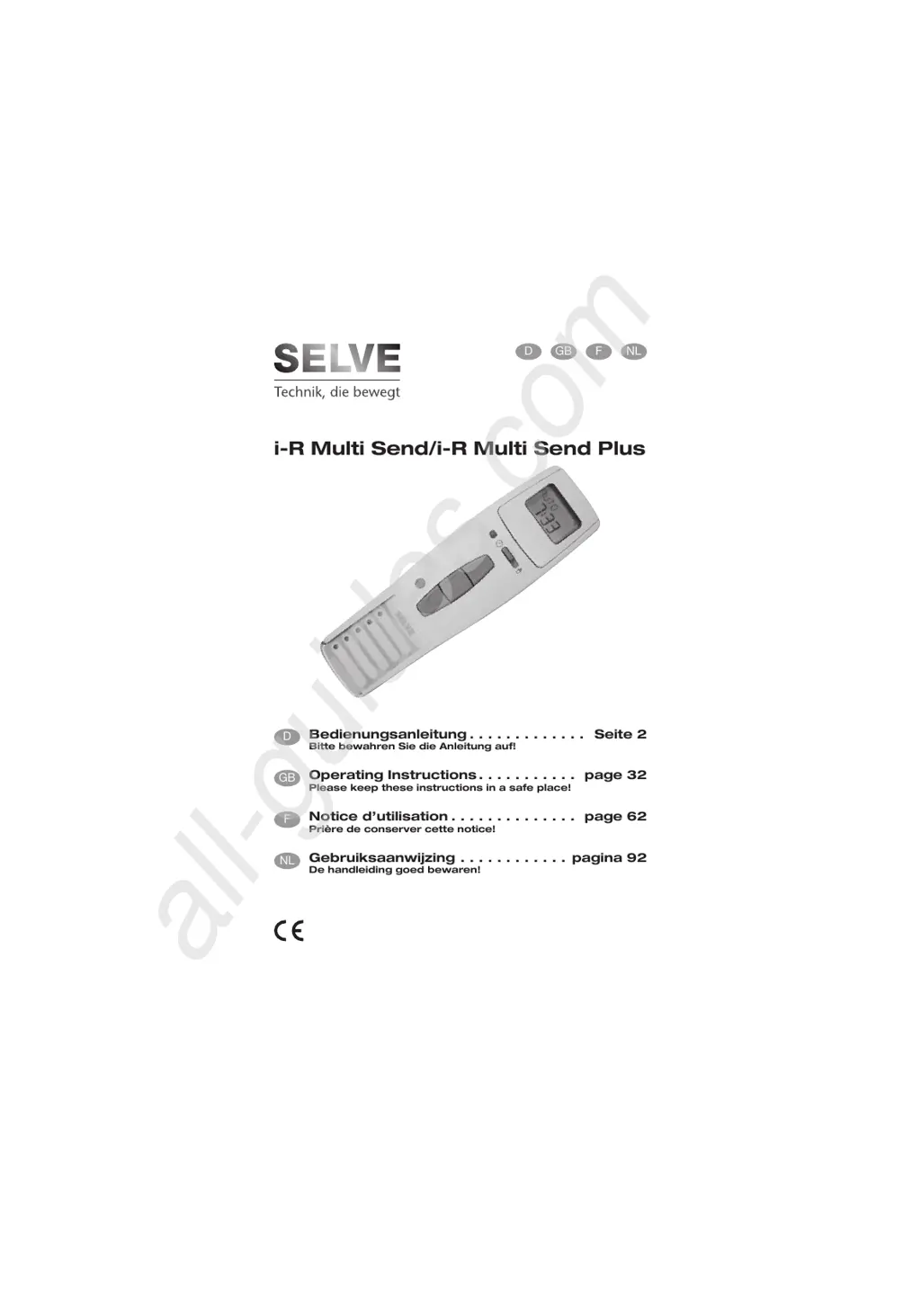
i-R Multi Send/i-R Multi Send Plus
Bedienungsanleitung . . . . . . . . . . . . . Seite 2
Bitte bewahren Sie die Anleitung auf!
Operating Instructions . . . . . . . . . . . page 32
Please keep these instructions in a safe place!
Notice d’utilisation . . . . . . . . . . . . . . page 62
Prière de conserver cette notice!
Gebruiksaanwijzing . . . . . . . . . . . . pagina 92
De handleiding goed bewaren!



All manuals and user guides at all-guides.com
all-guides.com

Questions and Answers

  • T
    Tammy KirkAug 20, 2025
    What to do if the Selve Scanner motor is not functioning and the transmission control light is lit?
    • J
      James FloresAug 20, 2025
      If the Selve Scanner motor isn't working but the transmission control light is on, it could be due to two reasons: the receiver might be out of radio range, in which case you should reduce the distance to the receiver; or the transmitter is not programmed in the receiver, so you should program the transmitter.
  • K
    Kelly GarnerAug 22, 2025
    How to fix Selve Scanner when the motor is not functioning and the transmission control light is not lit?
    • S
      sheliadanielsAug 22, 2025
      If the motor of your Selve Scanner isn't working and the transmission control light is off, the batteries may be dead. Try inserting new batteries. Alternatively, the batteries may be incorrectly inserted, so ensure they are correctly inserted.
  • T
    Thomas RiveraAug 25, 2025
    What to do if Selve Scanner displays the word BATTERY and the transmission control light is on?
    • S
      Sherry GreenAug 25, 2025
      If your Selve Scanner is showing the word 'BATTERY' and the transmission control light is on, it means the batteries are running low. You should insert new batteries.
  • J
    jamesprinceAug 26, 2025
    Why isn't the Selve Scanner Venetian blind moving to the end limit?
    • B
      brittanymartinAug 26, 2025
      If the venetian blind of your Selve Scanner isn't moving to the end limit, it's likely because no end limit position is set. You'll need to set the end limit position using the setting menu PROG END LIMIT.
  • A
    Anna AyersAug 28, 2025
    What to do if the Selve Scanner transmitter does not react after changing the batteries?
    • T
      tingramAug 28, 2025
      If the transmitter of your Selve Scanner isn't responding after you've changed the batteries, it could be that the power supply was interrupted for too long. Press the RESET button and check your settings.
  • R
    Ryan FritzAug 29, 2025
    Why is the Selve Scanner i-R Multi Send/ i-R Multi Send Plus not carrying out the switching commands?
    • D
      Daniel PenningtonAug 30, 2025
      If your Selve Scanner i-R Multi Send/ i-R Multi Send Plus isn't executing the switching commands, check if the sliding switch is set to manual. If it is, move the sliding switch to automatic.
  • N
    nataliefoleyAug 31, 2025
    Why is the Selve Scanner Astro programme not functioning according to the switching times?
    • M
      Melissa ColeSep 1, 2025
      If the Astro programme on your Selve Scanner isn't working according to the set switching times, there could be several reasons: * The date might be incorrect, so set the correct date. * The wrong city or incorrect latitude/longitude might be set; ensure you set the correct city or the exact latitude/longitude degrees. * The holiday function might be activated; switch the holiday function off. * An Astro shift might be set; adjust the Astro shift.
  • S
    Samantha GraySep 2, 2025
    Why is the Selve Scanner i-R Multi Send/ i-R Multi Send Plus not carrying out the switching commands precisely?
    • J
      joseph64Sep 2, 2025
      If your Selve Scanner i-R Multi Send/ i-R Multi Send Plus isn't performing the switching commands precisely, the holiday function might be switched on. Try switching the holiday function off.
  • P
    Pamela MartinezSep 4, 2025
    What to do if Selve i-R Multi Send astro program does not function according to the switching times?
    • M
      Matthew ParkerSep 4, 2025
      If the astro program on your Selve Remote Control isn't working correctly, it could be due to several reasons: the date may be incorrect (set the correct date); the city or latitude/longitude settings might be wrong (set the correct city or exact latitude/longitude degrees); the holiday function may be activated (switch the holiday function off); or an astro shift may be set (adjust the astro shift).
  • L
    Louis MillerSep 6, 2025
    Why Selve Remote Control motor is not functioning, but transmission control light is lit?
    • S
      Samuel MaynardSep 6, 2025
      If the motor of your Selve Remote Control isn't working but the transmission control light is on, it could be that the receiver is too far from the radio range (reduce the distance to the receiver) or the transmitter hasn't been programmed into the receiver (programme the transmitter).

Summary

Safety Instructions

Displays and Buttons Explanation

General Information and Designated Use

Installation

Initial Operation and Default Settings

Explanation of Functions and Terms

General Functions and Terms

General explanations of device functions and terms used.

Manual and Automatic Sliding Switch

Explains the function of the manual and automatic sliding switch.

Transmission Control Light

Describes the function and indicators of the transmission control light.

Group Control

Explains the concept of controlling multiple receivers simultaneously.

Group Selector Button

Details how to select channels or the central unit using the group selector.

Device Control Operations

Operating Mode

Details how to navigate and use the device's operating mode.

OK Button Functionality

Explains how the OK button saves displayed values.

Plus and Minus Button Functions

Describes operations possible with the +/- buttons for navigation and value changes.

Menu Button Navigation

Explains how to access menu overviews and the operating mode.

Reset Button Functionality

Describes how to reset the device to its default settings.

Menu Functionality Explained

Time and Date Menu

Instructions for setting the device's current time and date.

Programme Menu

Overview of setting two different switching times: Astro Evening and Individual.

Channel Selection (Multi Send Plus)

Selecting channels for setting switching times, only with Expert Mode ON.

Astro Evening Function

Details how the device controls up/down based on switching time and sunset.

Individual Programming

Sets the up and down control commands according to the switching times you have set.

Time-Based Control Features

Blocking Time Functionality

Prevents early up/down movement of the roller shutter due to the astro evening function.

Switching Time Definition

Defines automatic up and down times for roller shutters and blinds.

Setting Menu Options Explained

Setting Menu Options

Lists available settings like Holiday, Intermediate Position, and more.

Holiday Setting

Simulates an occupied house when the user is on holiday.

End Limit Definition

Describes the upper or lower position where the shutter/blind stops.

Intermediate Position Setting

Allows setting a freely selectable position between the upper and lower end limits.

Position and Adjustment Features

Ventilation and Tilt Position

Sets a free position for ventilation slits or slat turning.

Language Selection

Allows the user to select their preferred language.

Astro Shift Adjustment

Enables shifting the astro time by a specified amount (e.g., +/- 120 minutes).

Advanced Settings and Functions

City Selection for Astro Function

Selects a city to ensure accurate astro function timing based on location.

Longitude, Latitude, and Time Zone Settings

Allows precise location and time zone configuration for advanced users.

Summer;Winter Time Setting

Manages automatic adjustment for daylight saving time changes.

Function Menu for Professionals

Menu reserved for qualified personnel for specific settings.

Programming Operations

Operating Mode Menu Overview

Provides a visual overview of the device's main operating modes.

Setting Time and Date

Step-by-step guide to setting the current time and date on the device.

Astro Evening Programming

Programming Astro Evening Times

Instructions for setting up automatic up/down times based on switching and blocking times.

Individual Time Programming

Programming Individual Times

Guide to setting custom up and down switching times for weekdays and weekends.

Multi Send Plus Astro Evening Programming

Astro Evening Programming (Multi Send Plus, Expert Mode)

Specific instructions for programming Astro Evening for the Multi Send Plus in Expert Mode.

Multi Send Plus Individual Programming

Individual Programming (Multi Send Plus, Expert Mode)

Instructions for setting individual switching times for Multi Send Plus in Expert Mode.

Holiday Function Programming

Holiday Function Setting

How to activate or deactivate the holiday function for simulated home presence.

Position Settings Programming

Setting Intermediate, Ventilation, and End Positions

Guide to programming specific positions like intermediate, ventilation, and end limits.

Language and Astro Shift Programming

Language and Astro Shift Settings

Adjusting language preference and the astro time shift.

Expert Mode Programming

Expert Mode: City, Longitude, Latitude, Time Zone

Configuring location-specific settings for the astro function in expert mode.

Time Adjustment Programming

Summer;Winter Time Setting

Enabling or disabling automatic time adjustment for daylight saving.

Professional Function Programming

Function Menu for Professionals

Settings for roller shutter/blind selection, expert mode, and initial setup.

Transmitter Programming Procedure

Transmitter Programming Procedure

Step-by-step guide to learning transmitters into the receiver.

Initial Customer Operation

Initial setup and learning of transmitters for the end user.

Programming Additional Transmitters

Process for adding more transmitters to an already configured receiver.

Transmitter Programming Procedure (Continued)

Deleting Transmitters from Receiver

How to remove previously programmed transmitters from the receiver.

Intermediate and Ventilation Position Learning

Instructions for teaching the receiver specific intermediate and ventilation positions.

Setting Intermediate Position (from Upper Limit)

Guide to setting the intermediate position starting from the upper end limit.

Transmitter Programming Procedure (Continued)

Setting Ventilation Position (from Lower Limit)

Guide to setting the ventilation position starting from the lower end limit.

Battery and Technical Data

Battery Replacement Guide

Instructions for opening the compartment and replacing batteries.

Maintenance and Care Instructions

Guidance on cleaning and maintaining the device.

Technical Specifications

Lists key technical specifications like voltage, type, and frequency.

General Conformity Declaration

Statement of compliance with relevant EU directives.

Troubleshooting

Selve i-R Multi Send Specifications

General IconGeneral
BrandSelve
Modeli-R Multi Send
CategoryRemote Control
LanguageEnglish