For NATIONWIDE SERVICE Call 1(800)225-9293
7
OPERATION
Press the rocker switch (1): green light is on, the
machine is now ready for operation. Starts automatically
when paper is inserted. Automatic standby that switches
off after (1) one hour Green LED control light is off.
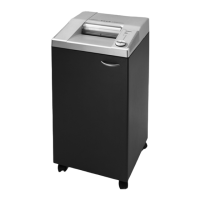
Model 2226CC/3 has an ECC – display (electronic capacity
control) which indicates the used sheet capacity during
Shredding process (A).
LED shows red (A).
Stops automatically if too much paper is inserted.
Automatic reverse if too much paper is inserted.
LED shows yellow (B).
Maximum sheet capacity during shredding process.
LED Shows green (C).
Normal sheet capacity during shredding process.
Important: Between paper insertion allow the
machine to return to the LED green light. (C) If you
insert paper while the LED yellow light (B) is lit you may
cause a paper jam, (See page 9 for paper jams).
Stops automatically when no further paper is inserted.


 To Next Page