Page 11 of 12
Semtech
Wireless & Sensing Products
User Guide for the SX1261 and SX1262 Development Kits Rev 1.1
UG.DEV.SX126x.W.APP March 2018
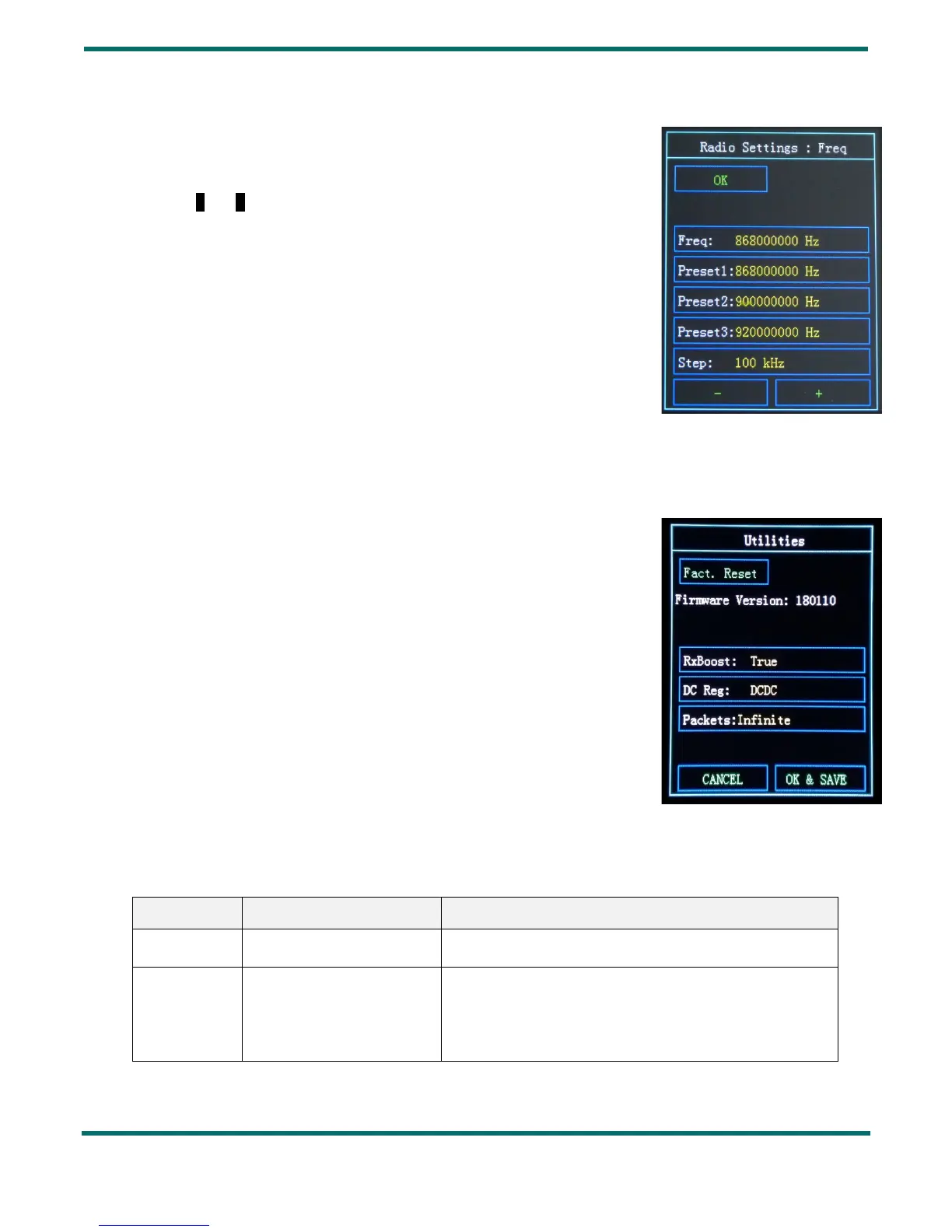
6.3 Frequency Setting
In this menu you can set the frequency for each modulation:
- Select the frequency Step that you wish to tune: from 1 Hz to 10 MHz
- With - and + change the value of the step of your tuned frequency
- The resulting frequency in displayed in Freq
- Additionally you can select one of the three Preset frequencies by simply
pressing the desired frequency value.
7. Utilities
In this menu you can reset the SX1261/SX1262 Development Kit to its factory
settings:
Press on Fact. Reset
The Utilities section is also useful to check the Firmware Version
You can modify:
- the RxBoost mode: On (True) or Off (False)
- the power regulation mode (DC Reg): either DCDC or LDO
- the Packets limit: Infinite, 100, 200, 500 or 1000
8. Revision History
1.0 October 2017 First Release
1.1 March 2018 Update of the contents of delivery
Update of the display illustrations
Update of the LoRA and GFSK Modulation settings
Figure 11: Frequency Setting Display
Figure 12: Utilities Display



 To Next Page