TS8000x Programming Guide www.semtech.com 7 of 16
Rev 0.9 Sep 2016 Semtech
Programming Sequence
1. Connect the Semtech USB-I2C adapter to the TS8000x target board via the 4 wire cable.
2. On the TS8000x target board, ground the Debug pin.
3. Connect the USB-I2C adapter board to your PC with a USB cable.
4. If separately powered, apply power to the TS8000x target board.
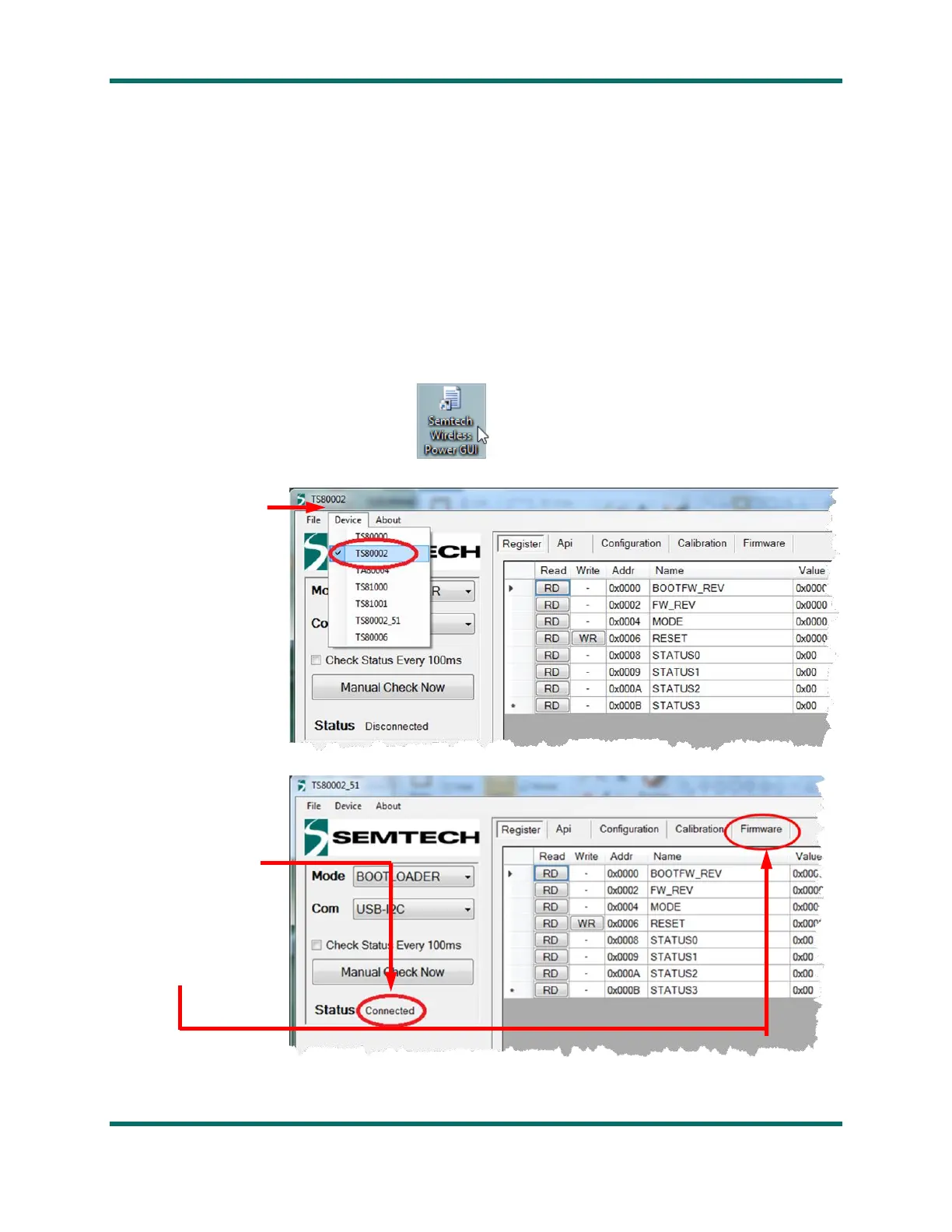
5. Launch the GUI by clicking on the
icon:
6. On the Device tab,
select the TS8000x
version that matches
your device
7. Verify the Status
indicates the selected
TS8000x is Connected
8. Click on the
Firmware tab



 To Next Page