TS8000x Programming Guide www.semtech.com 9 of 16
Rev 0.9 Sep 2016 Semtech
Option 2: Aardvark Adapter and Text-Mode Script
In this section, the information needed to program the TS8000x using the Aardvark I2C/SPI Adapter
Board and Semtech Text-Mode Script will be provided. First, the preliminary steps of obtaining the
adapter board and downloading and installing the software will be considered. Next, setting up the
hardware and using the Text-Mode Script to download the firmware image will be detailed.
For clarity, the material presented here is in full detail with graphics included. At the end of this document,
a shorthand, ‘checklist’ version of these instructions is provided which many users should find to be
sufficiently detailed to document the steps involved in a much more condensed format.
Hardware Required
The Aardvark I2C/SPI Adapter kit may be obtained from http://www.totalphase.com/
Software Installation
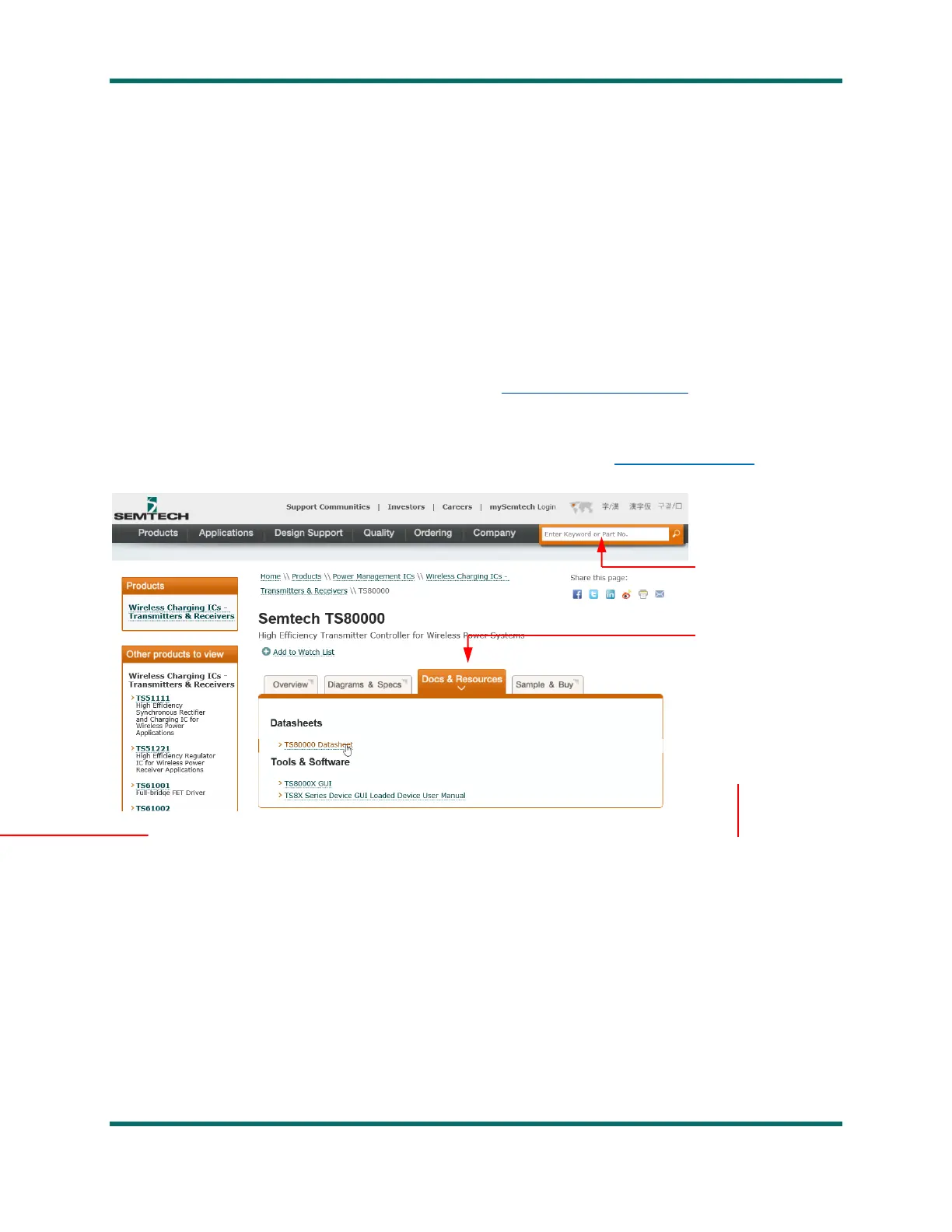
1. On a PC running Windows XP or greater, go to the Semtech website: www.semtech.com
2. In the “Enter
keyword or Part No
search box, enter
TS80000
3. Click on the
Docs & Resources
tab
4. Under “Tools &
Software” click on
TS8000x
Programming using
text-mode script
5. Save the file TS80002_Programming.zip to your PC.
6. Extract the files within TS80002_Programming.zip, with subdirectories maintained, to the directory of
your choice.
7. Under the directory you installed the new files in, navigate to the subdirectory:
\TS80002_Programming\fw_flash_Semtech_v1.0\Aardvark USB Driver
8. Unzip TotalPhaseUSB-v2.12.exe from TotalPhaseUSB-v2.12.zip
9. Double-click TotalPhaseUSB-v2.12.exe to launch the driver installation wizard. Follow the instructions
below to install the Aardvark interface driver software.



 To Next Page