50S Motorcycle Bluetooth
®
Communication System with Mesh Intercom™ | 29
7 MESH INTERCOM
7.1. 2 Group Mesh
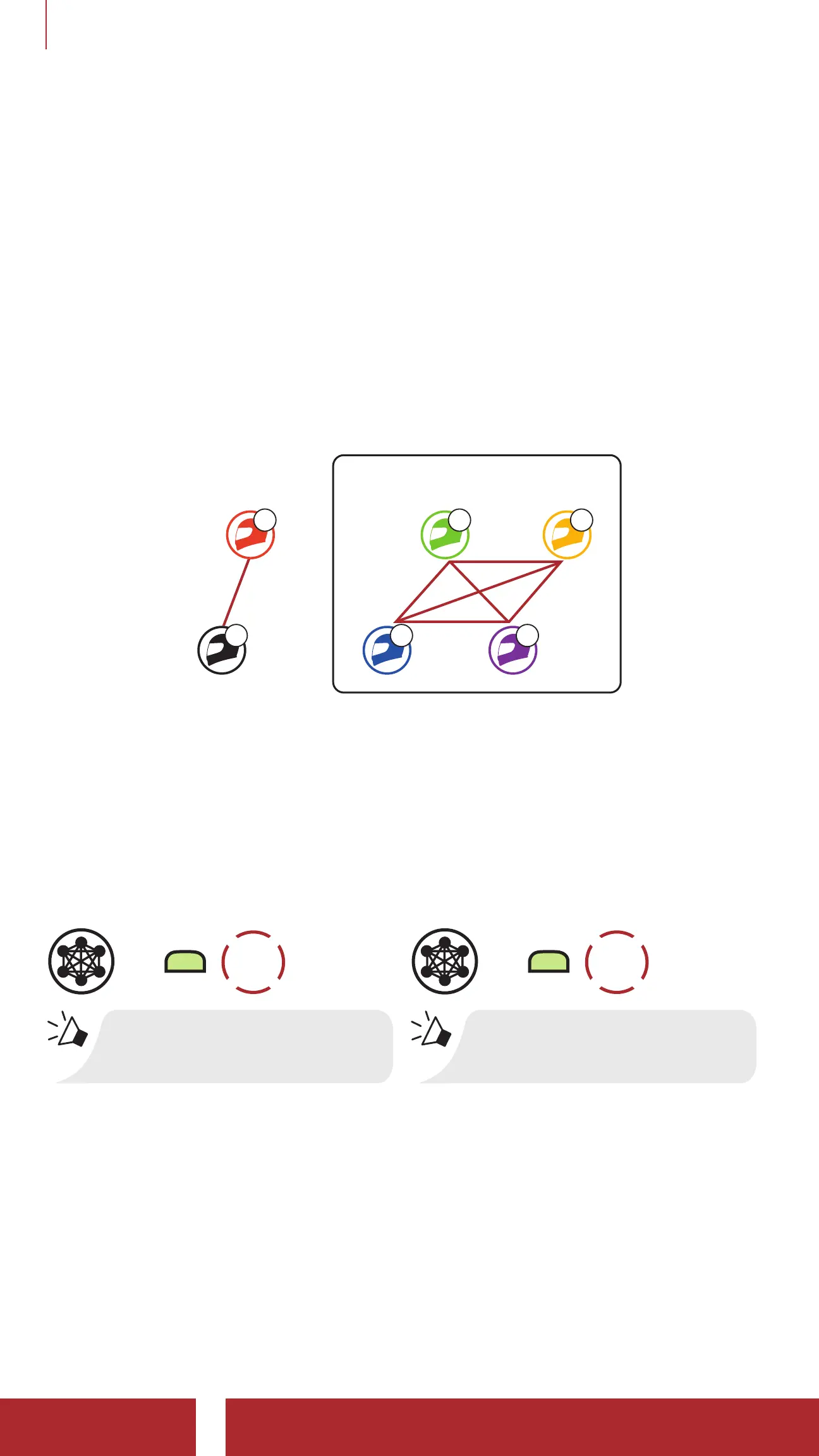
Group Mesh is a closed group intercom function that allows users to
join, leave, or rejoin a group intercom conversation without pairing each
headset. Users can freely communicate with each other in the same
private group in Group Mesh.
For closed intercom conversations using Mesh Intercom, a Group
Mesh needs to be created by the users. When users create a private
group in Group Mesh by Mesh Grouping, the headset automatically
switches from Open Mesh to Group Mesh. Up to 24 users can all be
connected in each private group.
A
B
Group Mesh
C E
D F
7. 2 Starting Mesh Intercom
When Mesh Intercom is enabled, the 50S will automatically connect to
nearby 50S users and allow them to talk to each other.
Mesh Intercom On
=
M
1x
TAP
“Mesh intercom on”
Mesh Intercom Off
=
M
1x
TAP
“Mesh intercom off”
7.3 Using the Mesh in Open Mesh
When Mesh Intercom is enabled, the headset will be in Open Mesh
(default: channel 1) initially.



 To Next Page