50S Motorcycle Bluetooth
®
Communication System with Mesh Intercom™ | 37
8 BLUETOOTH INTERCOM
4. Tap Save and check that your friend (B) is paired with you (A)
correctly.
5. Tap Scan (
) and repeat steps 3-4 to pair with Intercom Friends (C)
and (D).
Note: The Smart Intercom Pairing (SIP) is not compatible with Sena
products that use Bluetooth 3.0 or below.
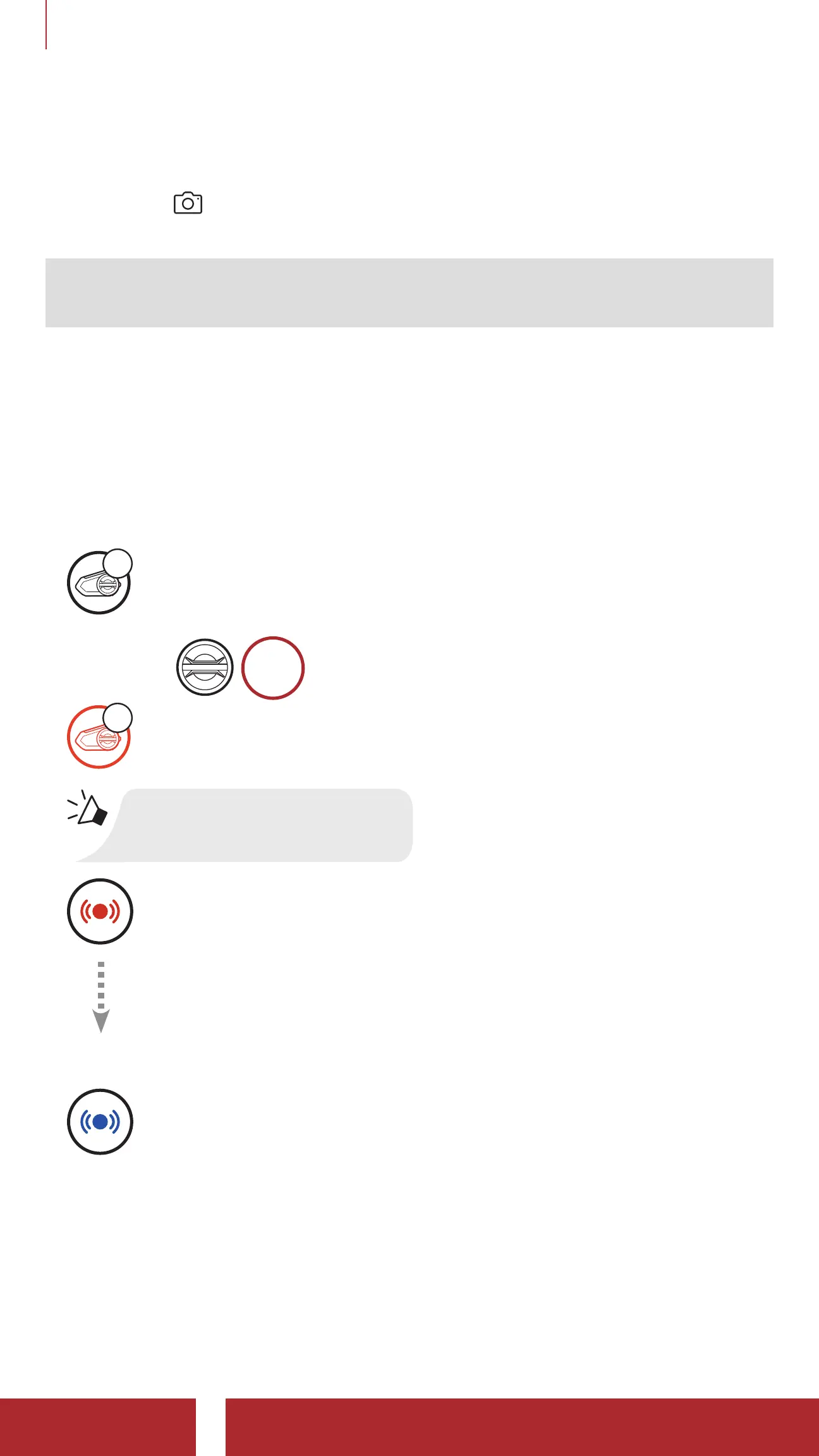
8.1.2 Using the Button
1. Press and hold the Jog Dials of two headsets for 5 seconds until you
hear a voice prompt, “Intercom pairing.”
Pairing Headset A with Headset B
A
YOU
and
=
5s
HOLD
B
“Intercom pairing”
=
Red flashing light indicates device is now discoverable.
The 50S will automatically pair with a Sena headset.
=
Flashing blue LED confirms intercoms are paired.



 To Next Page