32
MENU
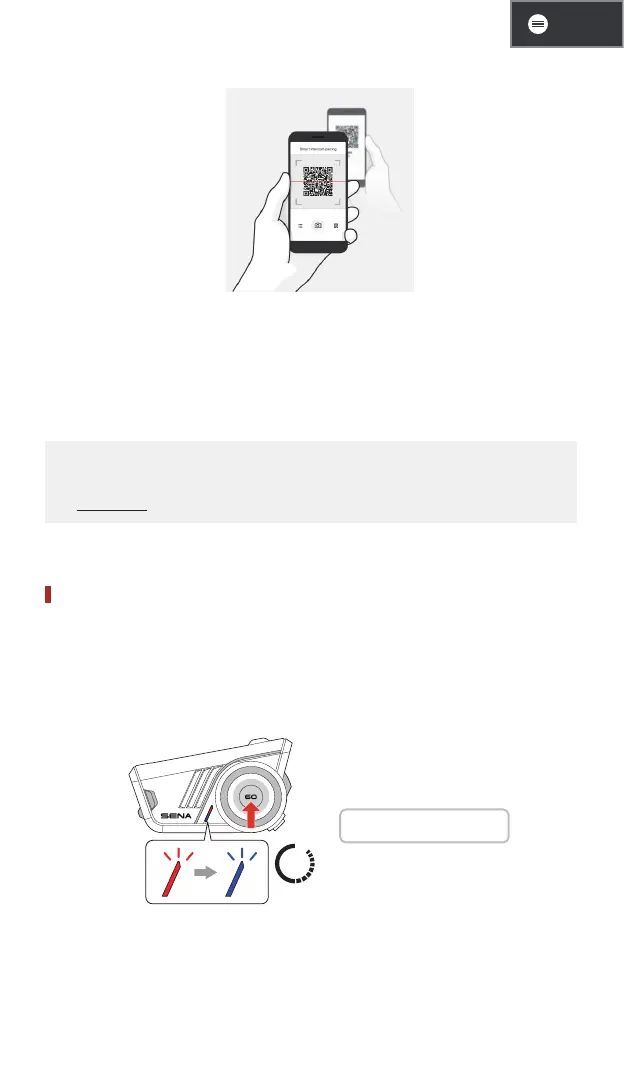
3. Scan the QR code on the other user's app screen.
4. Tap Save and go to the Pairing List tab on the app screen to
check if the other headset is listed correctly.
5. Go back to the Scan QR Code tab and repeat the process to pair
with another Sena headset.
• Smart Intercom Pairing (SIP) is compatible with product models
featuring Bluetooth version 3.0 or later. For more information, visit
sena.com.
Using Buttons
Bluetooth intercom pairing by SIP is highly recommended, but you
can also pair with the other headsets using the button on the 60S.
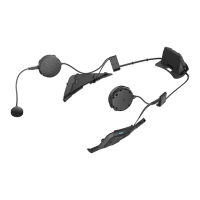
1. You and the other user enter intercom pairing mode by pressing
the jog dial for 5 seconds.
5s
1 "Intercom pairing"
2. Wait for a moment until both headsets are paired automatically.
It can take some time depending on the surrounding wireless
signals, such as Wi-Fi.


 To Next Page