26
Sidetone Setting
When using a Sena Headset, you can enable or
disable the sidetone function while the audio
channel between the Bluetooth Audio Pack
and the headset is open. When the sidetone
function is enabled, you can hear your own
voice echoed from the Bluetooth Audio Pack
through the headset.
Enabling the Sidetone
Press the Pairing Button twice to enable the
sidetone function.
Disabling the Sidetone
Press the Pairing Button twice again to disable
the sidetone function.
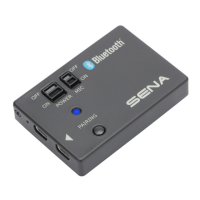
Bluetooth Audio Mix
When you turn on the Mic Switch, the internal
stereo microphones are activated; the
Bluetooth Audio Pack transmits the mixed
audio signals from the Bluetooth Audio Pack’s
internal microphones and the connected
headset to the GoPro®. When the Mic Switch is
turned o, only the Bluetooth Audio Pack from
the headset are transferred to the GoPro®.
The Bluetooth Audio Mix function helps you
to record your voice with ambient sound.
When you are very close to the Bluetooth
Audio Pack, your voice may be echoed and
recorded together.


 To Next Page