10/2019
- 3 -
Copyright © 2019, Fast ČR, a.s.
EN
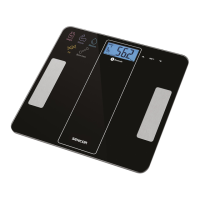
Bluetooth Fitness
Scale
User'smanual
SAFETY INSTRUCTIONS AND
IMPORTANT NOTES
■ Prior to using this appliance,
please read the user’smanu-
al thoroughly, even in cases,
when one has already famil-
iarised themselves with pre-
vious use of similar types of
appliances. Only use the appli-
ance in the manner described
in this user’smanual. Keep this
user’smanual in asafe place
where it can be easily retrieved
for future use.
■ We recommend saving the
original cardboard box, pack-
aging material, purchase re-
ceipt and responsibility state-
ment of the vendor or warranty
card for at least the duration of
the legal liability for unsatisfac-
tory performance or quality. In
the event of transportation, we
recommend that you pack the
appliance in the original box
from the manufacturer.
■ The appliance is designed for
use at home, in offices and
similar types of areas. Do not
use it for commercial, medical
or other purposes.
■ This appliance may be used
by children and persons with
reduced physical, sensory or
mental abilities or with insuf-
cient experience and knowl-
edge if they are properly su-
pervised.
■ Children should be supervised
to ensure that they do not play
with the appliance.
■ Do not use the appliance out-
doors, do not locate it on un-
stable surfaces or in the vicin-
ity of an open re and other
sources of heat.
■ Do not expose the appliance
to direct sunlight or high hu-
midity and do not use it in
an excessively dusty environ-
ment.
■ Make sure that the appliance
is located on an even, smooth,
hard and stable surface. This
applies especially when us-
ing the appliance. Otherwise,
this could result in inaccurate
measurement.
■ Do not use the appliance in
the vicinity of astrong elec-
tromagnetic eld.
■ Prior to stepping on the weigh-
ing platform, check that it not


 To Next Page