EasyManua.ls Logo

Sencor SKS 4000 - User Manual

Sencor SKS 4000
12 pages
Print Icon
To Next Page IconTo Next Page
Loading...
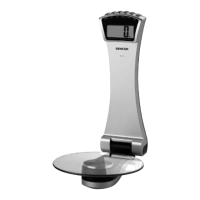
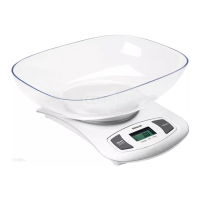
Kitchen
scale
User's
manual
SENCOR
SKS
4000
Before
first
use,
please
read
all
instructions
contained
in
this
user
manual
carefully,
even
if
you
are
already
familiar
with
using
similar
products.
Only
use
this
product
in
accordance
with
the
instructions
described
in
the
user
manual.
Keep
the
user's
manual
in
a
safe
place
where
it
can
be
easily
retrieved
for
future
use.
Save
the
original
packaging,
including
the
internal
packing
material,
warranty
card
and
proof
of
purchase
receipt,
at
least
for
the
duration
of
the
warranty.
If
you
need
to
ship
this
product,
pack
it
in
the
original
cardboard
box
to
ensure
maximum
protection
during
shipping
or
transport
(e.g.,
when
moving
or
when
you
need
to
send
this
product
for repair)
EN-1
Copyright
©
2011,
Fast
CR,
a.s.
Revision
09/2011
Question and Answer IconNeed help?

Do you have a question about the Sencor SKS 4000 and is the answer not in the manual?

Summary

Important Safety Notice

Product Description

LCD Display Description

Details the various indicators and symbols shown on the kitchen scale's LCD screen.

Operational Modes

Illustrates the different modes of operation for the kitchen scale.

Button for Changing Units

Explains the location and function of the button used to switch measurement units.

Instructions for Use

Battery Installation and Use

Guides on how to install and prepare the battery for the kitchen scale.

Switching Weight Units

Details the process of changing measurement units for weighing.

Beginning of Weighing

Step-by-step guide on how to start using the kitchen scale for weighing items.

Volume Display Mode Operation

Instructions on how to use the scale to measure the volume of liquids like water or milk.

Tare Function Explanation

Explains the tare function for weighing multiple items consecutively without resetting.

Automatic and Manual Shut Off

Details how the scale automatically powers off and how to manually shut it down.

Scale Warnings and Error Indicators

Explains common warnings like overload (Lo) and error (Err) indicators.
Cleaning and Maintenance

Disposal of Used Batteries

Troubleshooting

Technical Specifications

Disposal of Packaging Materials

Disposal of Electrical and Electronic Appliances

Sencor SKS 4000 Specifications

General IconGeneral
BrandSencor
ModelSKS 4000
CategoryScales
LanguageEnglish

Related product manuals