Operation
EN
Copyright © 2020, Fast ČR, a. s.
Revision 08/2020
EN 5
2. Operation
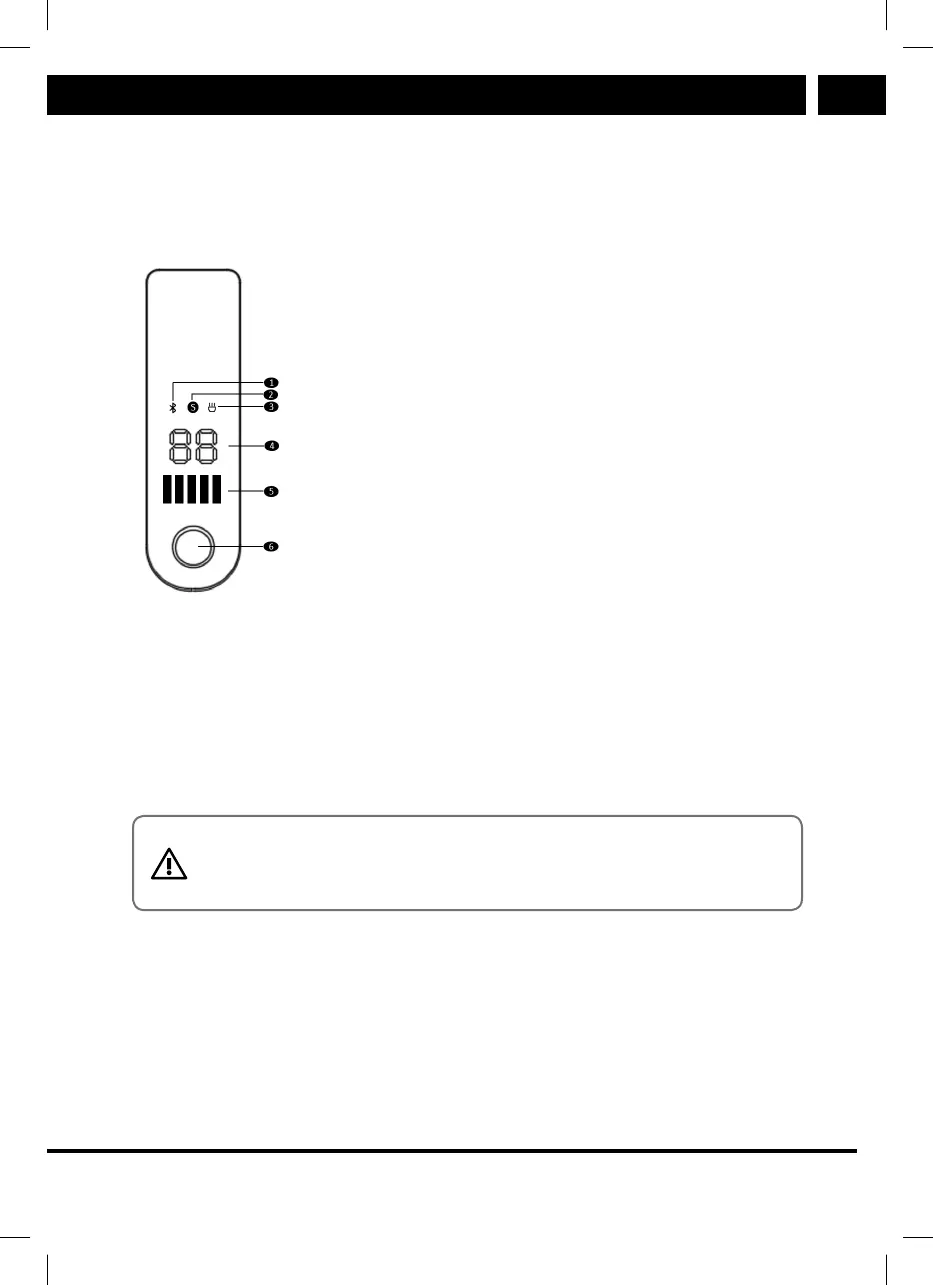
2.1. Control panel and application
Sencor Scooter One EN CZ SK PL HU.indb 5 16.08.2020 21:05:24
➊ Bluetooth connected device indicator
➋ STANDARD (green indication),
SPORT (red indication) mode selected
➌ Flashlight on
➍ Current speed
➎ Battery level
➏ Multifunction button
While using your SCOOTER TWO LONG RANGE 2021, you can also use “SENCOR
SCOOTER” mobile app available for download at Google Play aand Apple APP Store.
This app offers users for example number of kilometers ridden, cruise control set-
ting function and many others. For more information about the app / user’s manual,
please refer to www.sencor.cz website.
2.2. Multifunction button
CAUTION:
The adjustment of riding properties should always be performed be-
fore starting the ride.
1) Short press the multifunction button while the power is off to turn the SCOOTER
TWO LONG RANGE 2021 on.
2) Hold down the multifunction button for 2 seconds while the power is on to turn
the SCOOTER TWO LONG RANGE 2021 off.
3) Short press the multifunction button while the power is on to turn on the LED
fl ashlight.
4) Double tap the multifunction button while the power is on to switch the mode
between STANDARD/SPORT.


 To Next Page